
11F
PUMPKIM2024Puzzle, Horror
4.3GBBuild 14141373Updated 46 days ago
About 11F
Go to the 11th floor of a building that doesn't have an 11th floor.
"Adam, I'll be waiting on the 11th floor."
Game Introduction
11F
A horror, mystery, and adventure game where the objective is to reach the 11th floor of a building that doesn't have 11 floors.
Story
After his father's funeral, the protagonist receives a real estate rights transfer certificate for a building called "The Origin" sent by an unknown person.
"Adam, do you want to come up to the 11th floor?"
Upon seeing a note with his name, waiting on the 11th floor, the protagonist heads towards that unfamiliar building.

Game Progression
- Feel free to explore the massive building. Progress in any order.
- Fight your way through rooms full of ghosts to reach the 11th floor. There are over 20 rooms with different themes and a variety of ghosts.
- Experience the lives and sufferings of the residents. They may be the clues that lead you to the 11th floor.
- Reach the 11th floor and face the mystery.

Game Progress
The "The Origin" building is filled with eerie rooms bearing traces and stories of past inhabitants on each floor.
Residents, deemed troublesome tenants, have transformed into strange entities wandering the premises. Avoid them and search for the 11th floor that is hidden from sight but still exists. The 'Troublemaker Neighbors' booklet will be helpful.
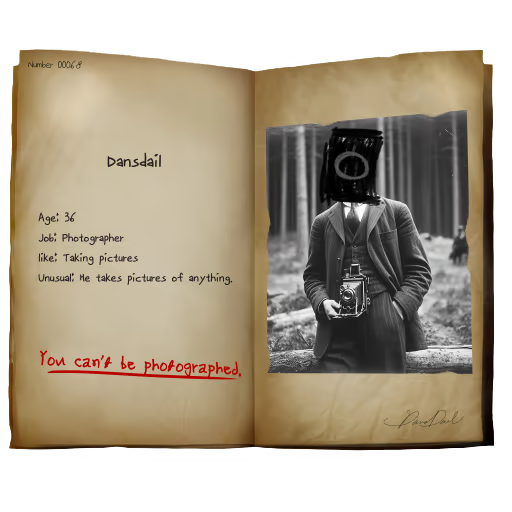
From the store page, unedited. May contain spoilers.
This release
Reviews and playtime
Very Positive
82% of 174
The game
Genres and features
How to install 11F
Pre-installed, so there is no setup wizard. Follow these in order.
- 01
Create a games folder
Make a folder like C:\Games\ and keep every game in it. Avoid Program Files, Downloads and the Desktop.
- 02
Exclude it from Windows Defender
Defender often deletes cracked files by mistake while they extract. Add C:\Games\ as an excluded folder:
Windows Security -> Virus & threat protection -> Manage settings -> Exclusions -> Add an exclusion -> Folder
- 03
Download into C:\Games\
Save the archive straight into that folder. This release is one 4.3GB file.
- 04
Extract it there
Use 7-Zip or WinRAR. Keep about 9.5 GB free while it unpacks.
- One file
- Right-click it -> Extract here.
- Several parts
- Extract only part1 (or .001). The other parts are read automatically.
- 05
Open README.html
It is inside the extracted folder and explains how to start the game.
Still stuck? Read the install help
Download
Set up your games folder and the Defender exclusion before you extract. The Install tab has the steps.
FileDitch
The whole game in one file
VikingFile
The whole game in one file
Gofile (legacy)
The whole game in one file
We don't accept fix requests when only one host is down. Please use another mirror above. Links broken? Let us know.
We never password-protect files or hide installers. If a page asks for a password or payment, that is the host's ad, not us. See our safety guide.
System requirements
- Min
- Windows 10
- Rec
- -
- Min
- Intel i5-2550K, 3.4 GHz
- Rec
- -
- Min
- 8 GB RAM
- Rec
- -
- Min
- GeForce GTX 1060 | Radeon HD 7950
- Rec
- -
- Min
- Version 11
- Rec
- -
- Min
- 5 GB available space
- Rec
- -
These are the developer's listed requirements and may not be 100% accurate. If your specs fall below the minimum, try the game anyway; many games run fine below the listed requirements. When in doubt, check YouTube for performance benchmarks.