13 MASCA
Pockawl2026Horror, Mystery
4.6 GBBuild 24203563Updated 137 days ago
About 13 MASCA
Can you... identify the one who isn’t quite right?

1. Investigate the Unusual Individual

Among 13 completely different individuals, identify those who seem… off.
You have 295 seconds.
2. Choose Someone to Expel

Once the investigation ends, select one person you find suspicious and expel them.
3. Verify Through CCTV
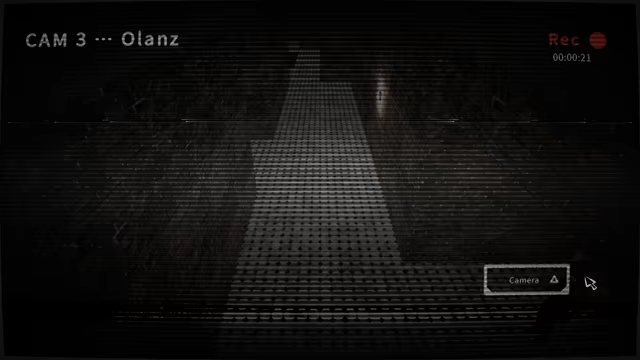
Out of 4 suspicious individuals, only one is correct.
If you chose correctly, they will leave without incident…
But if you’re wrong… something strange will happen.
4. Escape the Monster

If something feels off, leave the CCTV room immediately and run!
In this enclosed space, that person will turn into a monster and roam the facility.
Survive long enough, and a beam of light will appear over an escape pit—your only way out.
5. The Investigation Continues
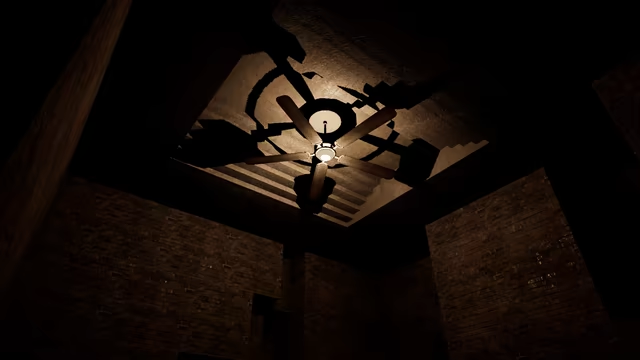
If you survive, the day will repeat, allowing you to gradually narrow down the correct answer.
However, if you’re caught by the monster—or fall into the pit before the light appears—
it’s game over, and the correct answer will change.
So when you make the wrong choice, observe the monster’s traits and focus on surviving as long as possible.
Music Credits
Main, Opening & Ending Themes
by Makoto Hiramatsu
Tracks: Cloud, Turning, Lost, Sun
Source: MakotoHiramatsu on itch.io
Licensed under CC BY 4.0
From the store page, unedited. May contain spoilers.
This release
Reviews and playtime
5 user reviews
100% of 5
The game
Genres and features
How to install 13 MASCA
Pre-installed, so there is no setup wizard. Follow these in order.
- 01
Create a games folder
Make a folder like C:\Games\ and keep every game in it. Avoid Program Files, Downloads and the Desktop.
- 02
Exclude it from Windows Defender
Defender often deletes cracked files by mistake while they extract. Add C:\Games\ as an excluded folder:
Windows Security -> Virus & threat protection -> Manage settings -> Exclusions -> Add an exclusion -> Folder
- 03
Download into C:\Games\
Save the archive straight into that folder. This release is one 4.6 GB file.
- 04
Extract it there
Use 7-Zip or WinRAR. Keep about 10.1 GB free while it unpacks.
- One file
- Right-click it -> Extract here.
- Several parts
- Extract only part1 (or .001). The other parts are read automatically.
- 05
Open README.html
It is inside the extracted folder and explains how to start the game.
Still stuck? Read the install help
Download
Set up your games folder and the Defender exclusion before you extract. The Install tab has the steps.
FileDitch
The whole game in one file
FileQ
The whole game in one file
Pixeldrain
The whole game in one file
Pixeldrain slows free downloads to a few MB/s. The Copy fast link button gives you a bypass link with no speed limit. Paste it into your download manager, or into your browser's address bar.
We don't accept fix requests when only one host is down. Please use another mirror above. Links broken? Let us know.
We never password-protect files or hide installers. If a page asks for a password or payment, that is the host's ad, not us. See our safety guide.
System requirements
- Min
- Windows 10 (64-bit)
- Rec
- Windows 10 / 11 (64-bit)
- Min
- Intel Core i5-4460 / AMD FX-6300
- Rec
- Intel Core i7-8700 / AMD Ryzen 5 3600
- Min
- 8 GB RAM
- Rec
- 16 GB RAM
- Min
- NVIDIA GTX 760 / AMD R7 260x (2GB)
- Rec
- NVIDIA GTX 1060 / AMD RX 580 (6GB)
Version 11
8 GB available space
DirectX Compatible
Broadband Internet connection
These are the developer's listed requirements and may not be 100% accurate. If your specs fall below the minimum, try the game anyway; many games run fine below the listed requirements. When in doubt, check YouTube for performance benchmarks.