
A Tiny Sticker Tale
Ogre Pixel2023Adventure, Puzzle
149.4MBBuild 16682258Updated 63 days ago
About A Tiny Sticker Tale
A Tiny Sticker Tale is a cozy miniature adventure about changing the world, using the power of stickers!

A Tiny Sticker Tale is a cozy miniature adventure about changing the world, using the power of stickers!
*(This is an emotional and short experience whose main story can be enjoyed in approximately 2 hours)

In A Tiny Sticker Tale, take anything from the world around you, turn it into a sticker, and use your creativity to stick it back in different places, solving puzzles, and helping your new friends!
 In this wholesome bite-sized adventure, step into the tiny boots of Flynn, the donkey, and journey across Figori Island, discovering the vibrant quests that will require the power of a very special magical sticker album.
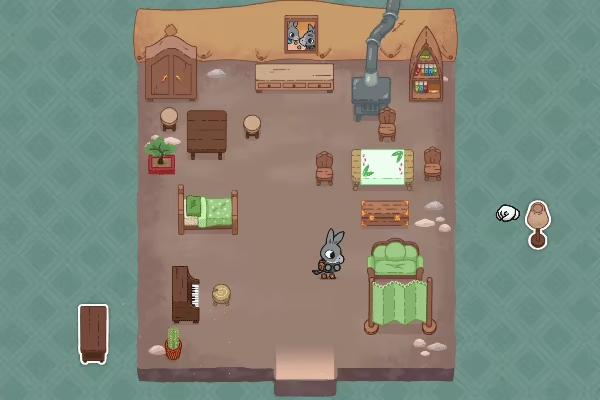
Game Features
Unique gameplay, use your creativity to solve puzzles by taking and placing stickers in different places
Change your surroundings by placing stickers
Customize and decorate your Island however you want!
Gorgeous, inviting art style, Figori Island is the perfect place to rest up after a long day of adventuring
Discover a detailed and fascinating Island full of mystery and adventure
Collect all stickers from the Island

*A Tiny Sticker Tale is designed to be a short adventure filled with many details, great additional content to the main story, and a lot of replayability!
Ogre Pixel
2023
From the store page, unedited. May contain spoilers.
This release
Reviews and playtime
Very Positive
97% of 478
The game
Genres and features

How to install A Tiny Sticker Tale
Pre-installed, so there is no setup wizard. Follow these in order.
- 01
Create a games folder
Make a folder like C:\Games\ and keep every game in it. Avoid Program Files, Downloads and the Desktop.
- 02
Exclude it from Windows Defender
Defender often deletes cracked files by mistake while they extract. Add C:\Games\ as an excluded folder:
Windows Security -> Virus & threat protection -> Manage settings -> Exclusions -> Add an exclusion -> Folder
- 03
Download into C:\Games\
Save the archive straight into that folder. This release is one 149.4MB file.
- 04
Extract it there
Use 7-Zip or WinRAR. Keep about 328.7 MB free while it unpacks.
- One file
- Right-click it -> Extract here.
- Several parts
- Extract only part1 (or .001). The other parts are read automatically.
- 05
Open README.html
It is inside the extracted folder and explains how to start the game.
Still stuck? Read the install help
Download
Set up your games folder and the Defender exclusion before you extract. The Install tab has the steps.
FileDitch
The whole game in one file
VikingFile
The whole game in one file
0807
The whole game in one file
Gofile (legacy)
The whole game in one file
We don't accept fix requests when only one host is down. Please use another mirror above. Links broken? Let us know.
We never password-protect files or hide installers. If a page asks for a password or payment, that is the host's ad, not us. See our safety guide.
System requirements
- Min
- Windows 10
- Min
- Intel® Core™ i3 @ 3.2 GHZ
- Min
- 4 GB RAM
- Min
- 500 MB available space
These are the developer's listed requirements and may not be 100% accurate. If your specs fall below the minimum, try the game anyway; many games run fine below the listed requirements. When in doubt, check YouTube for performance benchmarks.