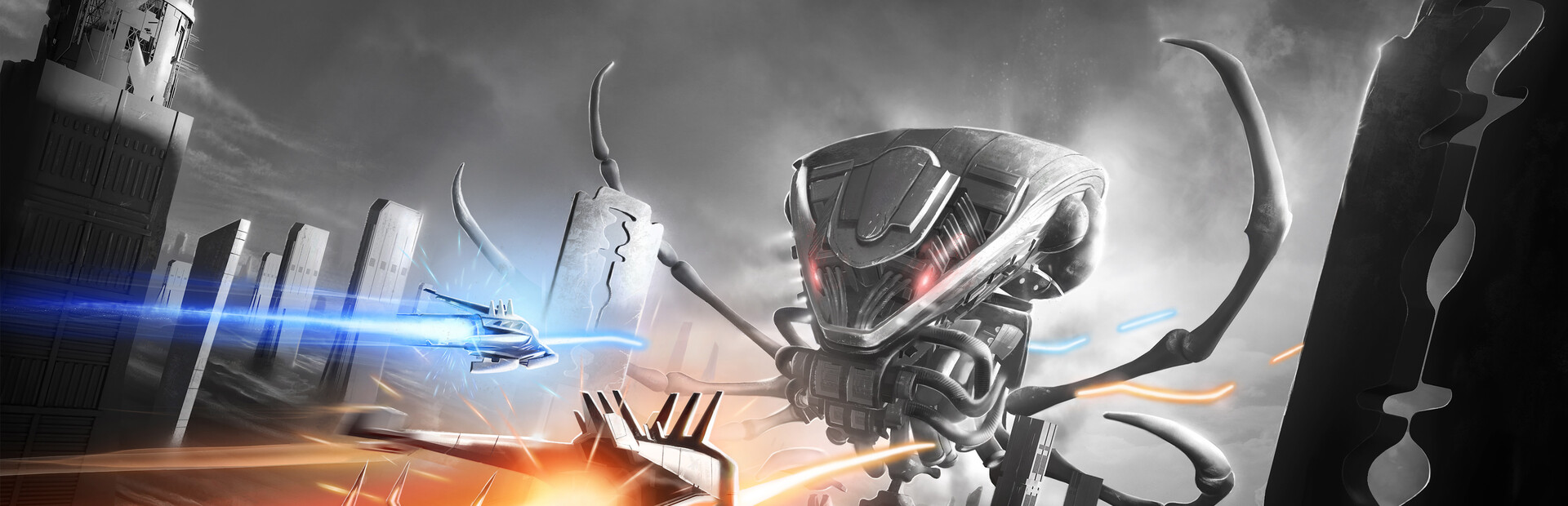
Aaero2
Mad Fellows2024Rhythm, Arcade
4.1GBBuild 21982651Updated 54 days ago
About Aaero2
Tune into Aaero2 - a heart-pounding rhythm-shooter with 20 stunning alien worlds, each powered by a legendary Monstercat track. Trace ribbons of light, unleash devastating firepower, and conquer colossal bosses! Play solo or co-op and feel every beat as you fight to the soundtrack.
 Experience an exhilarating on-rails rhythm shooter where you trace ribbons of light, releasing the energy in the music while speeding through stunning alien environments and aiming to perfect your highest score!
Fly solo or go B2B with a friend, unleashing devastating missiles and raining cannon fire to the beat of the Monstercat soundtrack - one of electronic music’s most influential labels. Let tunes from Droptek, Muzz, Bossfight and more, send you speeding through the stratosphere.

Full single player campaign and 2 player co-op and PvP modes (both couch and online) so you can go back2back with your friends!


Stunning stylised visuals, with dynamic lighting and effects – take in the scenery whilst battling enemy bots! Command your ship across over 20 unique levels.


Bespoke gameplay and environments carefully crafted around each track. Trace ribbons of light to the beat and unleash the power of music with an all-new combat system, redesigned from the ground up. Time your missiles to the metronome for extra impact. Master the rhythm and hunt for the high score in online leaderboards!


Featuring epic boss battles against gigantic creatures, aliens, and robots to hone your twin-stick shooter skills.
Locked and loaded full of achievables, and daily goals for that bonus XP, Aaero2 is full of surprises and reasons to dig deeper.

From the store page, unedited. May contain spoilers.
This release
Reviews and playtime
Positive
95% of 37
The game
Genres and features
How to install Aaero2
Pre-installed, so there is no setup wizard. Follow these in order.
- 01
Create a games folder
Make a folder like C:\Games\ and keep every game in it. Avoid Program Files, Downloads and the Desktop.
- 02
Exclude it from Windows Defender
Defender often deletes cracked files by mistake while they extract. Add C:\Games\ as an excluded folder:
Windows Security -> Virus & threat protection -> Manage settings -> Exclusions -> Add an exclusion -> Folder
- 03
Download into C:\Games\
Save the archive straight into that folder. This release is one 4.1GB file.
- 04
Extract it there
Use 7-Zip or WinRAR. Keep about 9.0 GB free while it unpacks.
- One file
- Right-click it -> Extract here.
- Several parts
- Extract only part1 (or .001). The other parts are read automatically.
- 05
Open README.html
It is inside the extracted folder and explains how to start the game.
Still stuck? Read the install help
Download
Set up your games folder and the Defender exclusion before you extract. The Install tab has the steps.
VikingFile
The whole game in one file
Gofile (legacy)
The whole game in one file
We don't accept fix requests when only one host is down. Please use another mirror above. Links broken? Let us know.
We never password-protect files or hide installers. If a page asks for a password or payment, that is the host's ad, not us. See our safety guide.
System requirements
- Min
- Intel Core i3 or equivalent AMD
- Rec
- Intel Core i5 or equivalent AMD
- Min
- 4 GB RAM
- Rec
- 8 GB RAM
- Min
- NVIDIA GeForce GTX 660, AMD Radeon HD 6770
- Rec
- NVIDIA GeForce GTX 1060, AMD Radeon RX 580
Windows 11
Version 11
2 GB available space
Broadband Internet connection
These are the developer's listed requirements and may not be 100% accurate. If your specs fall below the minimum, try the game anyway; many games run fine below the listed requirements. When in doubt, check YouTube for performance benchmarks.