Aeruta
FromDawn Games2025Indie, Action
473.7MBBuild 22985871Updated 42 days ago
About Aeruta
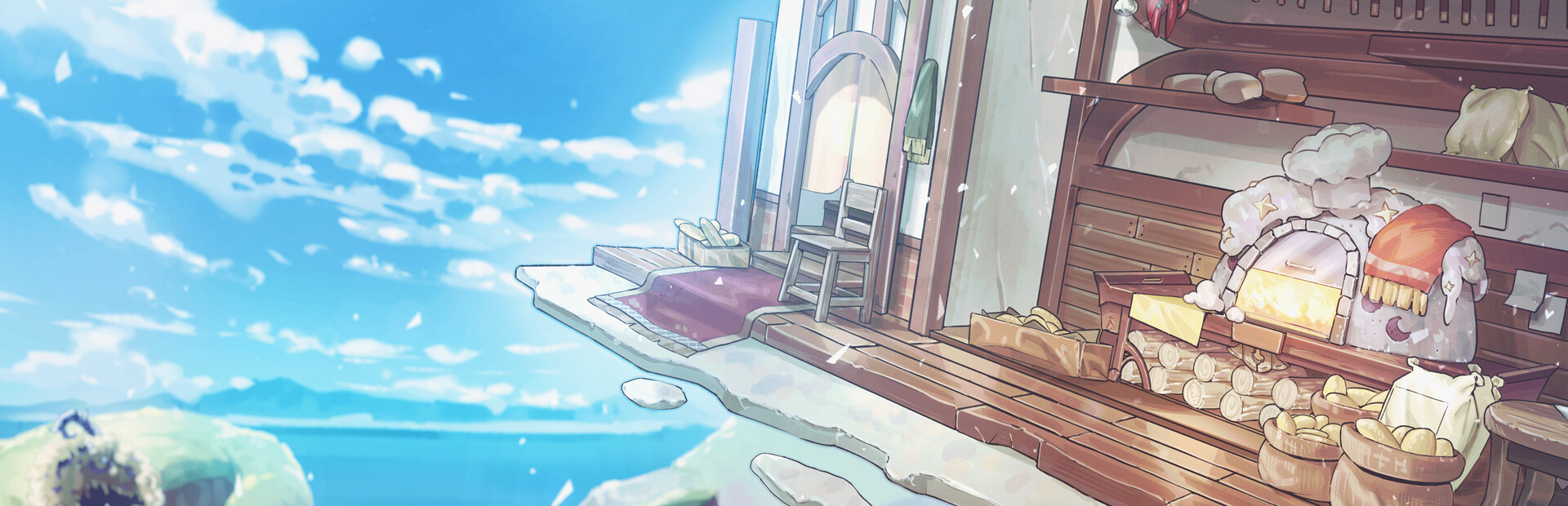
A bread revolution across the world now begins! Aeruta is a side-scrolling action game with a shop management twist, fight monsters for materials and use them to make breads, then finally make the deserted town popular again!

The aroma of bread in memories... In this moment, let's start anew!
This is a world where bread is gradually being forgotten.
Until one day, in the corner of the world, an accidental explosion triggered by the main character Chaya, who was forced to stay in a rundown town where she is unfamiliar with the little store owner Effie to rebulid her bakery.
And the good smell from the insignificant oven is - the almost lost delicious food, BREAD!
Collect materials in areas with your style!
Use your weapon and skills to create a path!There're multiple weapons to choose from,
They all have a unique skilltree to make your own playstyle!
- Multiple areas with different theme and challenges!
- The locals are cute but also dangerous!
- Rare materials! What bread can they make?

Delicious bread for the bakery!
Sell breads in your own bakery!- Set up the rack of breads for most outcome!
- Customers are in need! Help them or lose the opportunity!
- Make sure there're breads to sell!
- Clean up that floor, or you might lose some money!

Develop deserted town, meet new friends!
With power of bread, new possibilities are opened!- New friends will join the town with your progress!
- Research and upgrade the recipes to become top rated shop!
- Make deserted town great by developing new buldings!

From the store page, unedited. May contain spoilers.
This release
Includes1 DLC
- Aeruta アルタ Soundtrack
Reviews and playtime
Very Positive
94% of 2,465
The game
Genres and features
How to install Aeruta
Pre-installed, so there is no setup wizard. Follow these in order.
- 01
Create a games folder
Make a folder like C:\Games\ and keep every game in it. Avoid Program Files, Downloads and the Desktop.
- 02
Exclude it from Windows Defender
Defender often deletes cracked files by mistake while they extract. Add C:\Games\ as an excluded folder:
Windows Security -> Virus & threat protection -> Manage settings -> Exclusions -> Add an exclusion -> Folder
- 03
Download into C:\Games\
Save the archive straight into that folder. This release is one 473.7MB file.
- 04
Extract it there
Use 7-Zip or WinRAR. Keep about 1.0 GB free while it unpacks.
- One file
- Right-click it -> Extract here.
- Several parts
- Extract only part1 (or .001). The other parts are read automatically.
- 05
Open README.html
It is inside the extracted folder and explains how to start the game.
Still stuck? Read the install help
Download
Set up your games folder and the Defender exclusion before you extract. The Install tab has the steps.
FileDitch
The whole game in one file
VikingFile
The whole game in one file
0807
The whole game in one file
We don't accept fix requests when only one host is down. Please use another mirror above. Links broken? Let us know.
We never password-protect files or hide installers. If a page asks for a password or payment, that is the host's ad, not us. See our safety guide.
System requirements
- Min
- Windows 11
- Min
- 2.8Ghz
- Min
- 4 GB RAM
- Min
- 512mb Video Memory, Shader Model 2.0+
- Min
- 4 GB available space
These are the developer's listed requirements and may not be 100% accurate. If your specs fall below the minimum, try the game anyway; many games run fine below the listed requirements. When in doubt, check YouTube for performance benchmarks.