Aestheta
AploveStudio2025Strategy, Card Game
267.4 MBBuild 21637045Updated 145 days ago
About Aestheta
A roguelike royalelike about warriors from across space and time, fighting to claim a wish from the Star of Aestheta. Strategize your tactics, enhance your troops, and outwit your opponents to rise to the top!
At the edge of a distant galaxy on a desolate moon, there lies the Tower of Aestheta...
...Every 20 years a celestial body known as the Star of Aestheta falls from the sky and lands on the top of the tower, and those who approach it will be granted one wish...
...The residents of the moon decided to host a tournament to decide who climbs to the top, many have tried and failed...
...If you made it to the top, what would you wish for...?

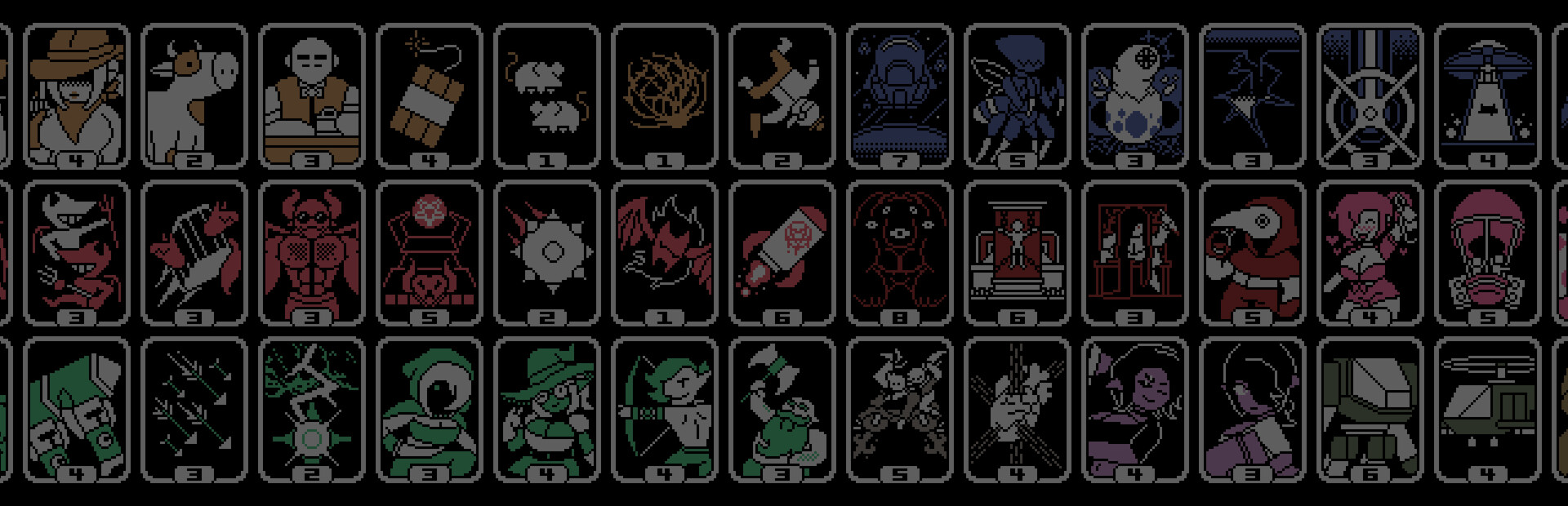
Aestheta is a roguelike "royalelike" strategy card game about warriors from across space and time, fighting to claim a wish from the Star of Aestheta. Summon troops, buildings, and spells to destroy your opponent's towers before they destroy yours!
Features
Over 60+ unique cards to use in battle
Relics that provide passive effects that modify your troops and towers
Charming dialogue from a vast cast of characters
Challenging game modes for TRUE warriors
No pay to win nonsense
Unlockable cosmetics to express your style
The tower beckons you upward, your troops are awaiting your command, and your opponent is eager to battle. The future you desire is just out of reach, will you grasp it?
From the store page, unedited. May contain spoilers.
This release
Reviews and playtime
Very Positive
89% of 204
The game
Genres and features
How to install Aestheta
Pre-installed, so there is no setup wizard. Follow these in order.
- 01
Create a games folder
Make a folder like C:\Games\ and keep every game in it. Avoid Program Files, Downloads and the Desktop.
- 02
Exclude it from Windows Defender
Defender often deletes cracked files by mistake while they extract. Add C:\Games\ as an excluded folder:
Windows Security -> Virus & threat protection -> Manage settings -> Exclusions -> Add an exclusion -> Folder
- 03
Download into C:\Games\
Save the archive straight into that folder. This release is one 267.4 MB file.
- 04
Extract it there
Use 7-Zip or WinRAR. Keep about 588.3 MB free while it unpacks.
- One file
- Right-click it -> Extract here.
- Several parts
- Extract only part1 (or .001). The other parts are read automatically.
- 05
Open README.html
It is inside the extracted folder and explains how to start the game.
Still stuck? Read the install help
Download
Set up your games folder and the Defender exclusion before you extract. The Install tab has the steps.
FileDitch
The whole game in one file
FileQ
The whole game in one file
Pixeldrain
The whole game in one file
Pixeldrain slows free downloads to a few MB/s. The Copy fast link button gives you a bypass link with no speed limit. Paste it into your download manager, or into your browser's address bar.
We don't accept fix requests when only one host is down. Please use another mirror above. Links broken? Let us know.
We never password-protect files or hide installers. If a page asks for a password or payment, that is the host's ad, not us. See our safety guide.
System requirements
- Min
- Windows 10
- Rec
- Evolution Windows 10
- Min
- Intel(R) Core(TM)
- Rec
- Intel Core 2.6 Cycle
- Min
- 64 MB RAM
- Rec
- -
- Min
- Nvidia RTX
- Rec
- Mega Nvidia Bridgespam
- Min
- 40 MB available space
- Rec
- -
- Min
- doesn't really matter
- Rec
- Yehehehaw
- Min
- if you have a computer that isn't 10 years old you'll be fine
- Rec
- final round: rocket defense
These are the developer's listed requirements and may not be 100% accurate. If your specs fall below the minimum, try the game anyway; many games run fine below the listed requirements. When in doubt, check YouTube for performance benchmarks.