
AIR
VISUAL ARTS/Key2025Adventure, Casual
2.4 GBBuild 18922434Updated 118 days ago
About AIR
Summer stretches on endlessly. Beneath the vast blue sky. Beneath the air in which she awaits— AIR, the second game released by visual novel studio Key, is now available on Steam! Now featuring the side story novel, "First Sky Chapter" and full voice support!
■About the Game
AIR is the work from the visual novel studio, Key, known for titles such as CLANNAD, Little Busters, Summer Pockets and more. It received great acclaim and was even adapted into an anime series.
Enjoy this moving tale centered around themes of familial love and the characters' sensitive emotions, now with the latest visual novel engine!
· The story evolves depending on the choices you make, providing a variety of different endings to the visual novel's story for you to discover.
· Also includes AIR's side story novel, "First Sky Chapter" in visual novel format!
· Featuring retouched HD visuals and CG coloring!
This version not only offers the best HD quality to date, but the game's CG coloring has also been adjusted to better complement LED display colors. Enjoy the experience with beautiful graphics!
· Although the Windows version of AIR has never had voice support before, the Steam version adds full voice support with an amazing cast of actors!
· The text can be set to Japanese, English, or Simplified Chinese (audio only available in Japanese). This includes in-game text, options, and the digital manual. Language settings can be changed at any time.
· Touch gestures can also be used if you're playing on a tablet PC or a Steam Deck.
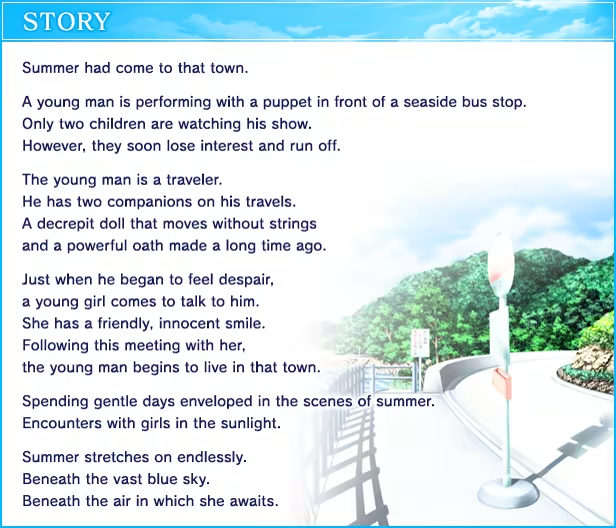









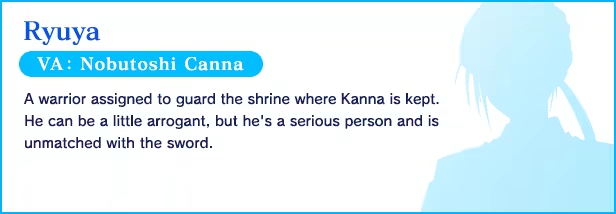
· Voice Actor: Tomoko Kawakami, Asami Okamoto, Ryoka Yuzuki, Hikaru Midorikawa, Nobutoshi Canna, Aya Hisakawa, Yumi Touma, Yukari Tamura, Shin-ichiro Miki, Ryotaro Okiayu, Yuko Nagashima, Junko Hagimori, Yuriko Yamamoto, Hiromi Konno, Urarako Suzuki, Yuki Makishima, Chinami Nishimura, Kikuko Inoue, Keiko Han, Ichiro Nagai
From the store page, unedited. May contain spoilers.
This release
Reviews and playtime
Overwhelmingly Positive
98% of 700
The game
Genres and features
How to install AIR
Pre-installed, so there is no setup wizard. Follow these in order.
- 01
Create a games folder
Make a folder like C:\Games\ and keep every game in it. Avoid Program Files, Downloads and the Desktop.
- 02
Exclude it from Windows Defender
Defender often deletes cracked files by mistake while they extract. Add C:\Games\ as an excluded folder:
Windows Security -> Virus & threat protection -> Manage settings -> Exclusions -> Add an exclusion -> Folder
- 03
Download into C:\Games\
Save the archive straight into that folder. This release is one 2.4 GB file.
- 04
Extract it there
Use 7-Zip or WinRAR. Keep about 5.3 GB free while it unpacks.
- One file
- Right-click it -> Extract here.
- Several parts
- Extract only part1 (or .001). The other parts are read automatically.
- 05
Open README.html
It is inside the extracted folder and explains how to start the game.
Still stuck? Read the install help
Download
Set up your games folder and the Defender exclusion before you extract. The Install tab has the steps.
FileDitch
The whole game in one file
FileQ
The whole game in one file
Pixeldrain
The whole game in one file
Pixeldrain slows free downloads to a few MB/s. The Copy fast link button gives you a bypass link with no speed limit. Paste it into your download manager, or into your browser's address bar.
We don't accept fix requests when only one host is down. Please use another mirror above. Links broken? Let us know.
We never password-protect files or hide installers. If a page asks for a password or payment, that is the host's ad, not us. See our safety guide.
System requirements
- Min
- intel® Core™ i3 or higher
- Rec
- intel® Core™ i5 or higher
- Min
- 512MB Video Memory
- Rec
- 1GB Video Memory
Microsoft Windows® 10(64bit)/11(64bit)
4 GB RAM
Version 11
3 GB available space
DirectSound compatible sound device
Supports touch screen devices / Steam Deck: Proton 8 is recommended
These are the developer's listed requirements and may not be 100% accurate. If your specs fall below the minimum, try the game anyway; many games run fine below the listed requirements. When in doubt, check YouTube for performance benchmarks.