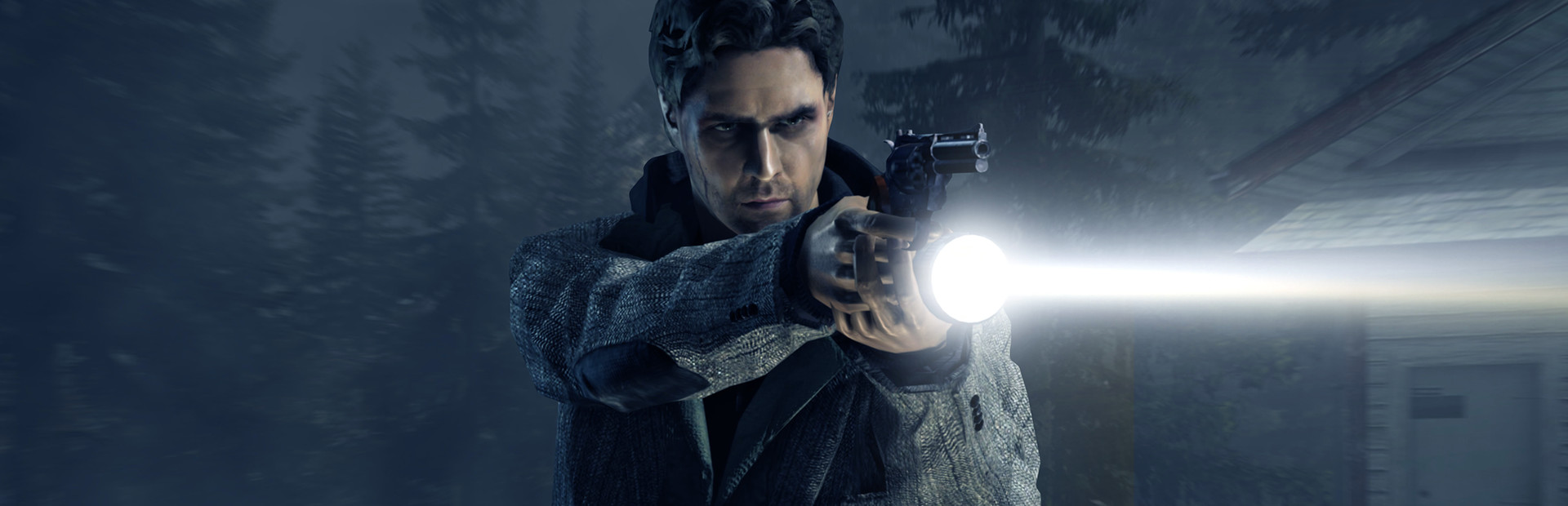

Remedy Entertainment2012Action, Horror
12.5 GBBuild 14596864Updated 153 days ago
About Alan Wake
A Dark Presence stalks the small town of Bright Falls, pushing Alan Wake to the brink of sanity in his fight to unravel the mystery and save his love.
Presented in the style of a TV series, Alan Wake features the trademark Remedy storytelling and pulse-pounding action sequences. As players dive deeper and deeper into the mystery, they’ll face overwhelming odds, plot twists, and cliffhangers. It’s only by mastering the Fight With Light combat mechanic that they can stay one step ahead of the darkness that spreads across Bright Falls.
With the body of an action game and the mind of a psychological thriller, Alan Wake’s intense atmosphere, deep and multilayered story, and exceptionally tense combat sequences provide players with an entertaining and original gaming experience.
Enhanced for the PC
- Includes Alan Wake Special Episodes “The Signal” and “The Writer”
- Experience Alan Wake’s Pacific Northwest in higher resolutions and higher fidelity than the Xbox360 version.
- Fully configurable mouse and keyboard support, or if you prefer to play with the Steam or Microsoft gamepad connected to your PC, you can do that too!
- Lots of customizable graphics settings and support for 4:3, 16:9 and 16:10 aspect ratios!
- Multithreaded engine that takes advantage of quad core CPUs.
- Additional features our fans have sought after such as field of view adjustment as well as “hide HUD”.
- Works with AMD Eyefinity 3D 3-screen mode.
From the store page, unedited. May contain spoilers.
This release
Reviews and playtime
Very Positive
89% of 46,934
The game
Genres and features
How to install Alan Wake
Pre-installed, so there is no setup wizard. Follow these in order.
- 01
Create a games folder
Make a folder like C:\Games\ and keep every game in it. Avoid Program Files, Downloads and the Desktop.
- 02
Exclude it from Windows Defender
Defender often deletes cracked files by mistake while they extract. Add C:\Games\ as an excluded folder:
Windows Security -> Virus & threat protection -> Manage settings -> Exclusions -> Add an exclusion -> Folder
- 03
Download into C:\Games\
Save the archive straight into that folder. This release is one 12.5 GB file.
- 04
Extract it there
Use 7-Zip or WinRAR. Keep about 27.5 GB free while it unpacks.
- One file
- Right-click it -> Extract here.
- Several parts
- Extract only part1 (or .001). The other parts are read automatically.
- 05
Open README.html
It is inside the extracted folder and explains how to start the game.
Still stuck? Read the install help
Download
Set up your games folder and the Defender exclusion before you extract. The Install tab has the steps.
FileDitch
The whole game in one file
FileQ
The whole game in one file
Pixeldrain
The whole game in one file
Pixeldrain slows free downloads to a few MB/s. The Copy fast link button gives you a bypass link with no speed limit. Paste it into your download manager, or into your browser's address bar.
We don't accept fix requests when only one host is down. Please use another mirror above. Links broken? Let us know.
We never password-protect files or hide installers. If a page asks for a password or payment, that is the host's ad, not us. See our safety guide.
System requirements
- Min
- Windows XP SP2
- Rec
- Windows 7
- Min
- Dual Core 2GHz Intel or 2.8GHz AMD
- Rec
- Quad Core 2.66GHz Intel or 3.2GHz AMD
- Min
- 2 GB RAM
- Rec
- 4 GB RAM
- Min
- DirectX 10 compatible with 512MB RAM
- Rec
- DirectX 10 compatible or later with 1GB RAM
- Min
- 9.0c
- Rec
- 10
8 GB HD space
DirectX 9.0c compatible
These are the developer's listed requirements and may not be 100% accurate. If your specs fall below the minimum, try the game anyway; many games run fine below the listed requirements. When in doubt, check YouTube for performance benchmarks.