
Arctic Eggs
Cameron Ginex2024Adventure, Indie
313.2 MBBuild 18492481Updated 145 days ago
About Arctic Eggs
Eggs: perfection in two parts. The simple whites. The sublime yolk. Each the lesser without its partner. Chorus and verse. A symphony of flavor. The catchy tune reminding us of warm baths and late-night movies. The elevator music to whatever lies beyond.


Cooked on both sides. As always
Embrace the truth in Arctic Eggs, or the Tale of the Modern Odysseus. Slip into the boots of a humble Poultry Peddler, stripped of rank for crimes forgotten. Pan in hand, set forth and feed the hungry inhabitants of this humble habitat. It’s all in the wrist.

SUBSCRIBE NOW TO EGGS+
What are fish but eggs with extra steps? What is bacon but pigs without the fluff? How long should one cook a cigarette? Such questions have plagued poets and kings since man claimed fire. Perhaps in your journey you’ll find the answers. Or like, at least the answers for YOU, dude. That’s what matters most.

TOUCH LIVES
Everyone has a story. All you have to do is listen. Or don’t. You can just click real fast to get to the cooking parts. It’s not like we’re watching you. YOU bought the game. You can play it now YOU want. I mean, who am I to tell you what to do? Not really my vibe.
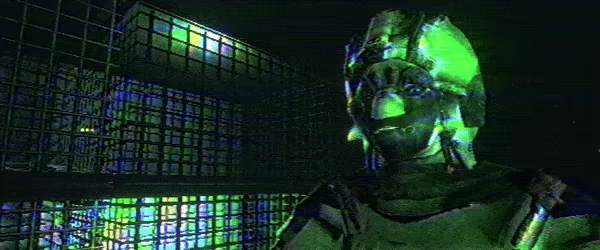
REALISTIC PHYSICS
The game isn’t hard. Cooking is.
Can you cook an egg on top of Mount Everest? I am not sure. But perhaps that’s irrelevant.
From the store page, unedited. May contain spoilers.
This release
Reviews and playtime
Overwhelmingly Positive
95% of 5,535
The game
Genres and features


How to install Arctic Eggs
Pre-installed, so there is no setup wizard. Follow these in order.
- 01
Create a games folder
Make a folder like C:\Games\ and keep every game in it. Avoid Program Files, Downloads and the Desktop.
- 02
Exclude it from Windows Defender
Defender often deletes cracked files by mistake while they extract. Add C:\Games\ as an excluded folder:
Windows Security -> Virus & threat protection -> Manage settings -> Exclusions -> Add an exclusion -> Folder
- 03
Download into C:\Games\
Save the archive straight into that folder. This release is one 313.2 MB file.
- 04
Extract it there
Use 7-Zip or WinRAR. Keep about 689.0 MB free while it unpacks.
- One file
- Right-click it -> Extract here.
- Several parts
- Extract only part1 (or .001). The other parts are read automatically.
- 05
Open README.html
It is inside the extracted folder and explains how to start the game.
Still stuck? Read the install help
Download
Set up your games folder and the Defender exclusion before you extract. The Install tab has the steps.
FileDitch
The whole game in one file
Pixeldrain
The whole game in one file
Pixeldrain slows free downloads to a few MB/s. The Copy fast link button gives you a bypass link with no speed limit. Paste it into your download manager, or into your browser's address bar.
Gofile (legacy)
The whole game in one file
We don't accept fix requests when only one host is down. Please use another mirror above. Links broken? Let us know.
We never password-protect files or hide installers. If a page asks for a password or payment, that is the host's ad, not us. See our safety guide.
System requirements
- Min
- Windows 7 and up
- Min
- ntel® Core™ i5-3470 or newer
- Min
- 4 GB RAM
- Min
- NVIDIA GeForce GT 1030 or newer
- Min
- 1 GB available space
These are the developer's listed requirements and may not be 100% accurate. If your specs fall below the minimum, try the game anyway; many games run fine below the listed requirements. When in doubt, check YouTube for performance benchmarks.