Assault Android Cactus+
Witch Beam2015Shoot 'em up, Shooter
1.9GBBuild 3789944Updated 46 days ago
About Assault Android Cactus+
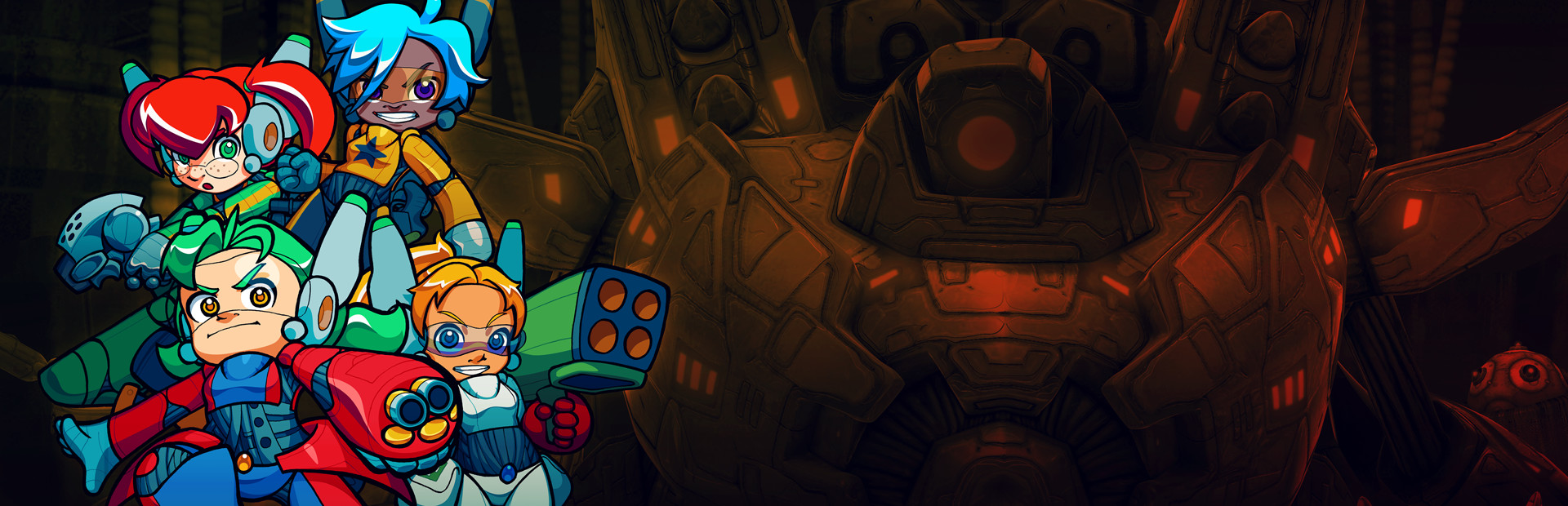
Assault Android Cactus is an intense arcade style twin stick shooter - pick from one of nine unique synthetic heroines and blast your way through overwhelming robots hordes to save the ship from its own workforce. Supports single player and local co-op game modes.
Assault Android Cactus+ is an arcade style twin stick shooter set in a vivid sci fi universe. Junior Constable Cactus is outside her pay grade when she responds to a distress call and ends up stranded on a crippled space freighter under attack by its own robot workers.
Utilising a draining battery mechanic in place of lives, Assault Android Cactus challenges you to think fast and keep the bullets flying, blending the gameplay of western styled arena shooters with aspects of Japanese style bullet hell as you charge head first through transforming stages, massive boss battles and an eclectic cast of characters on the way to saving the day.
Key Features
- 9 playable androids, each with a distinct play style and personality
- 25 stage campaign spread across five areas of the ship, face down giant bosses, earn characters and uncover the story of the Genki Star
- An all new Campaign+ mode with remixed stages for a fresh challenge
- Dive into the Infinity Drive to test your skill and endurance or challenge the Daily Drive to pit your wits against the community
- Supports keyboard or joypad and 1 to 4 players with local co-op
- Unlock game modifying EX options, Codex entries, artwork and more for wrecking robots
From the store page, unedited. May contain spoilers.
This release
Reviews and playtime
Very Positive
94% of 1,331
The game
Genres and features
How to install Assault Android Cactus+
Pre-installed, so there is no setup wizard. Follow these in order.
- 01
Create a games folder
Make a folder like C:\Games\ and keep every game in it. Avoid Program Files, Downloads and the Desktop.
- 02
Exclude it from Windows Defender
Defender often deletes cracked files by mistake while they extract. Add C:\Games\ as an excluded folder:
Windows Security -> Virus & threat protection -> Manage settings -> Exclusions -> Add an exclusion -> Folder
- 03
Download into C:\Games\
Save the archive straight into that folder. This release is one 1.9GB file.
- 04
Extract it there
Use 7-Zip or WinRAR. Keep about 4.2 GB free while it unpacks.
- One file
- Right-click it -> Extract here.
- Several parts
- Extract only part1 (or .001). The other parts are read automatically.
- 05
Open README.html
It is inside the extracted folder and explains how to start the game.
Still stuck? Read the install help
Download
Set up your games folder and the Defender exclusion before you extract. The Install tab has the steps.
FileDitch
The whole game in one file
VikingFile
The whole game in one file
Gofile (legacy)
The whole game in one file
We don't accept fix requests when only one host is down. Please use another mirror above. Links broken? Let us know.
We never password-protect files or hide installers. If a page asks for a password or payment, that is the host's ad, not us. See our safety guide.
System requirements
- Min
- Windows Vista
- Rec
- Windows 7
- Min
- Core 2 Duo
- Rec
- Core i5
- Min
- 2 GB RAM
- Rec
- 4 GB RAM
- Min
- Intel HD 4000
- Rec
- Nvidia Geforce GTX 460 or AMD Radeon HD6850
Version 11
2 GB available space
These are the developer's listed requirements and may not be 100% accurate. If your specs fall below the minimum, try the game anyway; many games run fine below the listed requirements. When in doubt, check YouTube for performance benchmarks.