Auto Rogue
定期的な宝物2025Roguelike, Indie
600.7MBBuild 18641593Updated 11 days ago
About Auto Rogue
A roguelike where you automate combat. Combine skills and conditions to find your own optimal solution! No complicated controls at all!! Sit back with a coffee and watch the beautiful battles you've crafted unfold! Utilize a variety of skills, conditions, and relics to craft the ultimate build!
 Combat Programming Roguelike
AutoRogue is a roguelike where you combine skills with conditions to automate battles. you can sit back, enjoy your coffee, and watch your carefully crafted automated battles unfold.
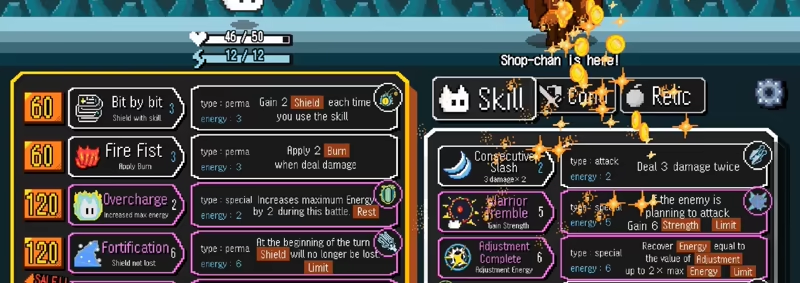
Condensing the Best of Auto-Battles
In this game, everything is decided before the battle begins. Your available items, build direction, and the unique traits of enemies change every time, making it fun to devise the optimal strategy. Careful planning will always give you an advantage.

Explore Your Own Unique Build
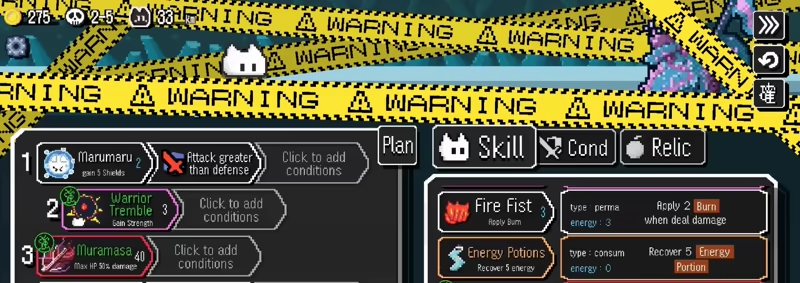
In 『AutoRogue』, you can enhance basic skills by combining them with special conditions to create new effects. For example:
A skill may reduce HP upon use but lower its cost.
A skill could increase your max HP permanently if it lands the finishing blow.
A skill’s cost may double, but it activates twice in succession.
With a wide variety of combinations, you can create your own unique and exciting build.
The More You Play, the More Fun It Gets
In this game, it’s not the character that gets stronger, but the player. As you gain experience, you'll sharpen your knowledge and strategy. With different enemies, skills, and events appearing in every run, you can enjoy the game over and over again.
From the store page, unedited. May contain spoilers.
This release
Reviews and playtime
Very Positive
91% of 724
The game
Genres and features
How to install Auto Rogue
Pre-installed, so there is no setup wizard. Follow these in order.
- 01
Create a games folder
Make a folder like C:\Games\ and keep every game in it. Avoid Program Files, Downloads and the Desktop.
- 02
Exclude it from Windows Defender
Defender often deletes cracked files by mistake while they extract. Add C:\Games\ as an excluded folder:
Windows Security -> Virus & threat protection -> Manage settings -> Exclusions -> Add an exclusion -> Folder
- 03
Download into C:\Games\
Save the archive straight into that folder. This release is one 600.7MB file.
- 04
Extract it there
Use 7-Zip or WinRAR. Keep about 1.3 GB free while it unpacks.
- One file
- Right-click it -> Extract here.
- Several parts
- Extract only part1 (or .001). The other parts are read automatically.
- 05
Open README.html
It is inside the extracted folder and explains how to start the game.
Still stuck? Read the install help
Download
Set up your games folder and the Defender exclusion before you extract. The Install tab has the steps.
FilesYard
The whole game in one file
FileDitch
The whole game in one file
VikingFile
The whole game in one file
We don't accept fix requests when only one host is down. Please use another mirror above. Links broken? Let us know.
We never password-protect files or hide installers. If a page asks for a password or payment, that is the host's ad, not us. See our safety guide.
System requirements
- Min
- 4 GB RAM
- Rec
- 8 GB RAM
- Min
- 500 MB available space
- Rec
- 1 GB available space
These are the developer's listed requirements and may not be 100% accurate. If your specs fall below the minimum, try the game anyway; many games run fine below the listed requirements. When in doubt, check YouTube for performance benchmarks.