Backseat
HOGO Games2026Horror, Racing
3.8GBBuild 26204935Updated 11 days ago
About Backseat
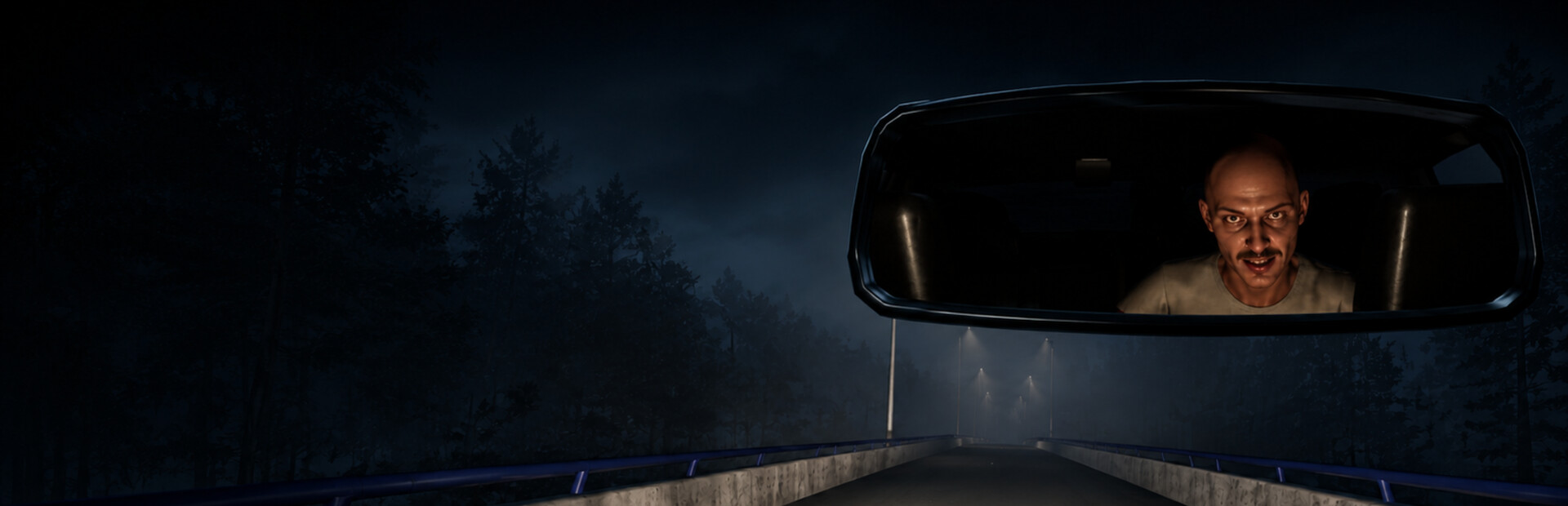
A psychological taxi horror game where every passenger may be dangerous. Drive through the night, question criminals, read their behavior, hack for clues, and survive each ride to save your kidnapped wife.
Your wife has been kidnapped. To get her back, you must obey BK26: pick up dangerous strangers at night, learn what they know, and avoid giving them a reason to kill you.
Drive the wrong people through the night
Killers, thieves, fraudsters and unstable strangers sit behind you. Listen closely, watch their behavior, and uncover what they are hiding before the ride turns deadly.

Question without provoking them
Use your logbook to profile each passenger. Ask carefully, choose your words, and gather clues without pushing a dangerous person too far.
Hack for the answer that keeps you alive
Use your computer to search databases, dig through the deep web, and find critical information—maybe even how to defuse the bomb under your car.

Survive each ride
Complete BK26's missions: Deliver passengers, send your notes, and follow the trail toward your wife.
Wrong move, fatal ride: Inside the taxi or outside it, one mistake can end the night.

Decide your fate
Obey BK26, look for another way out, and decide how much you are willing to risk. You are not driving for money. You are driving for your family.
From the store page, unedited. May contain spoilers.
This release
Reviews and playtime
Mixed
68% of 126
The game
Genres and features
How to install Backseat
Pre-installed, so there is no setup wizard. Follow these in order.
- 01
Create a games folder
Make a folder like C:\Games\ and keep every game in it. Avoid Program Files, Downloads and the Desktop.
- 02
Exclude it from Windows Defender
Defender often deletes cracked files by mistake while they extract. Add C:\Games\ as an excluded folder:
Windows Security -> Virus & threat protection -> Manage settings -> Exclusions -> Add an exclusion -> Folder
- 03
Download into C:\Games\
Save the archive straight into that folder. This release is one 3.8GB file.
- 04
Extract it there
Use 7-Zip or WinRAR. Keep about 8.4 GB free while it unpacks.
- One file
- Right-click it -> Extract here.
- Several parts
- Extract only part1 (or .001). The other parts are read automatically.
- 05
Open README.html
It is inside the extracted folder and explains how to start the game.
Still stuck? Read the install help
Download
Set up your games folder and the Defender exclusion before you extract. The Install tab has the steps.
FilesYard
The whole game in one file
FileDitch
The whole game in one file
VikingFile
The whole game in one file
We don't accept fix requests when only one host is down. Please use another mirror above. Links broken? Let us know.
We never password-protect files or hide installers. If a page asks for a password or payment, that is the host's ad, not us. See our safety guide.
System requirements
- Min
- i5 3550 / RYZEN 5 2500X
- Rec
- i5 7600K / Ryzen 5 2600x
- Min
- 8 GB RAM
- Rec
- 16 GB RAM
- Min
- NVIDIA GTX 1050 / AMD R9 270X
- Rec
- -
Windows (64-bit) 10
Version 11
3 GB available space
These are the developer's listed requirements and may not be 100% accurate. If your specs fall below the minimum, try the game anyway; many games run fine below the listed requirements. When in doubt, check YouTube for performance benchmarks.