
KOEI TECMO GAMES CO., LTD.2017JRPG, RPG
16.5 GBBuild 2241233Updated 159 days ago
About BLUE REFLECTION
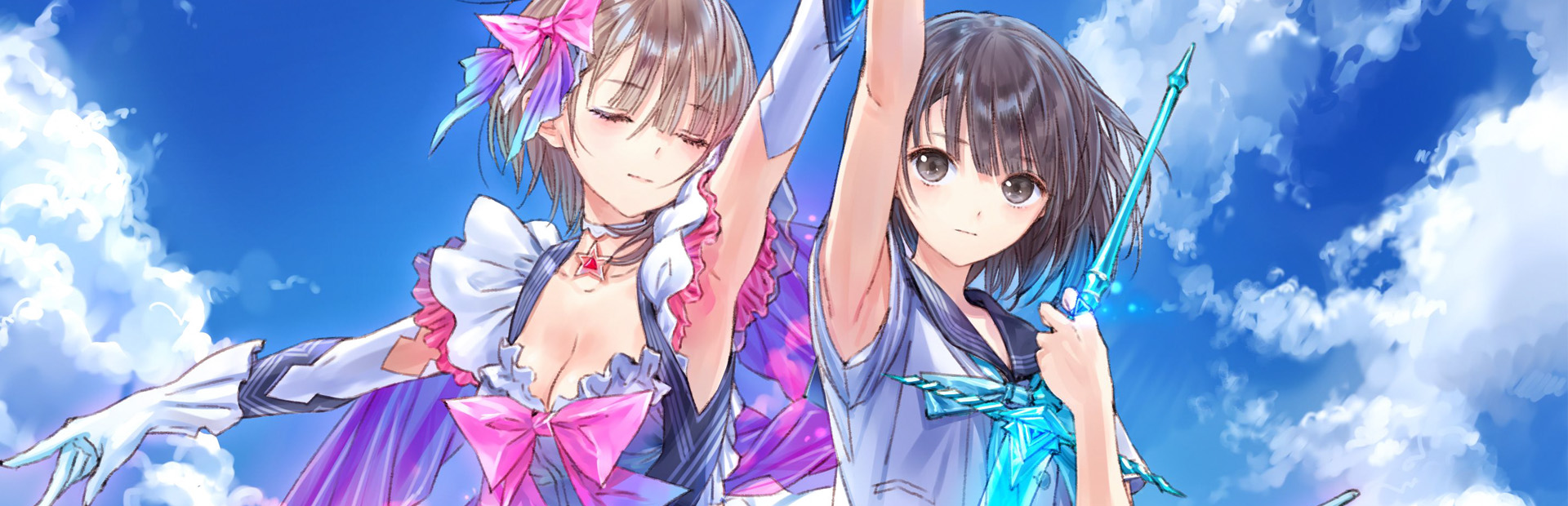
A clear summer sky spreads over the Hoshinomiya Girls' High School. This story begins with the belated start of school life for Hinako Shirai, who has just recovered from a leg injury due to a tragic accident. The magical sisters Yuzu and Lime bestowed to her a special power to become a "Reflector".
This story begins with the belated start of school life for Hinako Shirai, who has just recovered from a leg injury due to a tragic accident.
The magical sisters Yuzu and Lime bestowed to her a special power to become a "Reflector".
Hinako transforms into the magical Reflector form and protects the world from devastating forces for the sake of the world, and her own dream that she thought she had to give up on.
[1] The Ordinary: School Life
During your school life, you will not only advance the story but also deepen your friendships with other students after lessons have ended and take on a variety of missions.
[2] The Extraordinary: The Common
In the Common, you will mainly search for items and fight battles in order to complete the missions you have accepted whilst at school or to resolve other student's problems.
[3] The Extraordinary: Battles with Sephira
Repeating the cycle of school life and visits to the Common will advance the main story, eventually causing a "Sephira" to appear in the real world. Sephira appear at various points during the story, and Hinako stands up to fight them in order to both realize her own personal wish and to save the world.
From the store page, unedited. May contain spoilers.
This release
Reviews and playtime
Mostly Positive
79% of 1,270
The game
Genres and features


How to install BLUE REFLECTION
Pre-installed, so there is no setup wizard. Follow these in order.
- 01
Create a games folder
Make a folder like C:\Games\ and keep every game in it. Avoid Program Files, Downloads and the Desktop.
- 02
Exclude it from Windows Defender
Defender often deletes cracked files by mistake while they extract. Add C:\Games\ as an excluded folder:
Windows Security -> Virus & threat protection -> Manage settings -> Exclusions -> Add an exclusion -> Folder
- 03
Download into C:\Games\
Save the archive straight into that folder. This release is one 16.5 GB file.
- 04
Extract it there
Use 7-Zip or WinRAR. Keep about 36.3 GB free while it unpacks.
- One file
- Right-click it -> Extract here.
- Several parts
- Extract only part1 (or .001). The other parts are read automatically.
- 05
Open README.html
It is inside the extracted folder and explains how to start the game.
Still stuck? Read the install help
Download
Set up your games folder and the Defender exclusion before you extract. The Install tab has the steps.
FileDitch
The whole game in one file
FileQ
The whole game in one file
Pixeldrain
The whole game in one file
Pixeldrain slows free downloads to a few MB/s. The Copy fast link button gives you a bypass link with no speed limit. Paste it into your download manager, or into your browser's address bar.
We don't accept fix requests when only one host is down. Please use another mirror above. Links broken? Let us know.
We never password-protect files or hide installers. If a page asks for a password or payment, that is the host's ad, not us. See our safety guide.
System requirements
- Min
- Core i5 2.6GHz over
- Rec
- Core i7 3.4GHz over
- Min
- 4 GB RAM
- Rec
- 8 GB RAM
- Min
- NVIDIA GeForce GTX550Ti or better
- Rec
- NVIDIA GeForce GTX960 or better
- Min
- 30 GB available space
- Rec
- 35 GB available space
Windows® 10 (64bit required)
Version 11
OnBoard
Broadband Internet connection
These are the developer's listed requirements and may not be 100% accurate. If your specs fall below the minimum, try the game anyway; many games run fine below the listed requirements. When in doubt, check YouTube for performance benchmarks.