
Bomber Crew
Runner Duck2017Simulation, Management
856.7 MBBuild 13221080Updated 249 days ago
About Bomber Crew
Chocks away! Bomber Crew is a strategic simulation game, where picking the right crew and keeping your bomber in tip top shape is the difference between completing your mission or losing it all! USAAF DLC NOW AVAILABLE! FLY THE ICONIC AMERICAN BOMBER!
Choose your Crew!
Train and personalise your own Bomber Crew. Procedurally-generated names, skills and back stories means a unique experience for everyone, but be careful, as death is permanent.
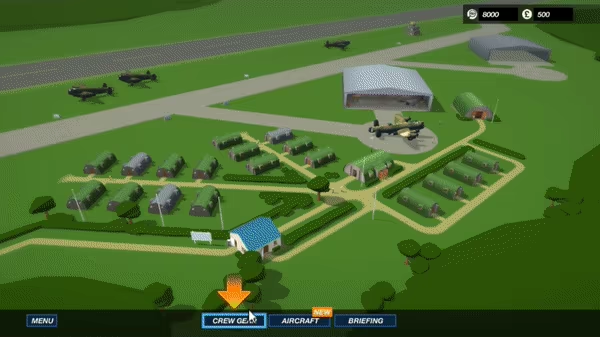
Immersive flight simulation!
Carefully manage everything from fuel, ammo, hydraulics and more in your very own physics-based Bomber. Make it yours with a wide array of nose art and liveries, or design your own with the simple to use in-game tool.
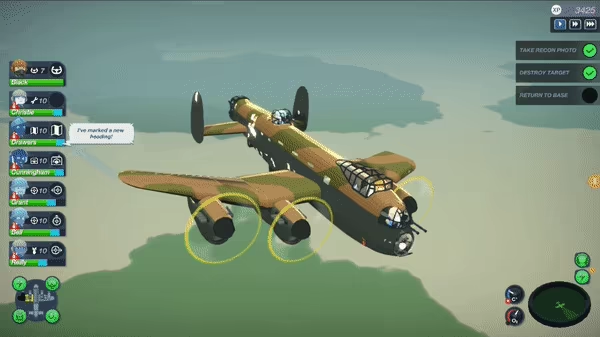
Fast paced strategy!
Each mission is a high-risk expedition where danger comes from every angle. Enemy fighters, flak guns, poor weather, low oxygen and an array of other perilous dangers await when the wheels are up.

Be prepared!
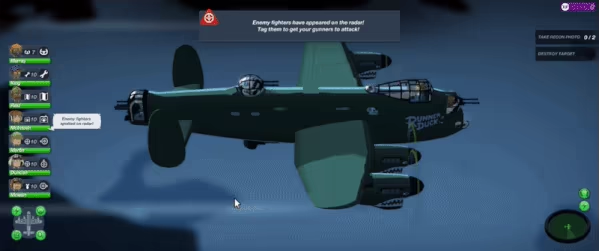
Preparation is key for a successful mission. Tag enemy fighters before they reach you, make sure your destination is marked but most importantly, make sure you have the right team for the job. On a WW2 bomber, every role is essential for victory!
From the store page, unedited. May contain spoilers.
This release
Reviews and playtime
Very Positive
88% of 10,482
The game
Genres and features



How to install Bomber Crew
Pre-installed, so there is no setup wizard. Follow these in order.
- 01
Create a games folder
Make a folder like C:\Games\ and keep every game in it. Avoid Program Files, Downloads and the Desktop.
- 02
Exclude it from Windows Defender
Defender often deletes cracked files by mistake while they extract. Add C:\Games\ as an excluded folder:
Windows Security -> Virus & threat protection -> Manage settings -> Exclusions -> Add an exclusion -> Folder
- 03
Download into C:\Games\
Save the archive straight into that folder. This release is one 856.7 MB file.
- 04
Extract it there
Use 7-Zip or WinRAR. Keep about 1.8 GB free while it unpacks.
- One file
- Right-click it -> Extract here.
- Several parts
- Extract only part1 (or .001). The other parts are read automatically.
- 05
Open README.html
It is inside the extracted folder and explains how to start the game.
Still stuck? Read the install help
Download
Set up your games folder and the Defender exclusion before you extract. The Install tab has the steps.
VikingFile
The whole game in one file
FileQ
The whole game in one file
Pixeldrain
The whole game in one file
Pixeldrain slows free downloads to a few MB/s. The Copy fast link button gives you a bypass link with no speed limit. Paste it into your download manager, or into your browser's address bar.
Gofile (legacy)
The whole game in one file
We don't accept fix requests when only one host is down. Please use another mirror above. Links broken? Let us know.
We never password-protect files or hide installers. If a page asks for a password or payment, that is the host's ad, not us. See our safety guide.
System requirements
- Min
- Intel Core i3-530 (4 * 3000) or equivalent
- Rec
- Intel Core i3-6300 (2*3800) or equivalent
- Min
- Geforce 9800 GT (1024 MB)
- Rec
- GeForce GTX 560 Ti (1024 MB)
Windows 7/8.1/10 x86/x64
2 GB RAM
500 MB available space
These are the developer's listed requirements and may not be 100% accurate. If your specs fall below the minimum, try the game anyway; many games run fine below the listed requirements. When in doubt, check YouTube for performance benchmarks.