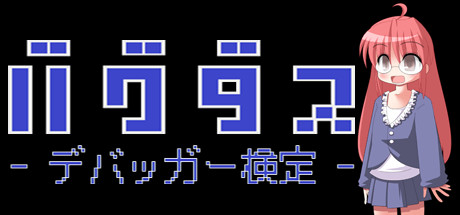
BUGDAS
Jiruo Software2019Indie, Casual
25.7 MBBuild 20257515Updated 153 days ago
About BUGDAS
架空のゲームに仕込まれたバグを探して出す、ゲームデバッガーの気分が味わえるゲームです。
「バグダス - デバッガー検定 -」 は開発中のゲームのバグを見つける作業、
いわゆるデバッグ作業が体験できるゲームです。
本作には『架空のゲームの一場面』を収録した問題が8問用意されています。
どの問題にもバグが仕込まれているので、バグを探し出し、
各問題に設定された課題を達成するとクリアとなります。
ゲームを普通にプレイしていてはバグは見つかりません。
色々な操作や行動を行ってバグを見つけてください。
全ての問題をクリアすると、それまでの成績に応じて
あなたのデバッガーランクが表示されます。
最高ランクを目指して頑張ってください!
※対応コントローラー: XBOX ONE コントローラー / DUALSHOCKⓇ4 (USB接続のみ対応)
※プレイ前にゲーム内のマニュアルを一読することをオススメします
※収録しているゲームは架空のもので実在のゲームとは一切関係ありません
From the store page, unedited. May contain spoilers.
This release
Reviews and playtime
Very Positive
80% of 75
The game
Genres and features
How to install BUGDAS
Pre-installed, so there is no setup wizard. Follow these in order.
- 01
Create a games folder
Make a folder like C:\Games\ and keep every game in it. Avoid Program Files, Downloads and the Desktop.
- 02
Exclude it from Windows Defender
Defender often deletes cracked files by mistake while they extract. Add C:\Games\ as an excluded folder:
Windows Security -> Virus & threat protection -> Manage settings -> Exclusions -> Add an exclusion -> Folder
- 03
Download into C:\Games\
Save the archive straight into that folder. This release is one 25.7 MB file.
- 04
Extract it there
Use 7-Zip or WinRAR. Keep about 56.5 MB free while it unpacks.
- One file
- Right-click it -> Extract here.
- Several parts
- Extract only part1 (or .001). The other parts are read automatically.
- 05
Open README.html
It is inside the extracted folder and explains how to start the game.
Still stuck? Read the install help
Download
Set up your games folder and the Defender exclusion before you extract. The Install tab has the steps.
FileDitch
The whole game in one file
FileQ
The whole game in one file
Pixeldrain
The whole game in one file
Pixeldrain slows free downloads to a few MB/s. The Copy fast link button gives you a bypass link with no speed limit. Paste it into your download manager, or into your browser's address bar.
We don't accept fix requests when only one host is down. Please use another mirror above. Links broken? Let us know.
We never password-protect files or hide installers. If a page asks for a password or payment, that is the host's ad, not us. See our safety guide.
System requirements
- Min
- windows 8 (64bit)
- Rec
- -
- Min
- 200 MB RAM
- Rec
- -
- Min
- 200 MB available space
- Rec
- -
These are the developer's listed requirements and may not be 100% accurate. If your specs fall below the minimum, try the game anyway; many games run fine below the listed requirements. When in doubt, check YouTube for performance benchmarks.