
Cattails
Falcon Development2017Life Sim, RPG
265 MBBuild 3451595Updated 249 days ago
About Cattails
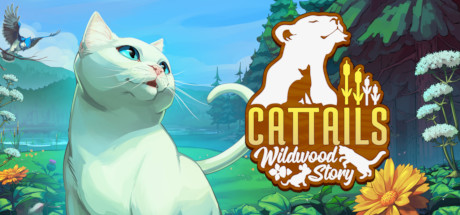
Become a cat! Cattails is a unique animal simulation RPG. Hunt for food, fight invading cats, explore to gather herbs, and socialize with other cats in an expansive open world. Get married and raise a family of kittens, befriend your neighbors, and learn to live in the dangerous wilderness!
Cattails is a unique animal simulation RPG with light survival elements.
Play as a feral cat that roams an expansive wilderness. Hunt for food, fight cats from other colonies, and become friends (or enemies!) with your neighbors. Romance one of sixteen eligible cats, raise a family of cute kittens, and train them by taking them with you on your adventures! Or, delve into dark caverns to find treasures. Just make sure you always have some food on hand in case you get hungry.

Features
- Join one of three unique cat colonies and become friends or enemies with its residents
- Hunt for mice, squirrels, rabbits, and more anywhere throughout the open world
- Find new treasures in the wild as the seasons change
- Date and marry one of sixteen eligible cats
- Raise a litter of kittens and bring them with you on your adventures
- Dig for riches in dangerous caves
- Fight in battles to secure your colony's land claims
- Hundreds of unique ways to customize your cat's coat & eye colors and accessorize
- Upgrade and customize your personal den
- Fun seasonal festivals where you can compete to win prizes
- Create your own colony of cats and customize it to your liking

From the store page, unedited. May contain spoilers.
This release
Reviews and playtime
Overwhelmingly Positive
95% of 2,324
The game
Genres and features
How to install Cattails
Pre-installed, so there is no setup wizard. Follow these in order.
- 01
Create a games folder
Make a folder like C:\Games\ and keep every game in it. Avoid Program Files, Downloads and the Desktop.
- 02
Exclude it from Windows Defender
Defender often deletes cracked files by mistake while they extract. Add C:\Games\ as an excluded folder:
Windows Security -> Virus & threat protection -> Manage settings -> Exclusions -> Add an exclusion -> Folder
- 03
Download into C:\Games\
Save the archive straight into that folder. This release is one 265 MB file.
- 04
Extract it there
Use 7-Zip or WinRAR. Keep about 583.0 MB free while it unpacks.
- One file
- Right-click it -> Extract here.
- Several parts
- Extract only part1 (or .001). The other parts are read automatically.
- 05
Open README.html
It is inside the extracted folder and explains how to start the game.
Still stuck? Read the install help
Download
Set up your games folder and the Defender exclusion before you extract. The Install tab has the steps.
VikingFile
The whole game in one file
Pixeldrain
The whole game in one file
Pixeldrain slows free downloads to a few MB/s. The Copy fast link button gives you a bypass link with no speed limit. Paste it into your download manager, or into your browser's address bar.
Gofile (legacy)
The whole game in one file
We don't accept fix requests when only one host is down. Please use another mirror above. Links broken? Let us know.
We never password-protect files or hide installers. If a page asks for a password or payment, that is the host's ad, not us. See our safety guide.
System requirements
- Min
- Windows 7
- Rec
- Windows 10
- Min
- 2.0 GHz
- Rec
- 2.66 GHz
- Min
- 4 GB RAM
- Rec
- 8 GB RAM
- Min
- Intel HD 4000
- Rec
- Intel HD 510
200 MB available space
These are the developer's listed requirements and may not be 100% accurate. If your specs fall below the minimum, try the game anyway; many games run fine below the listed requirements. When in doubt, check YouTube for performance benchmarks.