Chivalware
Regal Pigeon2026Roguelike, Arcade
248.6MBBuild 26101646Updated 10 days ago
About Chivalware
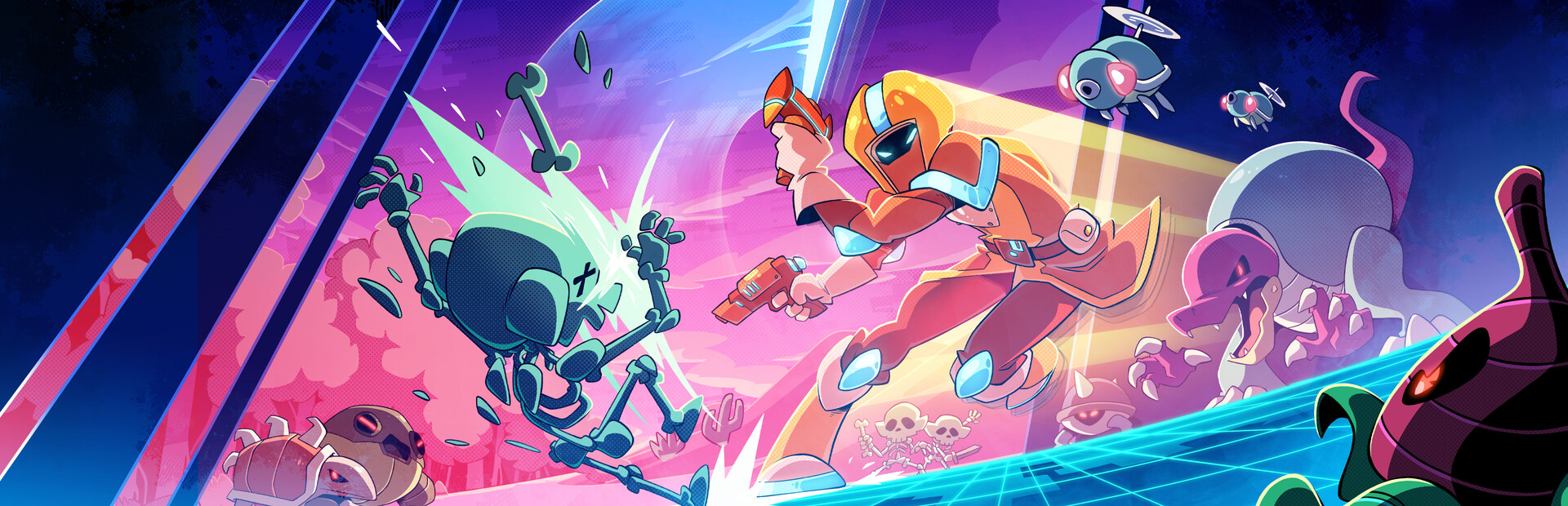
Chivalware is a frantic tile-matching action roguelite. Challenge your reflexes and coordination in real-time on a grid battlefield: evade attacks, match tiles to charge your weapons, and find the right opportunity to strike.
Steam Deck

About the Game
Chivalware is a fast-paced action roguelite with tactical tile-matching mechanics.


You are a Disk Knight — a legendary warrior who wields weapon disks! The kingdom calls on you to slay its King, driven mad by power and years of isolation. But as you carve your way toward the castle, strange glitches suggest something deeper is at play…


Equip up to three weapon disks, each with its own color. Charge a weapon’s energy by matching tiles on the battlefield; the more you match, the more you can attack!


Constantly move in and out of enemy attacks as you recharge your weapons on the fly! Read the patterns on the battlefield to find the right opportunity to strike. Never stay still, a Disk Knight is always evading or planning his next attack!

A Disk Knight may fall in battle, but defeat unlocks new possibilities:
4 playable Disk Knights, each with a unique mechanic
Over 80 weapons and 150+ upgrades to unlock
New Bosses to encounter
Countless unique builds to master!
From the store page, unedited. May contain spoilers.
This release
Reviews and playtime
Very Positive
91% of 79
The game
Genres and features
How to install Chivalware
Pre-installed, so there is no setup wizard. Follow these in order.
- 01
Create a games folder
Make a folder like C:\Games\ and keep every game in it. Avoid Program Files, Downloads and the Desktop.
- 02
Exclude it from Windows Defender
Defender often deletes cracked files by mistake while they extract. Add C:\Games\ as an excluded folder:
Windows Security -> Virus & threat protection -> Manage settings -> Exclusions -> Add an exclusion -> Folder
- 03
Download into C:\Games\
Save the archive straight into that folder. This release is one 248.6MB file.
- 04
Extract it there
Use 7-Zip or WinRAR. Keep about 546.9 MB free while it unpacks.
- One file
- Right-click it -> Extract here.
- Several parts
- Extract only part1 (or .001). The other parts are read automatically.
- 05
Open README.html
It is inside the extracted folder and explains how to start the game.
Still stuck? Read the install help
Download
Set up your games folder and the Defender exclusion before you extract. The Install tab has the steps.
FilesYard
The whole game in one file
FileDitch
The whole game in one file
VikingFile
The whole game in one file
We don't accept fix requests when only one host is down. Please use another mirror above. Links broken? Let us know.
We never password-protect files or hide installers. If a page asks for a password or payment, that is the host's ad, not us. See our safety guide.
System requirements
- Min
- Windows 10
- Rec
- Windows 11
- Min
- Intel Core i3-4130 or AMD A8-6600K
- Rec
- Intel Core i3-8100 or AMD Ryzen 3 2200G
- Min
- 8 GB RAM
- Rec
- 12 GB RAM
- Min
- Intel HR Graphics 4400 or AMD Radeon HR 8570D
- Rec
- GeForce GTX 650, 1GB or AMD Radeon Hr 5830, 1GB
- Min
- 1080P @ 60FPS
- Rec
- High 2160p @ 60FPS
These are the developer's listed requirements and may not be 100% accurate. If your specs fall below the minimum, try the game anyway; many games run fine below the listed requirements. When in doubt, check YouTube for performance benchmarks.