Chronoquartz
Infinite Stairs2025Puzzle, Mystery
90 MBBuild 21585690Updated 173 days ago
About Chronoquartz
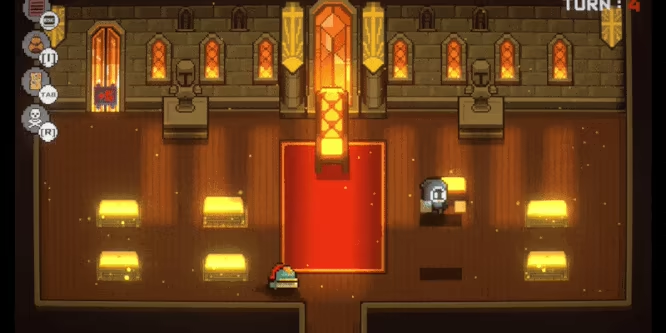
In Chronoquartz, every move matters! You have 10 turns per loop: explore, solve puzzles, and use your past knowledge to progress. Strategy, critical thinking, and time management will be your allies in this unique temporal adventure. Will you succeed in saving time?
In Chronoquartz, every move matters! You have 10 turns per loop: explore, solve puzzles, and use your past knowledge to progress. Strategy, critical thinking, and time management will be your allies in this unique temporal adventure. Will you succeed in saving time?
Every Move Counts
In Chronoquartz, your number of moves is limited. You'll need to be clever to make the most of the 10 turns you're given.

Time Loops
You'll need to use the knowledge gained from previous loops to progress further in the game. This will allow you to open coded doors, take secret passages, know the location of objects, and discover the fastest paths to reach your destination.

Strategic Choices
With each loop, you'll need to decide which path to take and which object to retrieve to reach your goal. Your number of turns is limited, so choose wisely.

Temporal Puzzles
To gain new insights into the game, you'll need to solve puzzles that span one or more loops. Meticulous planning is essential, because remember: every move counts.
Save Time
All the information you gather might help you thwart Morthas' plans. He wants to seize the Chronoquartz and manipulate history. Time needs you: will you succeed to save it?

From the store page, unedited. May contain spoilers.
This release
Reviews and playtime
Overwhelmingly Positive
97% of 537
The game
Genres and features
How to install Chronoquartz
Pre-installed, so there is no setup wizard. Follow these in order.
- 01
Create a games folder
Make a folder like C:\Games\ and keep every game in it. Avoid Program Files, Downloads and the Desktop.
- 02
Exclude it from Windows Defender
Defender often deletes cracked files by mistake while they extract. Add C:\Games\ as an excluded folder:
Windows Security -> Virus & threat protection -> Manage settings -> Exclusions -> Add an exclusion -> Folder
- 03
Download into C:\Games\
Save the archive straight into that folder. This release is one 90 MB file.
- 04
Extract it there
Use 7-Zip or WinRAR. Keep about 198.0 MB free while it unpacks.
- One file
- Right-click it -> Extract here.
- Several parts
- Extract only part1 (or .001). The other parts are read automatically.
- 05
Open README.html
It is inside the extracted folder and explains how to start the game.
Still stuck? Read the install help
Download
Set up your games folder and the Defender exclusion before you extract. The Install tab has the steps.
FileDitch
The whole game in one file
FileQ
The whole game in one file
Gofile (legacy)
The whole game in one file
We don't accept fix requests when only one host is down. Please use another mirror above. Links broken? Let us know.
We never password-protect files or hide installers. If a page asks for a password or payment, that is the host's ad, not us. See our safety guide.
System requirements
- Min
- Windows 10
- Rec
- -
- Min
- Intel 2.0ghz Core 2 Duo
- Rec
- -
- Min
- 4 GB RAM
- Rec
- -
- Min
- Version 11
- Rec
- -
- Min
- 2 GB available space
- Rec
- -
These are the developer's listed requirements and may not be 100% accurate. If your specs fall below the minimum, try the game anyway; many games run fine below the listed requirements. When in doubt, check YouTube for performance benchmarks.