
Panik Arcade2025Roguelike, Horror
468.3 MBBuild 22785177Updated 176 days ago
About CloverPit
A rogue-lite slot machine nightmare. Gamble for your life in a never-ending debt simulator!

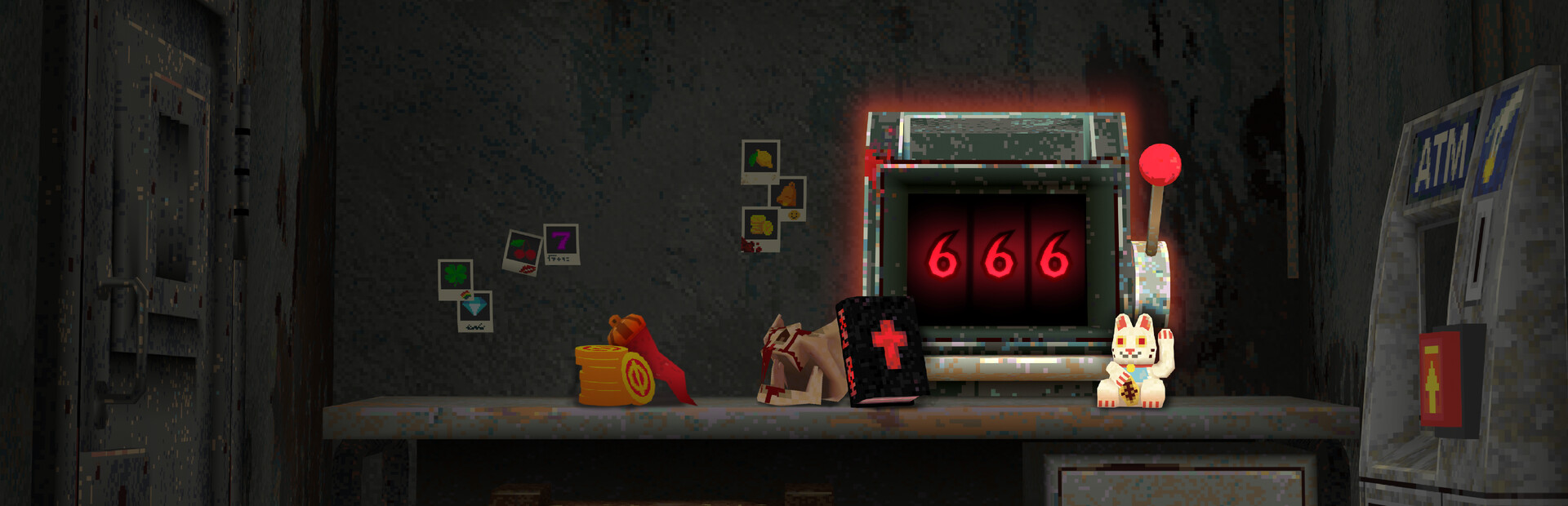
CloverPit is the demonic lovechild of Balatro and Buckshot Roulette, a rogue-lite that traps players in a hell of their own creation. Locked in a rusty cell with a slot machine and an ATM, you must pay off your debt at the end of each round, or fall to ruin – literally!

Manipulate the slot machine to earn extra coins. Turn the odds in your favor with various prizes and charms that trigger big big combos, snowballing into a dazzling lucky run. Bend the rules, break the game, and pay off your captor long enough to earn a shot at freedom.

Features:
 A gripping rogue-lite where every round could be your last!
 Meta-progression, seeded runs, unlockable run modifiers and power-ups!
 Push your score to new heights in Endless Mode!
 A hellish escape room atmosphere!
 150 + items and synergies to boost your luck!
 A sinister tale of addiction and escape!
P.S. IS THIS GAMBLING?
Hell no! CloverPit is a rogue-lite horror game, and not a slot machine simulator. Our slot machine is designed to be broken and ultimately overcome, and will never ask you for real money!

From the store page, unedited. May contain spoilers.
This release
Reviews and playtime
Very Positive
90% of 25,516
The game
Genres and features



How to install CloverPit
Pre-installed, so there is no setup wizard. Follow these in order.
- 01
Create a games folder
Make a folder like C:\Games\ and keep every game in it. Avoid Program Files, Downloads and the Desktop.
- 02
Exclude it from Windows Defender
Defender often deletes cracked files by mistake while they extract. Add C:\Games\ as an excluded folder:
Windows Security -> Virus & threat protection -> Manage settings -> Exclusions -> Add an exclusion -> Folder
- 03
Download into C:\Games\
Save the archive straight into that folder. This release is one 468.3 MB file.
- 04
Extract it there
Use 7-Zip or WinRAR. Keep about 1.0 GB free while it unpacks.
- One file
- Right-click it -> Extract here.
- Several parts
- Extract only part1 (or .001). The other parts are read automatically.
- 05
Open README.html
It is inside the extracted folder and explains how to start the game.
Still stuck? Read the install help
Download
Set up your games folder and the Defender exclusion before you extract. The Install tab has the steps.
FileDitch
The whole game in one file
FileQ
The whole game in one file
Gofile (legacy)
The whole game in one file
We don't accept fix requests when only one host is down. Please use another mirror above. Links broken? Let us know.
We never password-protect files or hide installers. If a page asks for a password or payment, that is the host's ad, not us. See our safety guide.
System requirements
- Min
- Windows 10 or more
- Rec
- -
- Min
- Intel i3 4th generation or equivalent
- Rec
- -
- Min
- 1 GB RAM
- Rec
- -
- Min
- Most dedicated GPUs should work.
- Rec
- -
- Min
- 512 MB available space
- Rec
- -
These are the developer's listed requirements and may not be 100% accurate. If your specs fall below the minimum, try the game anyway; many games run fine below the listed requirements. When in doubt, check YouTube for performance benchmarks.