
Coffee Talk
Toge Productions2020Visual Novel, Interactive Fiction
1.3 GBBuild 12284838Updated 186 days ago
About Coffee Talk
Coffee Talk is a coffee brewing and heart-to-heart talking simulator about listening to fantasy-inspired modern peoples’ problems, and helping them by serving up a warm drink or two.
In Memoriam
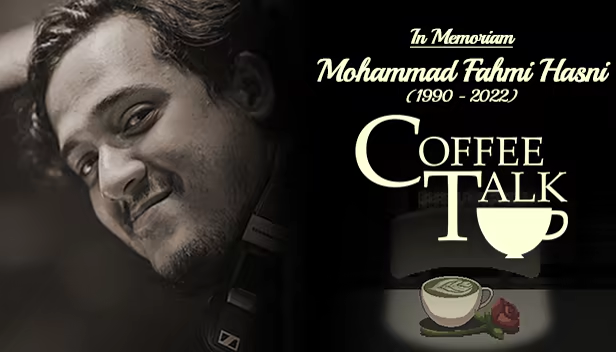
Mohammad Fahmi Hasni, co-creator and writer of Coffee Talk passed away on March 28th, 2022 from an asthma attack. He was only 32 years old.
Fahmi had a big heart and was a wonderful person. He was known as someone who is really passionate about telling meaningful stories through games. He was a role model that inspired many of us, especially Indonesian indie game developers. Rest in peace, Fahmi.
About the Game
Coffee Talk is a game about listening to people’s problems and helping them by serving up a warm drink out of the ingredients you have in stock. It is a game that depicts lives as humanly as possible, while having a cast that is more than just humans.Immerse yourself in the stories of alternative-Seattle inhabitants, ranging from a dramatic love story between an elf and a succubus, an alien trying to understand humans’ lives, and many others modern readers will find strongly echo the world around them.
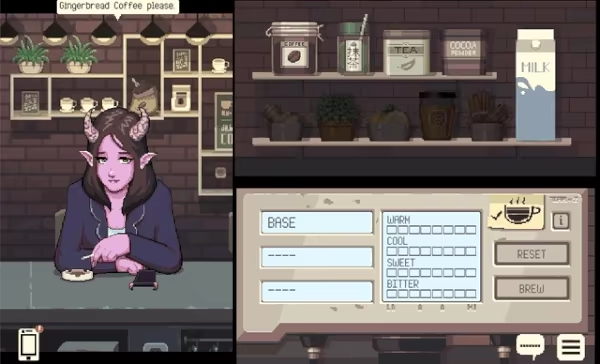
The game features:
- Tales of people from an alternative-Seattle, a city where elves, orcs, mermaids, and many other fantasy races live together with humans in a modern world we will all find familiar
- Branching storylines, where the branches are determined not by the dialogue options you choose, but from how you serve your café customers
- 90’s anime-inspired pixel art visuals and chill vibes-inducing color palette help to immerse you in the game’s world
- Selection of jazzy and lo-fi music to accompany the late night warm drinks and conversations
- An experience to make you think, feel, and rest both your body and your soul
From the store page, unedited. May contain spoilers.
This release
Reviews and playtime
Very Positive
94% of 11,394
The game
Genres and features


How to install Coffee Talk
Pre-installed, so there is no setup wizard. Follow these in order.
- 01
Create a games folder
Make a folder like C:\Games\ and keep every game in it. Avoid Program Files, Downloads and the Desktop.
- 02
Exclude it from Windows Defender
Defender often deletes cracked files by mistake while they extract. Add C:\Games\ as an excluded folder:
Windows Security -> Virus & threat protection -> Manage settings -> Exclusions -> Add an exclusion -> Folder
- 03
Download into C:\Games\
Save the archive straight into that folder. This release is one 1.3 GB file.
- 04
Extract it there
Use 7-Zip or WinRAR. Keep about 2.9 GB free while it unpacks.
- One file
- Right-click it -> Extract here.
- Several parts
- Extract only part1 (or .001). The other parts are read automatically.
- 05
Open README.html
It is inside the extracted folder and explains how to start the game.
Still stuck? Read the install help
Download
Set up your games folder and the Defender exclusion before you extract. The Install tab has the steps.
VikingFile
The whole game in one file
FileQ
The whole game in one file
Pixeldrain
The whole game in one file
Pixeldrain slows free downloads to a few MB/s. The Copy fast link button gives you a bypass link with no speed limit. Paste it into your download manager, or into your browser's address bar.
We don't accept fix requests when only one host is down. Please use another mirror above. Links broken? Let us know.
We never password-protect files or hide installers. If a page asks for a password or payment, that is the host's ad, not us. See our safety guide.
System requirements
- Min
- Windows 7 SP1+
- Min
- 2.4 GHz or faster processor
- Min
- 2 GB RAM
- Min
- 512 MB display memory
- Min
- Version 9.0c
- Min
- 600 MB available space
- Min
- Stereo
These are the developer's listed requirements and may not be 100% accurate. If your specs fall below the minimum, try the game anyway; many games run fine below the listed requirements. When in doubt, check YouTube for performance benchmarks.