CCT2026Simulation, Sandbox
3.3GBBuild 21600260Updated 56 days ago
About ComeCloser
Meet playful characters in this kinky sandbox for VR and desktop. Dive into fun and spicy handcrafted situations, toy with silky‑soft physics, explore lifelike interactions with game-changing motion tracking, and roleplay your next date exactly how you wish it went.
Four years of community-driven development, 23 massive updates, and the support of our 15,000+ passionate backers — ComeCloser is now a polished, deeply replayable experience, crafted for your pleasure every step of the way.

A private space where you can be yourself and play according to your mood. Your actions and desires come to life, your fantasies are at your fingertips, let your imagination guide you…

Immerse yourself like never before. Every gesture, every touch is translated seamlessly into the virtual world though our motion replication technology. It's like magic, but better.
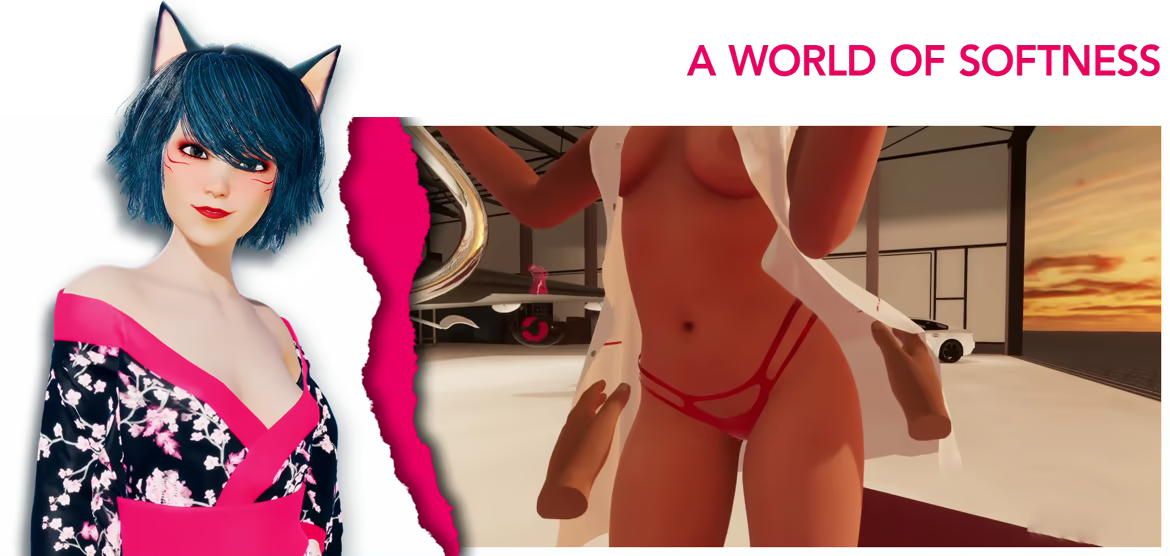
So smooth you won’t believe it! Feel the difference of our cutting-edge tech in your fingers with soft skin, silky hair, realistic clothes… Every detail is crafted to ensure you feel satisfied, every moment.

ComeCloser is primarily designed for VR lovers, but delicious with a mouse and keyboard too. Whether you're going full immersion or staying comfortable at your desk, your favorite characters are ready to play whenever you are.

Everything is one click away. Enjoy a sandbox where all the features are available at once, handcrafted to offer a smooth and pleasant experience with long-lasting replayability. Focus on what really matters : your pleasure.
From the store page, unedited. May contain spoilers.
This release
Reviews and playtime
Mixed
66% of 71
The game
Genres and features
How to install ComeCloser
Pre-installed, so there is no setup wizard. Follow these in order.
- 01
Create a games folder
Make a folder like C:\Games\ and keep every game in it. Avoid Program Files, Downloads and the Desktop.
- 02
Exclude it from Windows Defender
Defender often deletes cracked files by mistake while they extract. Add C:\Games\ as an excluded folder:
Windows Security -> Virus & threat protection -> Manage settings -> Exclusions -> Add an exclusion -> Folder
- 03
Download into C:\Games\
Save the archive straight into that folder. This release is one 3.3GB file.
- 04
Extract it there
Use 7-Zip or WinRAR. Keep about 7.3 GB free while it unpacks.
- One file
- Right-click it -> Extract here.
- Several parts
- Extract only part1 (or .001). The other parts are read automatically.
- 05
Open README.html
It is inside the extracted folder and explains how to start the game.
Still stuck? Read the install help
Download
Set up your games folder and the Defender exclusion before you extract. The Install tab has the steps.
FileDitch
The whole game in one file
VikingFile
The whole game in one file
0807
The whole game in one file
We don't accept fix requests when only one host is down. Please use another mirror above. Links broken? Let us know.
We never password-protect files or hide installers. If a page asks for a password or payment, that is the host's ad, not us. See our safety guide.
System requirements
- Min
- Intel Core i5-4590 / AMD FX-8350
- Rec
- Intel Core i5-9600K / AMD Ryzen 5 3600
- Min
- NVIDIA GTX1660ti / RTX3050 / AMD RX5600XT / RX6600
- Rec
- NVIDIA RTX3060 / AMD RX5700XT / RX6700XT
- Min
- 10 GB available space
- Rec
- 15 GB available space
Windows7/10 64bits
8 GB RAM
These are the developer's listed requirements and may not be 100% accurate. If your specs fall below the minimum, try the game anyway; many games run fine below the listed requirements. When in doubt, check YouTube for performance benchmarks.