
Darfall
SquareNite2025Strategy, City Builder
4 GBBuild 18389785Updated 249 days ago
About Darfall
Darfall is a hero-based RPG city-building game that puts you in the role of a hero who must protect their home and help it grow! During the day, grow your hero’s might, find epic loot, master new abilities, and fortify your settlement. At night, survive the hordes of undead, until you triumph.


Stand against the undead hordes in a campaign inspired by fantasy classics. Discover the continent of Aganor across many challenging missions, push back the darkness, and protect your people.

Use the day to gather resources, fortify your town, and explore the surrounding lands. When the night falls, defend your people and their homes against the waves of enemies, until the break of dawn.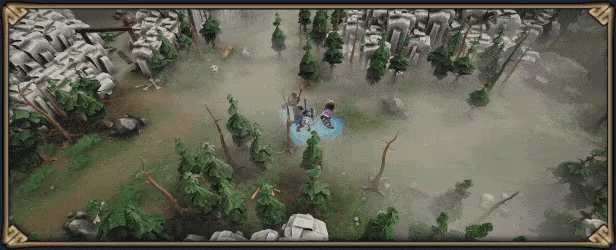

Face the challenges with the help of legendary heroes - wizards, warriors, and more. Utilize their varied skills, level them up, and arm them with powerful artifacts won throughout your adventure.


Build your own scenarios, maps, quests, and even whole, scripted campaigns with an extensive in-game editor. Share your creations with other players and set your imagination free.

Test yourself in a challenging survival mode, where every night brings new, growing terrors. Survive the onslaught, and rebuild every morning to face the undead hordes again. Fight until you win glory… or reprieve in death.

From the store page, unedited. May contain spoilers.
This release
Reviews and playtime
Mostly Positive
71% of 500
The game
Genres and features


How to install Darfall
Pre-installed, so there is no setup wizard. Follow these in order.
- 01
Create a games folder
Make a folder like C:\Games\ and keep every game in it. Avoid Program Files, Downloads and the Desktop.
- 02
Exclude it from Windows Defender
Defender often deletes cracked files by mistake while they extract. Add C:\Games\ as an excluded folder:
Windows Security -> Virus & threat protection -> Manage settings -> Exclusions -> Add an exclusion -> Folder
- 03
Download into C:\Games\
Save the archive straight into that folder. This release is one 4 GB file.
- 04
Extract it there
Use 7-Zip or WinRAR. Keep about 8.8 GB free while it unpacks.
- One file
- Right-click it -> Extract here.
- Several parts
- Extract only part1 (or .001). The other parts are read automatically.
- 05
Open README.html
It is inside the extracted folder and explains how to start the game.
Still stuck? Read the install help
Download
Set up your games folder and the Defender exclusion before you extract. The Install tab has the steps.
VikingFile
The whole game in one file
We don't accept fix requests when only one host is down. Please use another mirror above. Links broken? Let us know.
We never password-protect files or hide installers. If a page asks for a password or payment, that is the host's ad, not us. See our safety guide.