
Dead Take
Surgent Studios2025Horror, Puzzle
10 GBBuild 19497502Updated 249 days ago
About Dead Take
Find your missing friend. Uncover the secrets within. Brave a luxurious and haunting mansion in Dead Take, a first-person psychological horror crafted by Surgent Studios.
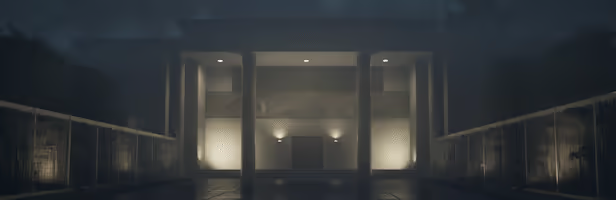
EXT. MANSION - NIGHT "FIND VINNY"
Night falls and he still won't pick up the phone. You arrive at the mansion: the last place he went. It's oddly quiet for the site of a glamorous party the night before. Your invite must have gotten lost in the mail. In any case, you make your way inside to find your friend.
Actors have to look out for each other in this industry.

Feed me something real
INT. MANSION - NIGHT "PLAY YOUR PART"
An abandoned film set. A broken home cinema. Searching the mansion and unlocking its secrets requires the fullness of your ingenuity. Pay attention.
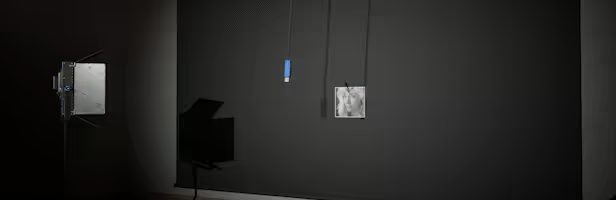
INT. HOME CINEMA - NIGHT "A SPLICE OF LIFE"
Your search reveals a number of USB drives and memory cards containing corrupted video files. Some can be spliced together to reveal what really happened within these walls. Try not to lose yourself in your work.

INT. HEART OF HOLLYWOOD - NIGHT "TAKE YOUR SHOT"
The house is watching. It seems to haunt your steps. Piece together what really happened last night as you discover a side of the entertainment industry only discussed in whispers.
The cruelty. The sordid gossip. The auditions gone wrong. The shadowy figure with the power to make or break your career.
There's only one way to guarantee your success: feed me something real.
From the store page, unedited. May contain spoilers.
This release
Reviews and playtime
Very Positive
87% of 779
The game
Genres and features
How to install Dead Take
Pre-installed, so there is no setup wizard. Follow these in order.
- 01
Create a games folder
Make a folder like C:\Games\ and keep every game in it. Avoid Program Files, Downloads and the Desktop.
- 02
Exclude it from Windows Defender
Defender often deletes cracked files by mistake while they extract. Add C:\Games\ as an excluded folder:
Windows Security -> Virus & threat protection -> Manage settings -> Exclusions -> Add an exclusion -> Folder
- 03
Download into C:\Games\
Save the archive straight into that folder. This release is one 10 GB file.
- 04
Extract it there
Use 7-Zip or WinRAR. Keep about 22.0 GB free while it unpacks.
- One file
- Right-click it -> Extract here.
- Several parts
- Extract only part1 (or .001). The other parts are read automatically.
- 05
Open README.html
It is inside the extracted folder and explains how to start the game.
Still stuck? Read the install help
Download
Set up your games folder and the Defender exclusion before you extract. The Install tab has the steps.
VikingFile
The whole game in one file
FileQ
The whole game in one file
Pixeldrain
The whole game in one file
Pixeldrain slows free downloads to a few MB/s. The Copy fast link button gives you a bypass link with no speed limit. Paste it into your download manager, or into your browser's address bar.
Gofile (legacy)
The whole game in one file
Bowfile
The whole game in one file
We don't accept fix requests when only one host is down. Please use another mirror above. Links broken? Let us know.
We never password-protect files or hide installers. If a page asks for a password or payment, that is the host's ad, not us. See our safety guide.