Demonizer
Iori Branford2020Shoot 'em up, Shooter
229.4MBBuild 10916255Updated 14 days ago
About Demonizer
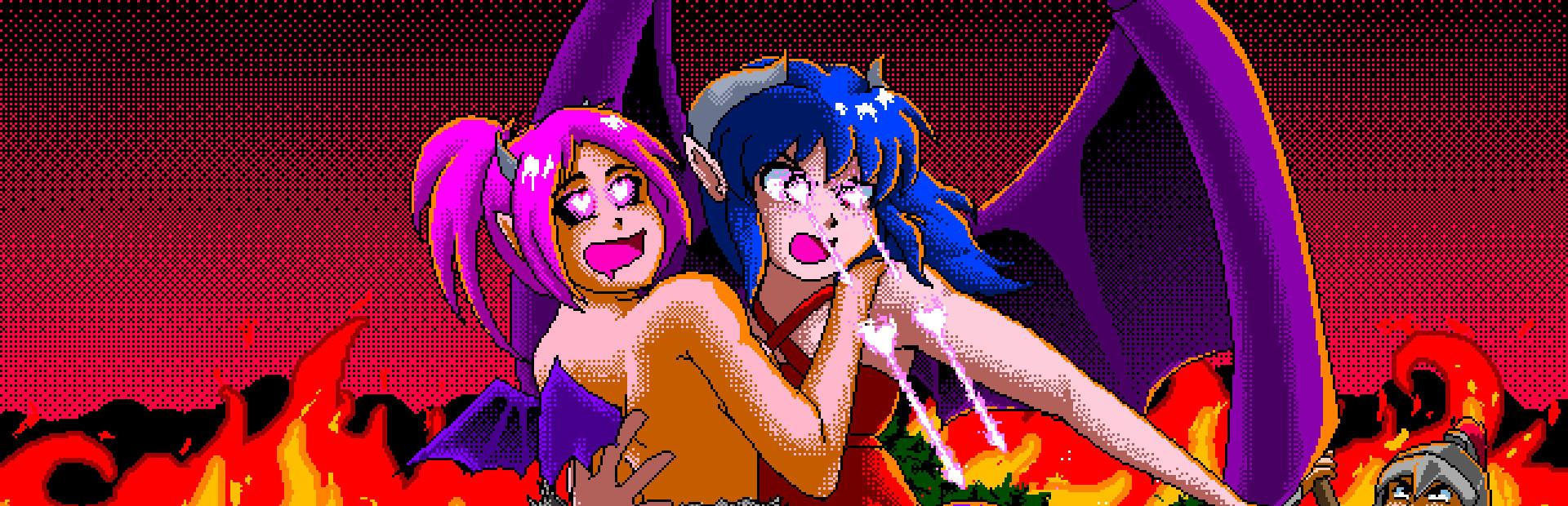
The fantasy bullet battle to end monstergirl genocide! Turn hateful humans into lovable demons in this 90s arcade style shooter.
The exiled princess Amelia has turned into a succubus and joined the peaceful monstergirl tribe. Then invaders arrive led by her sister Angelina. Fighting back with her newfound powers of hypnosis and demonization she departs to take on the kingdom in a desperate bid to save her new people.
- Seven challenging hand-crafted levels packed with beautiful pixel art - defend your forest, fight through towns, break monstergirls out of dungeons, race against cavalry and more
- Battle fearsome enemy forces - masses of infantry and artillery, nimble swordsmen and assassins, tricky spellcasters and mighty magical constructs
- Capture their souls - transform them into fellow demons and watch their powers grow with yours
- Simple game systems reward natural and intuitive play - stay alive, shoot and bomb, and the rest will follow
- Three difficulty levels - beginners, enthusiasts, and experts can all enjoy
- Rock out to a gritty, stompy YM2612 FM synth soundtrack
- Rich retro visual customization - portrait or landscape, low or high res, smooth or sharp pixels, stretch or no stretch
- A twist on the old monster-slaying story - includes free digital comic book revealing events before the game
From the store page, unedited. May contain spoilers.
This release
Reviews and playtime
Positive
91% of 33
The game
Genres and features
How to install Demonizer
Pre-installed, so there is no setup wizard. Follow these in order.
- 01
Create a games folder
Make a folder like C:\Games\ and keep every game in it. Avoid Program Files, Downloads and the Desktop.
- 02
Exclude it from Windows Defender
Defender often deletes cracked files by mistake while they extract. Add C:\Games\ as an excluded folder:
Windows Security -> Virus & threat protection -> Manage settings -> Exclusions -> Add an exclusion -> Folder
- 03
Download into C:\Games\
Save the archive straight into that folder. This release is one 229.4MB file.
- 04
Extract it there
Use 7-Zip or WinRAR. Keep about 504.7 MB free while it unpacks.
- One file
- Right-click it -> Extract here.
- Several parts
- Extract only part1 (or .001). The other parts are read automatically.
- 05
Open README.html
It is inside the extracted folder and explains how to start the game.
Still stuck? Read the install help
Download
Set up your games folder and the Defender exclusion before you extract. The Install tab has the steps.
FilesYard
The whole game in one file
FileDitch
The whole game in one file
VikingFile
The whole game in one file
We don't accept fix requests when only one host is down. Please use another mirror above. Links broken? Let us know.
We never password-protect files or hide installers. If a page asks for a password or payment, that is the host's ad, not us. See our safety guide.
System requirements
- Min
- Windows Vista or later
- Rec
- -
- Min
- x86 64-bit, 2GHz, 2 cores
- Rec
- -
- Min
- 32 MB RAM
- Rec
- -
- Min
- OpenGL 2.1
- Rec
- -
- Min
- Version 9.0c
- Rec
- -
- Min
- 29 MB available space
- Rec
- -
These are the developer's listed requirements and may not be 100% accurate. If your specs fall below the minimum, try the game anyway; many games run fine below the listed requirements. When in doubt, check YouTube for performance benchmarks.