Recurring Dream2026Horror, Point & Click
724.1 MBBuild 24476671Updated 105 days ago
About Desktop Explorer
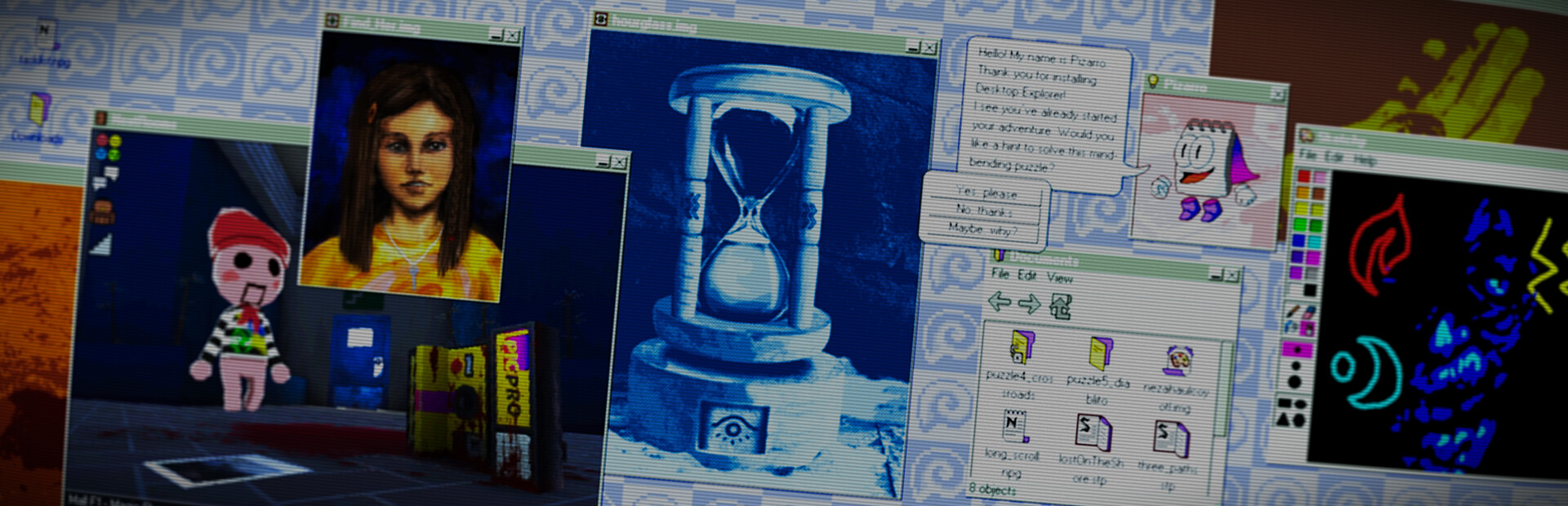
Rummage through the abandoned profiles of an old PC to unravel an inherited mystery. What secrets hide in this eerie adventure of cryptic games and outdated software? Who was using this computer? And what happened to them?
Discord Server

About the Game
Your uncle has given you his old PC as living inheritance. To your surprise, it still turns on! Inside, a letter tasks you with investigating a missing person’s case along with a mysterious puzzle game named Desktop Explorer. You’ll learn that your uncle wasn’t the only one who used this computer before, and that the program inside it has a deeper role in this 90s atmospheric digital mystery.

Features
Explore a 90’s operating system where every window hides a clue.
Solve puzzles using classic OS tools like: file explorers, chat logs, and corrupted applications.
Dig through abandoned software and forgotten files to uncover the truth.
Experience a psychological horror mystery told through eerie interfaces and fragmented memories.
Navigate immersive 3D environments rendered in retro-digital aesthetics.
Listen to an original evocative soundtrack and nostalgic computer sounds
Play classic pre-installed computer games

Photosensitivity Warning
This game contains occasional flashing lights, screen effects, and rapidly changing imagery that may affect players with photosensitive epilepsy or light sensitivities.
Desktop Explorer does not use generative AI-created content.
All artwork, writing, music, sound design, programming, and game assets have been created by our development team and through traditional creative processes.
From the store page, unedited. May contain spoilers.
This release
Reviews and playtime
Overwhelmingly Positive
95% of 2,712
The game
Genres and features
HorrorPoint & ClickPuzzleMysterySimulationInteractive Fiction
How to install Desktop Explorer
Pre-installed, so there is no setup wizard. Follow these in order.
- 01
Create a games folder
Make a folder like C:\Games\ and keep every game in it. Avoid Program Files, Downloads and the Desktop.
- 02
Exclude it from Windows Defender
Defender often deletes cracked files by mistake while they extract. Add C:\Games\ as an excluded folder:
Windows Security -> Virus & threat protection -> Manage settings -> Exclusions -> Add an exclusion -> Folder
- 03
Download into C:\Games\
Save the archive straight into that folder. This release is one 724.1 MB file.
- 04
Extract it there
Use 7-Zip or WinRAR. Keep about 1.6 GB free while it unpacks.
- One file
- Right-click it -> Extract here.
- Several parts
- Extract only part1 (or .001). The other parts are read automatically.
- 05
Open README.html
It is inside the extracted folder and explains how to start the game.
Still stuck? Read the install help
Download
Set up your games folder and the Defender exclusion before you extract. The Install tab has the steps.
FileDitch
The whole game in one file
0807
The whole game in one file
FileQ
The whole game in one file
Gofile (legacy)
The whole game in one file
We don't accept fix requests when only one host is down. Please use another mirror above. Links broken? Let us know.
We never password-protect files or hide installers. If a page asks for a password or payment, that is the host's ad, not us. See our safety guide.
System requirements
- Min
- Windows 7 SP1+ (or later)
- Min
- Intel or AMD Dual Core at 2 GHz or better
- Min
- 2 GB RAM
- Min
- Intel Graphics 4400 or better
- Min
- Version 11
- Min
- 400 MB available space
These are the developer's listed requirements and may not be 100% accurate. If your specs fall below the minimum, try the game anyway; many games run fine below the listed requirements. When in doubt, check YouTube for performance benchmarks.