
DISCOPUP
Parry Mechanics2025Mystery, Puzzle
730.6 MBBuild 21667503Updated 162 days ago
About DISCOPUP
DISCOPUP is a mystery game about a seal who wants to sneak inside a dogs-only party. Explore the city and meet shady characters as your search for the perfect dog costume.
In DISCOPUP, you're a seal eager to party, making your way to the most famous nightclub in the city: DiscoPup. However, tonight, the bouncer is only letting dogs in. How will you make it past him?

Costumes! Find the right accesories and combine them in such a way that will make you look just like any other party dog. Put your fashion sense to the test against DiscoPup's bouncer.

Meet quirky characters! A mouse that speaks in tiny words. A suspicious wolf granny. A cowboy puppy with a big plastic on his paw. A mind-reading ferret. They all have something to say and they might help you in your search for the perfect dog costume.
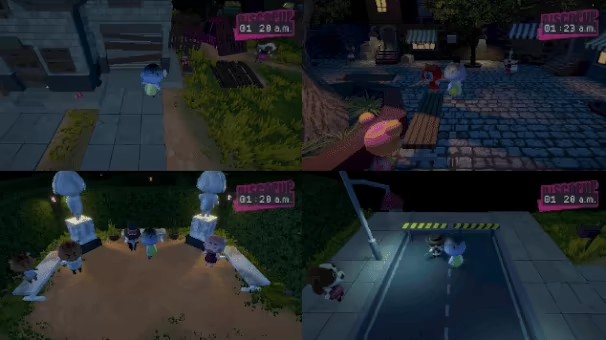
But you only have so much time... DiscoPup closes its doors at 2:00 a.m. Whatever you do, make sure it brings you closer to your goal. Investigate and figure out which actions are worth your time. The best night of your life depends on it.
From the store page, unedited. May contain spoilers.
This release
Reviews and playtime
Overwhelmingly Positive
98% of 566
The game
Genres and features
How to install DISCOPUP
Pre-installed, so there is no setup wizard. Follow these in order.
- 01
Create a games folder
Make a folder like C:\Games\ and keep every game in it. Avoid Program Files, Downloads and the Desktop.
- 02
Exclude it from Windows Defender
Defender often deletes cracked files by mistake while they extract. Add C:\Games\ as an excluded folder:
Windows Security -> Virus & threat protection -> Manage settings -> Exclusions -> Add an exclusion -> Folder
- 03
Download into C:\Games\
Save the archive straight into that folder. This release is one 730.6 MB file.
- 04
Extract it there
Use 7-Zip or WinRAR. Keep about 1.6 GB free while it unpacks.
- One file
- Right-click it -> Extract here.
- Several parts
- Extract only part1 (or .001). The other parts are read automatically.
- 05
Open README.html
It is inside the extracted folder and explains how to start the game.
Still stuck? Read the install help
Download
Set up your games folder and the Defender exclusion before you extract. The Install tab has the steps.
FileDitch
The whole game in one file
Gofile (legacy)
The whole game in one file
We don't accept fix requests when only one host is down. Please use another mirror above. Links broken? Let us know.
We never password-protect files or hide installers. If a page asks for a password or payment, that is the host's ad, not us. See our safety guide.
System requirements
- Min
- Windows 10 x64
- Rec
- -
- Min
- Intel Core i3-6006U 2,00 GHz or equivalent
- Rec
- -
- Min
- 4 GB RAM
- Rec
- -
- Min
- Intel HD Graphics 520
- Rec
- -
- Min
- Version 11
- Rec
- -
- Min
- 4 GB available space
- Rec
- -
These are the developer's listed requirements and may not be 100% accurate. If your specs fall below the minimum, try the game anyway; many games run fine below the listed requirements. When in doubt, check YouTube for performance benchmarks.