
Donut Dodo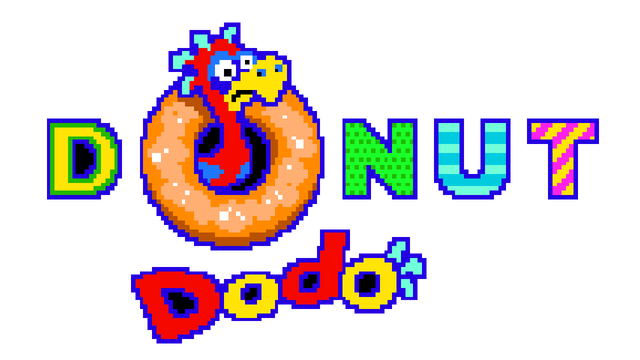
pixel games SARL-S2022Action, Arcade
39.4MBBuild 20665788Updated 78 days ago
About Donut Dodo
If a long lost arcade game from 1983 resurfaced today, it would be Donut Dodo - a classic 2D platformer from the golden era, tough as nails and challenging for the whole family! Ready to top the high score table?

Tough as nails and no continues, do you have what it takes?
Donut Dodo is a light-hearted arcade game, reminiscent of the beloved classics from the early 80's that we still cherish to this very day. You play as Baker Billy Burns, who has to run, jump, and climb to outwit Donut Dodo and his bunch of clueless minions. Your goal is to collect all donuts in each level, in the best possible time!
Will you top the high score table today?
Come and join the fun!

It's 1983, only better! The game features...
- 5 single-screen levels plus a bonus stage, each with their distinct game mechanics
- incredibly tight controls (no cheap deaths) for frantic single-player arcade gameplay
- old-school screen ratio and pixel perfect graphics with a 16-color palette
- an original chiptune soundtrack by the very talented CosmicGem
- worldwide leaderboards, limited to 3-character initials, arcade style!
From the store page, unedited. May contain spoilers.
This release
Includes1 DLC
- Donut Dodo Soundtrack
Reviews and playtime
Very Positive
97% of 218
The game
Genres and features
How to install Donut Dodo
Pre-installed, so there is no setup wizard. Follow these in order.
- 01
Create a games folder
Make a folder like C:\Games\ and keep every game in it. Avoid Program Files, Downloads and the Desktop.
- 02
Exclude it from Windows Defender
Defender often deletes cracked files by mistake while they extract. Add C:\Games\ as an excluded folder:
Windows Security -> Virus & threat protection -> Manage settings -> Exclusions -> Add an exclusion -> Folder
- 03
Download into C:\Games\
Save the archive straight into that folder. This release is one 39.4MB file.
- 04
Extract it there
Use 7-Zip or WinRAR. Keep about 86.7 MB free while it unpacks.
- One file
- Right-click it -> Extract here.
- Several parts
- Extract only part1 (or .001). The other parts are read automatically.
- 05
Open README.html
It is inside the extracted folder and explains how to start the game.
Still stuck? Read the install help
Download
Set up your games folder and the Defender exclusion before you extract. The Install tab has the steps.
FileDitch
The whole game in one file
0807
The whole game in one file
FileQ
The whole game in one file
Pixeldrain
The whole game in one file
Pixeldrain slows free downloads to a few MB/s. The Copy fast link button gives you a bypass link with no speed limit. Paste it into your download manager, or into your browser's address bar.
Gofile (legacy)
The whole game in one file
We don't accept fix requests when only one host is down. Please use another mirror above. Links broken? Let us know.
We never password-protect files or hide installers. If a page asks for a password or payment, that is the host's ad, not us. See our safety guide.
System requirements
- Min
- Windows 7
- Min
- 2 GB RAM
- Min
- Version 9.0
- Min
- 500 MB available space
These are the developer's listed requirements and may not be 100% accurate. If your specs fall below the minimum, try the game anyway; many games run fine below the listed requirements. When in doubt, check YouTube for performance benchmarks.