Draconia
Draconia Dev Team2022RPG, Simulation
5.2 GBBuild 23935133Updated 151 days ago
About Draconia
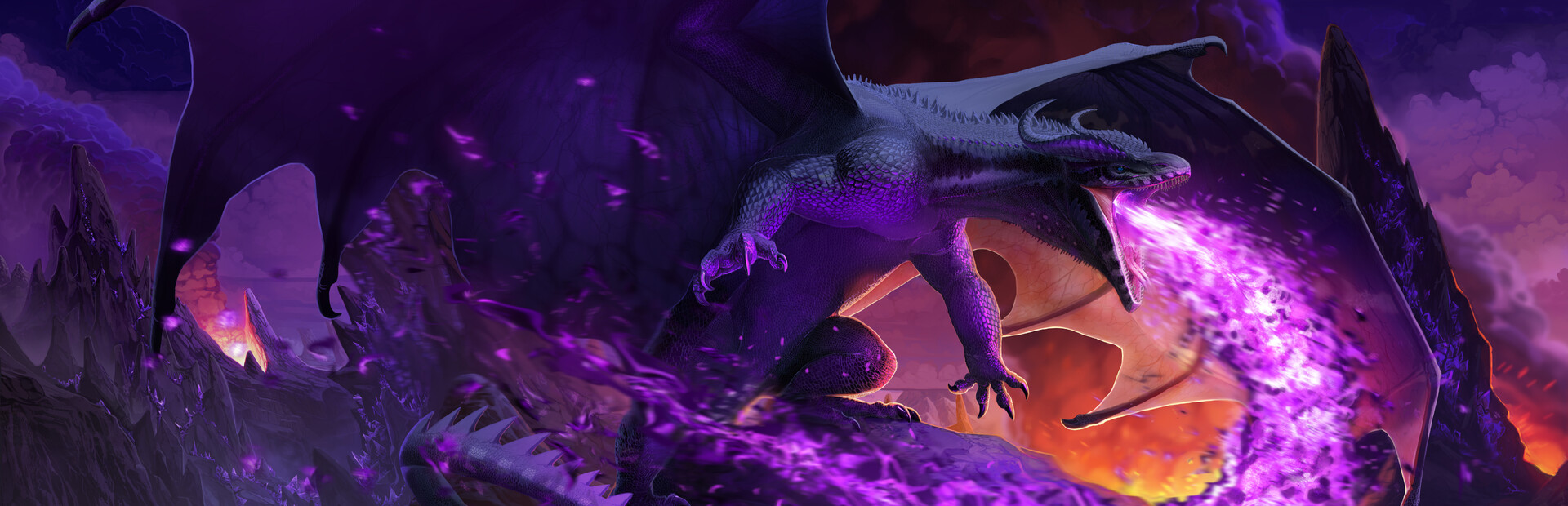
Create your dragon, customize it, level it. Explore the world of Draconia and unravel its story. Draconia is an MORPG where YOU play as the dragon!

Become the Dragon
Step into the scales of a mighty dragon and claim the skies, land, or sea as your own.
Choose from a variety of species, each with its own perks and specializations.
Customize Your Dragon
Make your character stand out by giving it a unique name, custom colors, and even custom body parts such as horns, tail tips, and claws.
Choose from a growing list of customization options to create your perfect dragon.
Survival of the Fittest
Hunt for sustenance and locate vital water sources to survive while amassing a hoard of valuable resources through the gathering and inventory system.
Utilize your treasure trove to craft useful items that improve your dragon's chances of survival and abilities.
Your World, Your Rules
Draconia respects your playstyle. Grow your dragon by completing quests or battling enemies.
Explore the world in PvE or opt into optional PvP, enabling or disabling it at will through your character profile.
Safely explore the world of Draconia without fear of unwanted confrontation, and engage in battles only when you choose.
Embark on the Ultimate Adventure
Unravel the story of Draconia in single-player or multiplayer.
Form groups and clans, and invite friends and like-minded players to accompany you on your journey.
From the store page, unedited. May contain spoilers.
This release
Reviews and playtime
Mixed
64% of 807
The game
Genres and features
How to install Draconia
Pre-installed, so there is no setup wizard. Follow these in order.
- 01
Create a games folder
Make a folder like C:\Games\ and keep every game in it. Avoid Program Files, Downloads and the Desktop.
- 02
Exclude it from Windows Defender
Defender often deletes cracked files by mistake while they extract. Add C:\Games\ as an excluded folder:
Windows Security -> Virus & threat protection -> Manage settings -> Exclusions -> Add an exclusion -> Folder
- 03
Download into C:\Games\
Save the archive straight into that folder. This release is one 5.2 GB file.
- 04
Extract it there
Use 7-Zip or WinRAR. Keep about 11.4 GB free while it unpacks.
- One file
- Right-click it -> Extract here.
- Several parts
- Extract only part1 (or .001). The other parts are read automatically.
- 05
Open README.html
It is inside the extracted folder and explains how to start the game.
Still stuck? Read the install help
Download
Set up your games folder and the Defender exclusion before you extract. The Install tab has the steps.
FileDitch
The whole game in one file
FileQ
The whole game in one file
Pixeldrain
The whole game in one file
Pixeldrain slows free downloads to a few MB/s. The Copy fast link button gives you a bypass link with no speed limit. Paste it into your download manager, or into your browser's address bar.
We don't accept fix requests when only one host is down. Please use another mirror above. Links broken? Let us know.
We never password-protect files or hide installers. If a page asks for a password or payment, that is the host's ad, not us. See our safety guide.
System requirements
- Min
- Intel(R) Core(TM) i5-2500k CPU @ 3.30GHz
- Rec
- Intel(R) Core(TM) i7-5820k CPU @ 3.30GHz
- Min
- 8 GB RAM
- Rec
- 16 GB RAM
- Min
- NVIDIA GeForce GTX 1060 6GB
- Rec
- NVIDIA GeForce GTX 2060
Windows 10 Home 64-bit
Version 12
8 GB available space
These are the developer's listed requirements and may not be 100% accurate. If your specs fall below the minimum, try the game anyway; many games run fine below the listed requirements. When in doubt, check YouTube for performance benchmarks.