Dwarf Eats Mountain
Green Wizard2026Idle, Strategy
49 MBBuild 23611462Updated 154 days ago
About Dwarf Eats Mountain
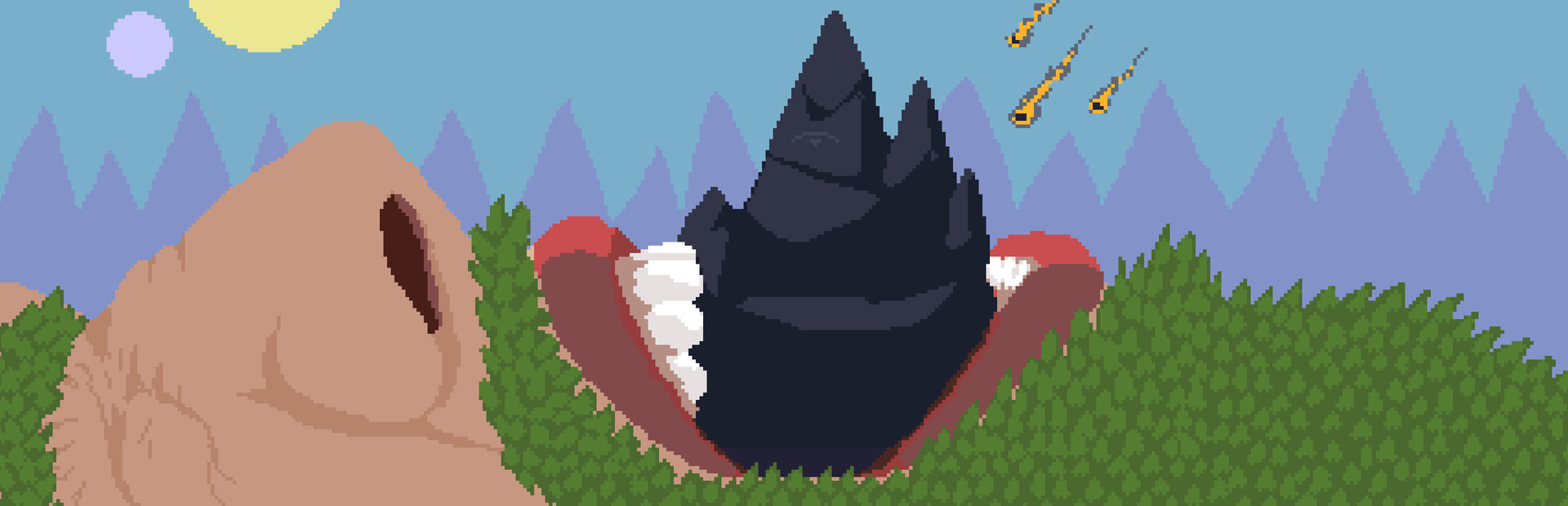
Dwarves hunger for gold, and no mountain shall stand in their way! Mine riches, unearth artifacts, and upgrade your dwarves to devour ever-bigger peaks in this whimsical incremental game.
Dwarf Eats Mountain is a strategic incremental game about devouring mountains for gold. Hire dwarves, deploy war machines, and collect powerful artifacts to build absurd synergies and grow faster each run.

Hurting the mountain physically (and emotionally) is only half the battle—you still have to safely haul the gold home. That perilous job falls to the Runners, who weave through falling rocks, risking their beards to feed the Great Maw!

But beware—the Great Mother won’t give up her treasure easily. The more damage your greedy dwarves deal to the mountain, the more calamities it unleashes upon the wobbling beards below!
Balance mining with hauling your gold home—before the sky falls on your head.

Master the dwarven ways of treasure extraction!
This game is about making numbers go up, but the way you do that is open to your interpretation and ingenuity. At your fingertips:
Many buildings and dwarves, each with various strengths and weaknesses, such as dynamite throwers, ballistas, flamers, laser cannons, spelunkers, runesmiths, brewmasters, bulldozers, gyrocopters and more!
Acquire countless upgrades and cast active rituals to buff your dwarves and their machines
Collect 120+ ancient artifacts and display them in your gallery, each with build-shaping effects
Unlock 96+ prestige upgrades to replay, accelerate progress, and discover new synergies
Spend rare resources like mithril and mountain souls on tough choices
Uncover what the gods have hidden beneath the world spire—and what happened to those who dug too deep


From the store page, unedited. May contain spoilers.
This release
Reviews and playtime
Very Positive
82% of 1,362
The game
Genres and features
How to install Dwarf Eats Mountain
Pre-installed, so there is no setup wizard. Follow these in order.
- 01
Create a games folder
Make a folder like C:\Games\ and keep every game in it. Avoid Program Files, Downloads and the Desktop.
- 02
Exclude it from Windows Defender
Defender often deletes cracked files by mistake while they extract. Add C:\Games\ as an excluded folder:
Windows Security -> Virus & threat protection -> Manage settings -> Exclusions -> Add an exclusion -> Folder
- 03
Download into C:\Games\
Save the archive straight into that folder. This release is one 49 MB file.
- 04
Extract it there
Use 7-Zip or WinRAR. Keep about 107.8 MB free while it unpacks.
- One file
- Right-click it -> Extract here.
- Several parts
- Extract only part1 (or .001). The other parts are read automatically.
- 05
Open README.html
It is inside the extracted folder and explains how to start the game.
Still stuck? Read the install help
Download
Set up your games folder and the Defender exclusion before you extract. The Install tab has the steps.
FileDitch
The whole game in one file
Pixeldrain
The whole game in one file
Pixeldrain slows free downloads to a few MB/s. The Copy fast link button gives you a bypass link with no speed limit. Paste it into your download manager, or into your browser's address bar.
Gofile (legacy)
The whole game in one file
We don't accept fix requests when only one host is down. Please use another mirror above. Links broken? Let us know.
We never password-protect files or hide installers. If a page asks for a password or payment, that is the host's ad, not us. See our safety guide.
System requirements
- Min
- potato or 2.7 GHz Dual Core
- Rec
- strong potato
- Min
- Version 11
- Rec
- Version 12
Windows 10
2 GB RAM
512MB, but not really
130 MB available space
any
These are the developer's listed requirements and may not be 100% accurate. If your specs fall below the minimum, try the game anyway; many games run fine below the listed requirements. When in doubt, check YouTube for performance benchmarks.