Refic Games2024Tower Defense, Strategy
923.3MBBuild 25419446Updated 68 days ago
About Emberward
Build twisting mazes with tetromino blocks and deploy unique towers in this strategic roguelite tower defense adventure!


Build a maze before the battle begins! Be creative and find the best setup with the block cards in your hand.
Make good use of your limited wall blocks! Will you make the monsters take a longer route, or will you use the blocks to position your towers more strategically?
After the battle, add various runes to the block cards! Runes can enhance your towers, grant blocks special abilities, or even double their size!

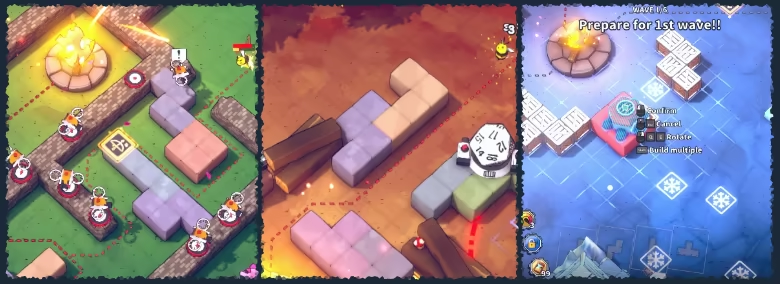
Tower with various sizes: 1x3? 2x2? 3x3? Building powerful towers requires careful planning!
Poison Towers that Span Monster Paths: Instead of shooting, we pour poison directly on the enemies' heads!
Drone Towers that Track Enemies: Why wait for enemies to come? Attack is the best form of defence!
D20 Towers that Test Your Luck: Higher number equals higher damage!
(...and a lot more!!)

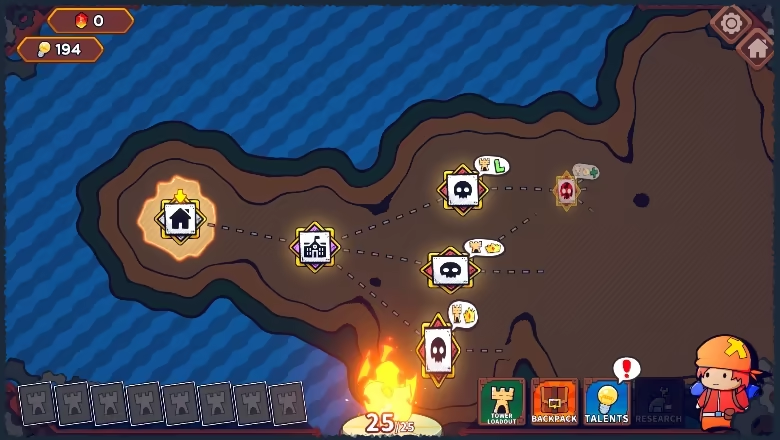
Choose your character and flame before starting your adventure!
Each run is unique with different maps, tower compositions, and mazes.
Collect new towers, block cards, or power relics during your journey.
Each battle grants you experience. Learn from various talents and become stronger for your next adventure!
From the store page, unedited. May contain spoilers.
This release
Reviews and playtime
Overwhelmingly Positive
96% of 4,597
The game
Genres and features
How to install Emberward
Pre-installed, so there is no setup wizard. Follow these in order.
- 01
Create a games folder
Make a folder like C:\Games\ and keep every game in it. Avoid Program Files, Downloads and the Desktop.
- 02
Exclude it from Windows Defender
Defender often deletes cracked files by mistake while they extract. Add C:\Games\ as an excluded folder:
Windows Security -> Virus & threat protection -> Manage settings -> Exclusions -> Add an exclusion -> Folder
- 03
Download into C:\Games\
Save the archive straight into that folder. This release is one 923.3MB file.
- 04
Extract it there
Use 7-Zip or WinRAR. Keep about 2.0 GB free while it unpacks.
- One file
- Right-click it -> Extract here.
- Several parts
- Extract only part1 (or .001). The other parts are read automatically.
- 05
Open README.html
It is inside the extracted folder and explains how to start the game.
Still stuck? Read the install help
Download
Set up your games folder and the Defender exclusion before you extract. The Install tab has the steps.
FileDitch
The whole game in one file
VikingFile
The whole game in one file
0807
The whole game in one file
Gofile (legacy)
The whole game in one file
We don't accept fix requests when only one host is down. Please use another mirror above. Links broken? Let us know.
We never password-protect files or hide installers. If a page asks for a password or payment, that is the host's ad, not us. See our safety guide.
System requirements
- Min
- Windows 7/10/11
- Rec
- -
- Min
- 4GHz
- Rec
- -
- Min
- 4 GB RAM
- Rec
- -
- Min
- 2GB GPU Memory, capable of OpenGL 3.0+ support
- Rec
- -
- Min
- 2 GB available space
- Rec
- -
These are the developer's listed requirements and may not be 100% accurate. If your specs fall below the minimum, try the game anyway; many games run fine below the listed requirements. When in doubt, check YouTube for performance benchmarks.