
The Stranger2024Sandbox, Strategy
348.6MBBuild 24629612Updated 61 days ago
About Fantasy Map Simulator
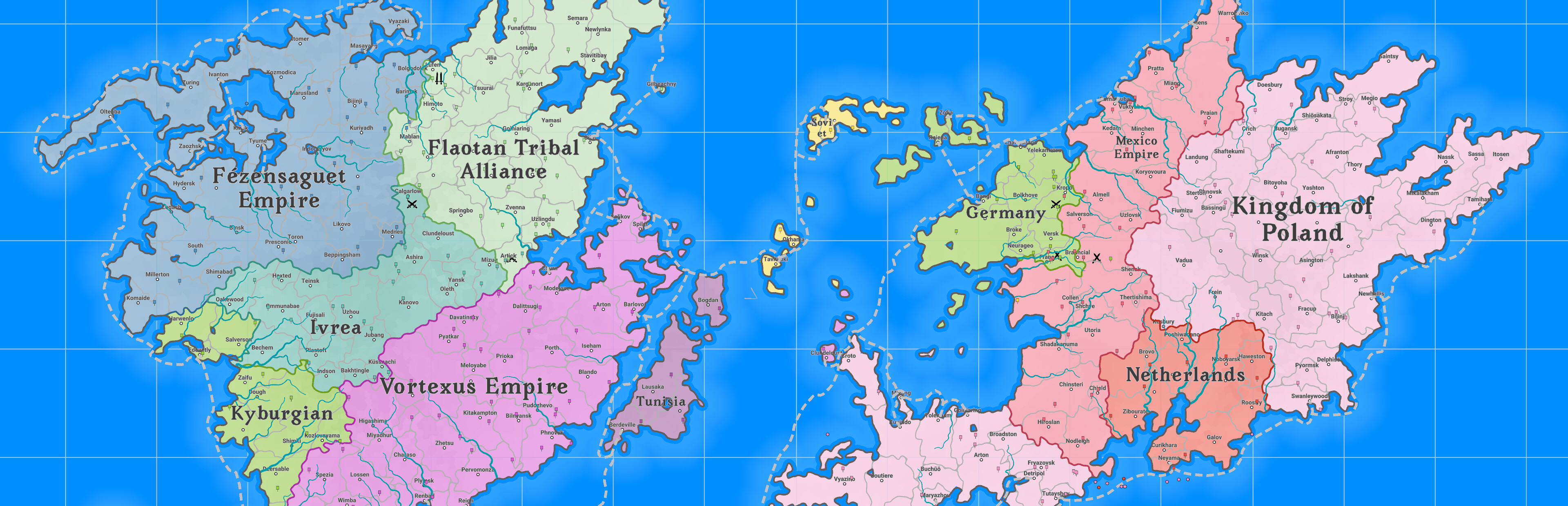
Fantasy Map Simulator: Create and watch imaginary worlds evolve over centuries. Design maps, simulate nations and their politics, and control destinies. See empires rise and fall on your desktop wallpaper. A unique simulation for history buffs and creative minds.
Fantasy Map Simulator: Witness the Rise and Fall of Dynasties on Your Wallpaper
In this innovative simulation game, you'll become the creator and witness of a fantasy world, allowing imaginary history to unfold in your daily life.
Key Features
1. Generate or edit custom fantasy maps, building your unique imaginary world

2. Simulate internal affairs, diplomacy, development, and wars between nations, observing historical evolution over hundreds or even thousands of years

3. Control the fate of nations as you see fit, shaping the world order.
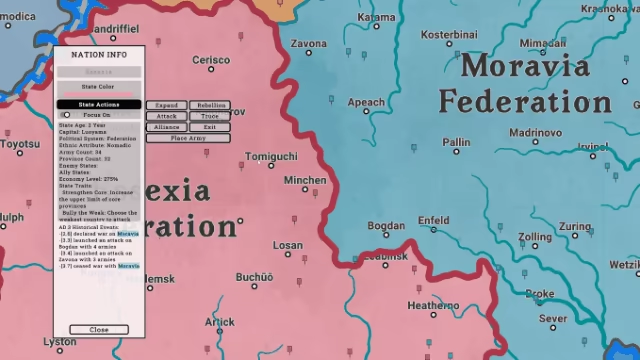
4. Unique Windows desktop wallpaper mode - empires rise and fall in the background while you work or rest

Whether you're a history enthusiast, a fantasy world creator, or someone seeking a unique desktop experience, "Fantasy Map Simulator" offers an unprecedented simulation experience.
Create, observe, intervene, and let imaginary history coexist with your daily life - your fantasy world is right before your eyes!
From the store page, unedited. May contain spoilers.
This release
Reviews and playtime
Very Positive
89% of 4,327
The game
Genres and features
How to install Fantasy Map Simulator
Pre-installed, so there is no setup wizard. Follow these in order.
- 01
Create a games folder
Make a folder like C:\Games\ and keep every game in it. Avoid Program Files, Downloads and the Desktop.
- 02
Exclude it from Windows Defender
Defender often deletes cracked files by mistake while they extract. Add C:\Games\ as an excluded folder:
Windows Security -> Virus & threat protection -> Manage settings -> Exclusions -> Add an exclusion -> Folder
- 03
Download into C:\Games\
Save the archive straight into that folder. This release is one 348.6MB file.
- 04
Extract it there
Use 7-Zip or WinRAR. Keep about 766.9 MB free while it unpacks.
- One file
- Right-click it -> Extract here.
- Several parts
- Extract only part1 (or .001). The other parts are read automatically.
- 05
Open README.html
It is inside the extracted folder and explains how to start the game.
Still stuck? Read the install help
Download
Set up your games folder and the Defender exclusion before you extract. The Install tab has the steps.
FileDitch
The whole game in one file
VikingFile
The whole game in one file
0807
The whole game in one file
Gofile (legacy)
The whole game in one file
We don't accept fix requests when only one host is down. Please use another mirror above. Links broken? Let us know.
We never password-protect files or hide installers. If a page asks for a password or payment, that is the host's ad, not us. See our safety guide.
System requirements
- Min
- Intel: Intel Core i5-4460 AMD: AMD Ryzen 3 1200
- Rec
- Intel: Intel Core i5-8600K AMD: AMD Ryzen 5 3600
- Min
- 4 GB RAM
- Rec
- 8 GB RAM
- Min
- NVIDIA GeForce GTX 660 AMD Radeon R9 270
- Rec
- NVIDIA GeForce GTX 1060 AMD Radeon RX 580
window10 64bit
Version 11
500 MB available space
These are the developer's listed requirements and may not be 100% accurate. If your specs fall below the minimum, try the game anyway; many games run fine below the listed requirements. When in doubt, check YouTube for performance benchmarks.