Lavaflame22026Idle, Management
185.4MBBuild 23705722Updated 41 days ago
About Fortune Mill
In this incremental game, you must make $1,000,000 in each room to escape. Throw darts, play scratch-off tickets, unlock automation, and choose upgrades carefully as each room affects all the others!

ENTERING ROOM 1 - The MASSIVE RAT blocks your path, demanding 1,000,000 gold!
Your first throw earns you 3 gold. A million seems impossible...
But then you buy +750% gold value upgrades, befriend a Machine Gunner Mouse, unlock the
2x dart throw ability, and now earn a massive 97,312 gold per throw!

ENTERING ROOM 2 - The GIGA FROG won't let you pass, demanding $1,000,000 first!
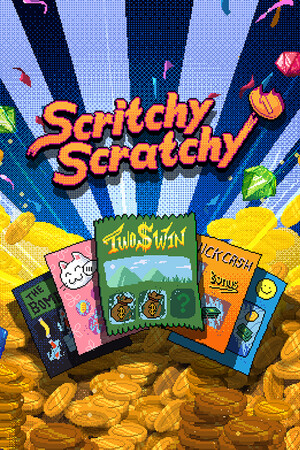
Scratching off just 1's to start, your first ticket earns you $6. A million seems impossible...
But then you buy BIGGER tickets worth $10K+, hire a tax-cheating Toad Accountant, and even
win a jackpot for a golden dart-gun for your Rattling Gunner in the previous Room!
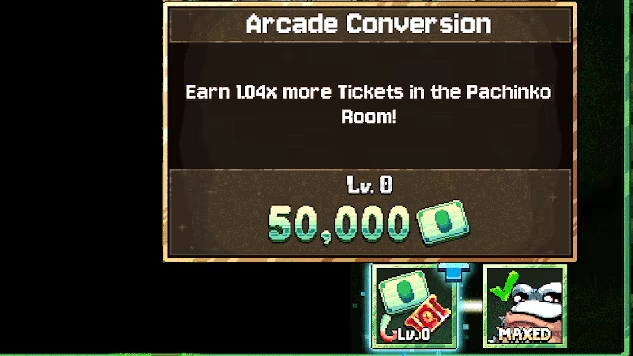
Each room BOOSTS the other rooms!
Earn passive income across ALL rooms, and buy powerful Synergy Upgrades!
Hit JACKPOTS in Room 2 for permanent bonuses, Roll the dice in Room 3 for massive multipliers,
and even cook sushi in Room 4 for unique game-altering effects!

You were meant to be packaged into Box #724
Now you're crawling through a crack in the wall, no idea where it goes, hoping it's a way out...
Will you be the first to escape the FORTUNE MILL?

From the store page, unedited. May contain spoilers.
This release
Reviews and playtime
Very Positive
83% of 4,559
The game
Genres and features
How to install Fortune Mill
Pre-installed, so there is no setup wizard. Follow these in order.
- 01
Create a games folder
Make a folder like C:\Games\ and keep every game in it. Avoid Program Files, Downloads and the Desktop.
- 02
Exclude it from Windows Defender
Defender often deletes cracked files by mistake while they extract. Add C:\Games\ as an excluded folder:
Windows Security -> Virus & threat protection -> Manage settings -> Exclusions -> Add an exclusion -> Folder
- 03
Download into C:\Games\
Save the archive straight into that folder. This release is one 185.4MB file.
- 04
Extract it there
Use 7-Zip or WinRAR. Keep about 407.9 MB free while it unpacks.
- One file
- Right-click it -> Extract here.
- Several parts
- Extract only part1 (or .001). The other parts are read automatically.
- 05
Open README.html
It is inside the extracted folder and explains how to start the game.
Still stuck? Read the install help
Download
Set up your games folder and the Defender exclusion before you extract. The Install tab has the steps.
FilesYard
The whole game in one file
FileDitch
The whole game in one file
VikingFile
The whole game in one file
0807
The whole game in one file
We don't accept fix requests when only one host is down. Please use another mirror above. Links broken? Let us know.
We never password-protect files or hide installers. If a page asks for a password or payment, that is the host's ad, not us. See our safety guide.
System requirements
- Min
- Windows 10+
- Rec
- -
- Min
- x86_64 CPU with SSE4.2 support, with 4 physical cores or more
- Rec
- -
- Min
- 2 GB RAM
- Rec
- -
- Min
- Integrated graphics with full OpenGL 3.3 support or Direct3D 11 support
- Rec
- -
- Min
- 1 GB available space
- Rec
- -
- Min
- Anything capable of producing sound
- Rec
- -
These are the developer's listed requirements and may not be 100% accurate. If your specs fall below the minimum, try the game anyway; many games run fine below the listed requirements. When in doubt, check YouTube for performance benchmarks.