Fruitimo!
PLANETA2025Casual, Action
3.9GBBuild 20008390Updated 63 days ago
About Fruitimo!
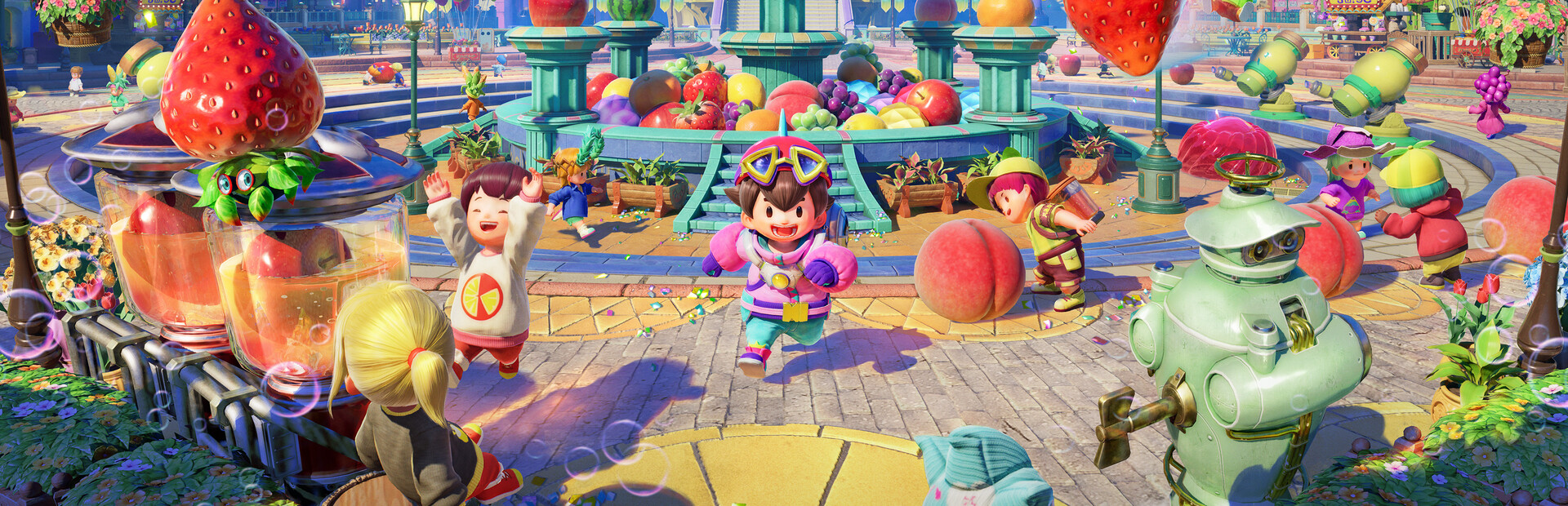
A gentle, relaxing fruit-finding adventure anyone can enjoy. Perfect even as a “first game” for young children. Join Vimita and Grandpa the android and go find some giant fruits!
A gentle 3D action adventure anyone can enjoy!
From kids playing their very first game to grown-ups who prefer something relaxing—anyone can enjoy Fruitimo! There’s no game over and no complicated controls. Just find, vacuum, and carry the fruits with simple, intuitive actions. Welcome to a colorful little world that feels warm and comforting.

Explore the fun and mysterious Kajune Land!
Join Vimita, a boy who loves fruits, and his backpack-shaped android Grandpa, as they head out on a big adventure to find giant fruits! There’s a juice river, sherbet hills, robots, drones, and even a giant slide! Fruits are hidden all over the place—look carefully and see what you can find.
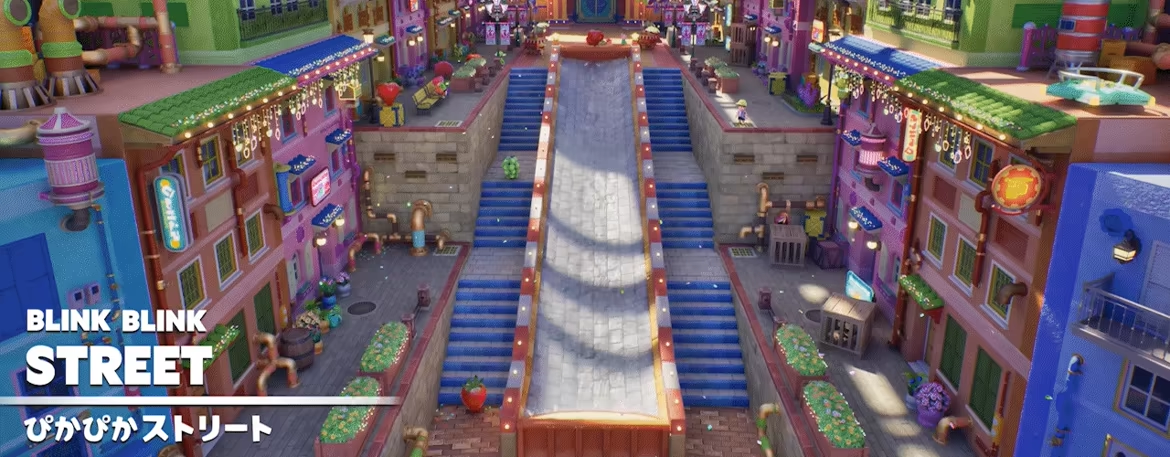
No game over, so you can relax and play at your own pace
Throw jelly, vacuum fruits, or use the Search function to spot hidden ones—all with a single, simple button. Since there’s no game over, you can take your time without any pressure. Even if you’re not used to controllers, you’ll be just fine. And with Grandpa’s help, even high places are a piece of cake!

Play your own way!
There’s no time limit, so feel free to stroll around Kajune Land. You can try collecting every fruit for a full completion, or gather only your favorites and head straight to the goal. Find the playstyle that fits your mood each day!

Play at your own pace! (Approximate playtime)
Quick play: About 10 minutes
Collect everything: Around 60 minutes
Relax and wander: Endless!
Whether it’s a short break or a cozy session, it’s always Fruitimo time.

From the store page, unedited. May contain spoilers.
This release
Reviews and playtime
Positive
92% of 38
The game
Genres and features
How to install Fruitimo!
Pre-installed, so there is no setup wizard. Follow these in order.
- 01
Create a games folder
Make a folder like C:\Games\ and keep every game in it. Avoid Program Files, Downloads and the Desktop.
- 02
Exclude it from Windows Defender
Defender often deletes cracked files by mistake while they extract. Add C:\Games\ as an excluded folder:
Windows Security -> Virus & threat protection -> Manage settings -> Exclusions -> Add an exclusion -> Folder
- 03
Download into C:\Games\
Save the archive straight into that folder. This release is one 3.9GB file.
- 04
Extract it there
Use 7-Zip or WinRAR. Keep about 8.6 GB free while it unpacks.
- One file
- Right-click it -> Extract here.
- Several parts
- Extract only part1 (or .001). The other parts are read automatically.
- 05
Open README.html
It is inside the extracted folder and explains how to start the game.
Still stuck? Read the install help
Download
Set up your games folder and the Defender exclusion before you extract. The Install tab has the steps.
FileDitch
The whole game in one file
VikingFile
The whole game in one file
0807
The whole game in one file
Gofile (legacy)
The whole game in one file
We don't accept fix requests when only one host is down. Please use another mirror above. Links broken? Let us know.
We never password-protect files or hide installers. If a page asks for a password or payment, that is the host's ad, not us. See our safety guide.
System requirements
- Min
- windows10 64bit
- Rec
- windows10/11 64bit
- Min
- Intel Core i5-6500
- Rec
- Intel Core i7-9700
- Min
- 8 GB RAM
- Rec
- 16 GB RAM
- Min
- NVIDIA GeForce GTX 970
- Rec
- NVIDIA GeForce RTX 2060
Version 12
4 GB available space
These are the developer's listed requirements and may not be 100% accurate. If your specs fall below the minimum, try the game anyway; many games run fine below the listed requirements. When in doubt, check YouTube for performance benchmarks.