
FUMES
FUMES team2025Simulation, Racing
972.0MBBuild 26979761Updated now
About FUMES
Arm your vehicle with deadly weapons and roam endless wastelands in this fast-paced single-player car combat game. Collect upgrades for your car to melt enemies and giant bosses in this bizarre world. Retro vibe. Retro cars. Retro gameplay!

FUMES is a single-player game inspired by the golden era of vehicular combat genre. Straight-forward, fast paced, intense gameplay. Get into the car, slap some weapons on and cruise twisted wastes.
No bullscrap. Just you, your car and pure fun. Like in the old days!
FEATURES
Drive customizable cars. Equip them with weapons.
Experience driving physics inspired by old rally games.
Encounter waves of enemies. Get involved in the chase of destruction.
Deliver suspicious packages while escaping from greedy chasers.
Defeat the fastest racers of the wastelands in off road challenges.
Fight with giant bosses - monstrosities on wheels.
Customize your car. Choose loadout to fit your combat style. Slap some stickers on.
Earn new cars and parts by beating bosses.
No loading screens. No fast travel. Just use your car.
Slow down after the fight, go for a ride and inhale the FUMES.
Get lost in the desert. Wander endless, procedural environments.
Listen to the original, guitar-heavy soundtrack.
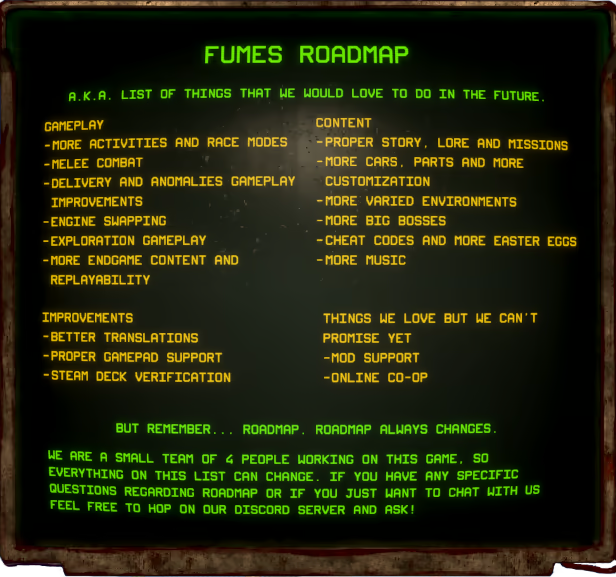
Roam the wastes, collect scrap, burn your way through the challenge and rise as the mayhem walker...
...or simply join our Discord server to hang out with us and other travelers like you. Get involved in the creation of this twisted world!
From the store page, unedited. May contain spoilers.
This release
Reviews and playtime
Overwhelmingly Positive
95% of 2,962
The game
Genres and features
How to install FUMES
Pre-installed, so there is no setup wizard. Follow these in order.
- 01
Create a games folder
Make a folder like C:\Games\ and keep every game in it. Avoid Program Files, Downloads and the Desktop.
- 02
Exclude it from Windows Defender
Defender often deletes cracked files by mistake while they extract. Add C:\Games\ as an excluded folder:
Windows Security -> Virus & threat protection -> Manage settings -> Exclusions -> Add an exclusion -> Folder
- 03
Download into C:\Games\
Save the archive straight into that folder. This release is one 972.0MB file.
- 04
Extract it there
Use 7-Zip or WinRAR. Keep about 2.1 GB free while it unpacks.
- One file
- Right-click it -> Extract here.
- Several parts
- Extract only part1 (or .001). The other parts are read automatically.
- 05
Open README.html
It is inside the extracted folder and explains how to start the game.
Still stuck? Read the install help
Download
Set up your games folder and the Defender exclusion before you extract. The Install tab has the steps.
FilesYard
The whole game in one file
VikingFile
The whole game in one file
We don't accept fix requests when only one host is down. Please use another mirror above. Links broken? Let us know.
We never password-protect files or hide installers. If a page asks for a password or payment, that is the host's ad, not us. See our safety guide.
System requirements
- Min
- Windows 7
- Rec
- -
- Min
- Intel Core i3-4130
- Rec
- -
- Min
- 2048 MB RAM
- Rec
- -
- Min
- Intel HD Graphics 620
- Rec
- -
- Min
- Version 9.0
- Rec
- Version 11
- Min
- 400 MB available space
- Rec
- -
- Min
- Any old scrap will do!
- Rec
- -
These are the developer's listed requirements and may not be 100% accurate. If your specs fall below the minimum, try the game anyway; many games run fine below the listed requirements. When in doubt, check YouTube for performance benchmarks.