
Glyph☀️
Bolverk Games2021Platformer
670.5MBBuild 7175455Updated 21 days ago
About Glyph☀️
Glyph is a cute, physics-based adventure starring a mech-scarab and his trusted guide, Anobi, challenged with rebuilding an ancient civilization buried under the desert sand. Jump, double-jump, smash and glide through the air in this vertical platformer with amazing controls.



Glyph is "hard as nails," pure and old-school platforming in modern dress. You don't level up or get bonuses; you get further by getting better. This game is all about the controls and the environment. Use both in combination to progress and do it at your own pace.
For inspiration, tips and tricks, fresh content, competitions, and community visit the Glyph Discord server:
Have fun! And see you there.
The list:
- Time trials
- Pure platforming
- Refine your skill
- Original soundtrack
- Customizable cosmetics
- Explore and solve puzzles
- Value for money at 80+ levels
- Route planning in open worlds
- One-of-a-kind abilities and controls


“Glyph gives you a deep-felt sense of achievement.”
“Thoughtful. Magical. It’s the kind of game they don’t make anymore.”
“You will feel calm, challenged, and entirely swept away to a distant land. “
“The soundtrack? It’s mesmerizing.”


Glyph is perfect for speedrunning, but all of the beautiful 80+ levels contain secrets for you to uncover - if you can find them.
That means the adventurous gamer has plenty of things to discover.
And for those who crave adrenaline, Glyph offers 30 heart-thumping, controller-clenching time trials pushing you to develop your skills.
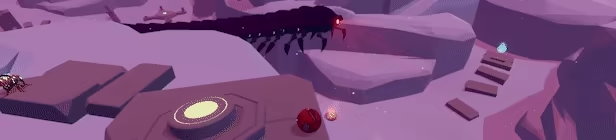
Can you land the jump?
Try our demo or join the official Glyph community discord for tips, tricks, and weekly challenges! -->

From the store page, unedited. May contain spoilers.
This release
Reviews and playtime
Very Positive
92% of 109
The game
Genres and features
How to install Glyph☀️
Pre-installed, so there is no setup wizard. Follow these in order.
- 01
Create a games folder
Make a folder like C:\Games\ and keep every game in it. Avoid Program Files, Downloads and the Desktop.
- 02
Exclude it from Windows Defender
Defender often deletes cracked files by mistake while they extract. Add C:\Games\ as an excluded folder:
Windows Security -> Virus & threat protection -> Manage settings -> Exclusions -> Add an exclusion -> Folder
- 03
Download into C:\Games\
Save the archive straight into that folder. This release is one 670.5MB file.
- 04
Extract it there
Use 7-Zip or WinRAR. Keep about 1.4 GB free while it unpacks.
- One file
- Right-click it -> Extract here.
- Several parts
- Extract only part1 (or .001). The other parts are read automatically.
- 05
Open README.html
It is inside the extracted folder and explains how to start the game.
Still stuck? Read the install help
Download
Set up your games folder and the Defender exclusion before you extract. The Install tab has the steps.
FilesYard
The whole game in one file
FileDitch
The whole game in one file
VikingFile
The whole game in one file
We don't accept fix requests when only one host is down. Please use another mirror above. Links broken? Let us know.
We never password-protect files or hide installers. If a page asks for a password or payment, that is the host's ad, not us. See our safety guide.
System requirements
- Min
- Windows 7 SP1 or newer
- Rec
- Windows 10
- Min
- Intel Core i5 4590 or AMD FX 8350 or greater
- Rec
- Intel Core i7 4790K
- Min
- 4 GB RAM
- Rec
- 8 GB RAM
- Min
- -
- Rec
- Broadband Internet connection
NVIDIA GTX 970 (AMD Radeon R9 290)
Version 11
1 GB available space
Any
These are the developer's listed requirements and may not be 100% accurate. If your specs fall below the minimum, try the game anyway; many games run fine below the listed requirements. When in doubt, check YouTube for performance benchmarks.