
GRUEL
Mick Sengers2025Arcade, Roguelike
100.3 MBBuild 18982178Updated 249 days ago
About GRUEL
Go on a rampage in this endless arcade Boomer-Shooter! Gain the weirdest weapons and destroy all the monsters in the never-ending temple of GRUEL!

In the temple of GRUEL, nothing is certain. Who knows what room comes next? On top of that, the temple is ENDLESS! That means you can get ∞ amounts of gold! So gain as much treasure from the temple as you possibly can, and let you top the charts!
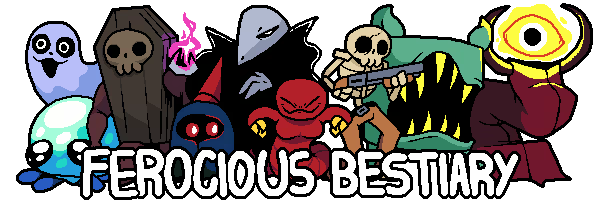
To guard the amazing treasures you can find, there are hordes of monsters that just came out of the radiated freaks factory for you to pummel into oblivion! But they will not go down without a fight. From floating jellyfish to psycho magicians. We got them all!

To defeat those crazy freaks, we will need guns. Tons of them. Luckily, our dealer just got us a ton of bargain bin weapons ready to use. They break, They don't have a ton of ammo, but they can shoot fish, prism shards, acid or even.. coins?! Get creative with this big arsenal of innovative throw-away weaponry! But do not forget your biggest gun, your kick!

Is the temple rough on you? No worries, we have the BIGGEST, GREATEST artifacts inside of our rooms to help you defeat everything in your path with ease! They will improve your ability to do almost anything! It will bring you even deeper into the temple!!

Enjoy this hand-crafted aesthetic and watch some crazy abominations come to life!
GRUEL is not responsible for any harm to your mental status because of your opinion on fish as bullets.
From the store page, unedited. May contain spoilers.
This release
Reviews and playtime
Very Positive
97% of 99
The game
Genres and features
How to install GRUEL
Pre-installed, so there is no setup wizard. Follow these in order.
- 01
Create a games folder
Make a folder like C:\Games\ and keep every game in it. Avoid Program Files, Downloads and the Desktop.
- 02
Exclude it from Windows Defender
Defender often deletes cracked files by mistake while they extract. Add C:\Games\ as an excluded folder:
Windows Security -> Virus & threat protection -> Manage settings -> Exclusions -> Add an exclusion -> Folder
- 03
Download into C:\Games\
Save the archive straight into that folder. This release is one 100.3 MB file.
- 04
Extract it there
Use 7-Zip or WinRAR. Keep about 220.7 MB free while it unpacks.
- One file
- Right-click it -> Extract here.
- Several parts
- Extract only part1 (or .001). The other parts are read automatically.
- 05
Open README.html
It is inside the extracted folder and explains how to start the game.
Still stuck? Read the install help
Download
Set up your games folder and the Defender exclusion before you extract. The Install tab has the steps.
VikingFile
The whole game in one file
FileQ
The whole game in one file
Pixeldrain
The whole game in one file
Pixeldrain slows free downloads to a few MB/s. The Copy fast link button gives you a bypass link with no speed limit. Paste it into your download manager, or into your browser's address bar.
1Fichier
The whole game in one file
Gofile (legacy)
The whole game in one file
Datavaults.co
The whole game in one file
Bowfile
The whole game in one file
Filespayouts
The whole game in one file
We don't accept fix requests when only one host is down. Please use another mirror above. Links broken? Let us know.
We never password-protect files or hide installers. If a page asks for a password or payment, that is the host's ad, not us. See our safety guide.
System requirements
- Min
- Intel core i3 1.6 GHz
- Rec
- Intel core i5 2.6 GHz
- Min
- 3 GB RAM
- Rec
- 6 GB RAM
- Min
- NVIDIA GeForce GTX 745
- Rec
- NVIDIA GeForce GTX 1060
- Min
- Version 11
- Rec
- Version 12
- Min
- 90 MB available space
- Rec
- 120 MB available space
Windows 10 or upwards
These are the developer's listed requirements and may not be 100% accurate. If your specs fall below the minimum, try the game anyway; many games run fine below the listed requirements. When in doubt, check YouTube for performance benchmarks.