
Gunstoppable
CAGE Studios2026Roguelike, Shooter
860.0MBBuild 25445153Updated 20 days ago
About Gunstoppable
A momentum-fueled Roguelite FPS where speed is damage. Dual-wield overpowered weapon combos and bend time to obliterate robot hordes and overthrow billionaire bosses!

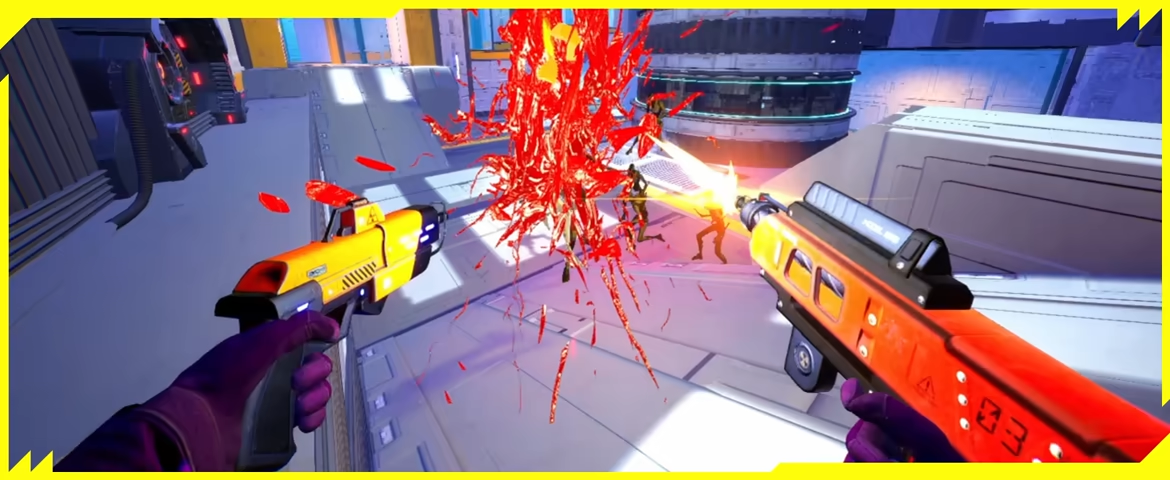
The speed limit is infinity.
The faster you move, the harder you hit. Grapple, slide, wall-run, and rail-grind to build momentum. Dodge bullet-hell barrages with wild movement tech and perfectly timed parries. Rip through robots in style to rack up views as your rampage goes viral worldwide in a fully-voiced story campaign.


Craft overpowered weapon combos.
Turn shotguns into flamethrowers. Turn bananas into nukes. Dual-wield 10 distinct weapons with dozens of augments and attachments to create endless game-breaking synergies. Show no mercy on rogue robots and evil billionaires.


Battle legends like Johnny Jetpack.
Clash with quirky villains from giant robot crabs to narcissistic nepo babies. Rack up kills to unleash time-bending powers and shatter clusters of foes in a single moment. Grow stronger and face new challenges with every death.


Save your sister. Save Earth.
Hunt down the architects of endless brutality in a blood-curdling odyssey through underwater prisons, cyberpunk cityscapes, and into the great beyond. Turn the tables on the evil CEO who made you into a killing machine.
From the store page, unedited. May contain spoilers.
This release
Reviews and playtime
Mostly Positive
75% of 65
The game
Genres and features
How to install Gunstoppable
Pre-installed, so there is no setup wizard. Follow these in order.
- 01
Create a games folder
Make a folder like C:\Games\ and keep every game in it. Avoid Program Files, Downloads and the Desktop.
- 02
Exclude it from Windows Defender
Defender often deletes cracked files by mistake while they extract. Add C:\Games\ as an excluded folder:
Windows Security -> Virus & threat protection -> Manage settings -> Exclusions -> Add an exclusion -> Folder
- 03
Download into C:\Games\
Save the archive straight into that folder. This release is one 860.0MB file.
- 04
Extract it there
Use 7-Zip or WinRAR. Keep about 1.8 GB free while it unpacks.
- One file
- Right-click it -> Extract here.
- Several parts
- Extract only part1 (or .001). The other parts are read automatically.
- 05
Open README.html
It is inside the extracted folder and explains how to start the game.
Still stuck? Read the install help
Download
Set up your games folder and the Defender exclusion before you extract. The Install tab has the steps.
FilesYard
The whole game in one file
FileDitch
The whole game in one file
VikingFile
The whole game in one file
We don't accept fix requests when only one host is down. Please use another mirror above. Links broken? Let us know.
We never password-protect files or hide installers. If a page asks for a password or payment, that is the host's ad, not us. See our safety guide.
System requirements
- Min
- Windows 10
- Rec
- Windows 11
- Min
- Intel i3 Dual-Core
- Rec
- Intel i5 Dual-Core
- Min
- 8 GB RAM
- Rec
- 16 GB RAM
- Min
- Potato (low graphics mode in settings)
- Rec
- NVIDIA 1060 or equivalent
Version 11
950 MB available space
These are the developer's listed requirements and may not be 100% accurate. If your specs fall below the minimum, try the game anyway; many games run fine below the listed requirements. When in doubt, check YouTube for performance benchmarks.