HouseWarming
Neskorobok Games2026Horror, Simulation
3.5 GBBuild 24130227Updated 140 days ago
About HouseWarming
Brian Lewis buys an old house, hoping for a quiet and orderly life. But on the very first night, the house begins to behave strangely... What starts as a harmless incident slowly turns into something far more terrifying... What if someone else is inside?
Happy housewarming, my friend! Happy housewarming!
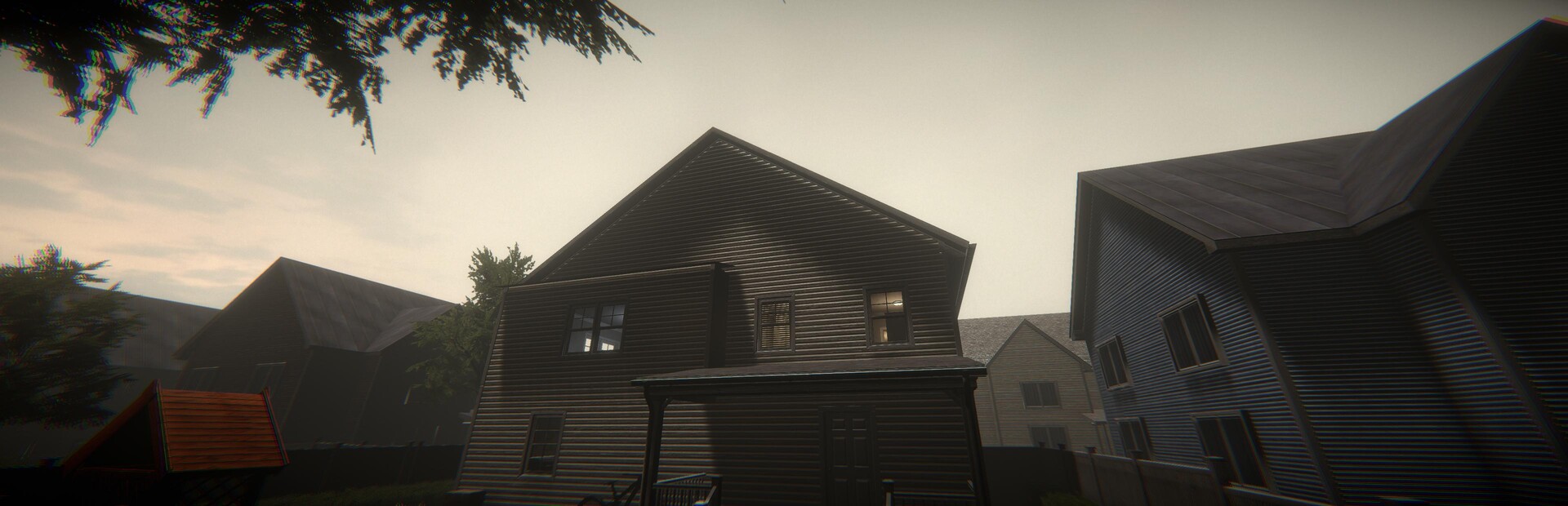
HouseWarming is a first-person psychological thriller about the new owner of an old house, where mysteries and strange stories hide behind ordinary walls.

Story
Brian Lewis is an ordinary man who has recently bought an old house, hoping to start a quiet life.
But on the very first evening, everything goes wrong...
During a phone call with his friend James Williams, the power suddenly goes out. Trying to understand what happened, Brian steps outside to find the fuse box and notices movement in the windows: it feels as if someone else is inside.
As night falls, the house begins to live a life of its own:
Creaking floorboards, silhouettes in the windows, footsteps in empty rooms, and shadows moving in the dark.
The door is locked. There is a feeling of complete hopelessness. The player must discover what is happening in this strange house, uncover the truth about Brian Lewis’s past, and try to escape alive.

Game Features
Realistic graphics and detailed environments.
A constant feeling of pursuit and uncertainty.
Carefully designed sound that intensifies the tension.
Secrets of the house and unexpected story twists.
From the store page, unedited. May contain spoilers.
This release
Reviews and playtime
Mostly Positive
75% of 60
The game
Genres and features
How to install HouseWarming
Pre-installed, so there is no setup wizard. Follow these in order.
- 01
Create a games folder
Make a folder like C:\Games\ and keep every game in it. Avoid Program Files, Downloads and the Desktop.
- 02
Exclude it from Windows Defender
Defender often deletes cracked files by mistake while they extract. Add C:\Games\ as an excluded folder:
Windows Security -> Virus & threat protection -> Manage settings -> Exclusions -> Add an exclusion -> Folder
- 03
Download into C:\Games\
Save the archive straight into that folder. This release is one 3.5 GB file.
- 04
Extract it there
Use 7-Zip or WinRAR. Keep about 7.7 GB free while it unpacks.
- One file
- Right-click it -> Extract here.
- Several parts
- Extract only part1 (or .001). The other parts are read automatically.
- 05
Open README.html
It is inside the extracted folder and explains how to start the game.
Still stuck? Read the install help
Download
Set up your games folder and the Defender exclusion before you extract. The Install tab has the steps.
FileDitch
The whole game in one file
FileQ
The whole game in one file
Pixeldrain
The whole game in one file
Pixeldrain slows free downloads to a few MB/s. The Copy fast link button gives you a bypass link with no speed limit. Paste it into your download manager, or into your browser's address bar.
We don't accept fix requests when only one host is down. Please use another mirror above. Links broken? Let us know.
We never password-protect files or hide installers. If a page asks for a password or payment, that is the host's ad, not us. See our safety guide.
System requirements
- Min
- Intel Core 2 Quad CPU Q6600/AMD A6 3670K
- Rec
- Intel® Core™ i3-6100 or AMD FX™-6300 or better
- Min
- 2 GB RAM
- Rec
- 4 GB RAM
- Min
- NVIDIA® GeForce® GTX 760 2GB / AMD Radeon R9 280 3GB
- Rec
- NVIDIA® GeForce® GTX 1650 4GB or better
- Min
- Low quality 720p
- Rec
- Ultra quality 1080p
WINDOWS® 10, 11 (64-BIT Required)
Version 11
6 GB available space
These are the developer's listed requirements and may not be 100% accurate. If your specs fall below the minimum, try the game anyway; many games run fine below the listed requirements. When in doubt, check YouTube for performance benchmarks.