
HUMANITY
Enhance2023Puzzle, Platformer
10.2 GB(31 Mar 2026 | 21899461)Updated 183 days ago
About HUMANITY
A unique blend of puzzle-solving and action-platforming. Play a lone Shiba Inu charged with commanding massive, marching crowds to the goal in Story Mode, or create your own via the in-game Stage Creator!

 WORK LIKE A DOG
HUMANITY is a third-person puzzle-action game where you become a dog to command massive, marching crowds of people to jump, turn, push, float, shoot, and climb their way to salvation across 90 story-mode stages.
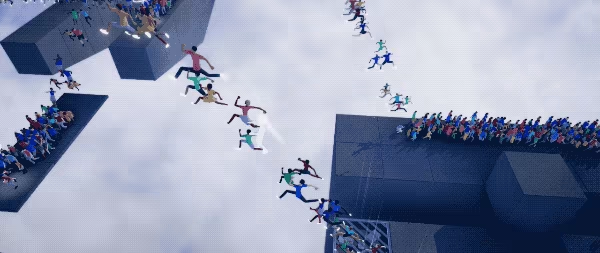
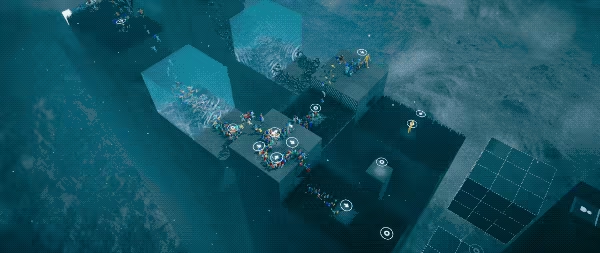
READY, AND…ACTION!
Devious puzzles and strategic thinking is broken up with more action-focused elements and platformer-like levels, even some epic boss battles!

CREATE YOUR OWN LEVELS
Bring your ideas to life using the intuitive Stage Creator, be it a straightforward puzzle, action stage, or heck, even an artful sculpture!
(OPTIONAL) VR Compatible
Immerse yourself like never before as you tower over the teeming, ant-like people! Mu ha ha ha ha!
Whether on your standard display or in the optional VR Mode, watch as breathtaking swarms of people follow your commands to the exit, all in HUMANITY’s stark iconic style, courtesy of director and celebrated visual designer Yugo Nakamura and famed game creator Tetsuya Mizuguchi (Rez Infinite, Tetris Effect: Connected).
From the store page, unedited. May contain spoilers.
This release
Reviews and playtime
Very Positive
92% of 496
The game
Genres and features
How to install HUMANITY
Pre-installed, so there is no setup wizard. Follow these in order.
- 01
Create a games folder
Make a folder like C:\Games\ and keep every game in it. Avoid Program Files, Downloads and the Desktop.
- 02
Exclude it from Windows Defender
Defender often deletes cracked files by mistake while they extract. Add C:\Games\ as an excluded folder:
Windows Security -> Virus & threat protection -> Manage settings -> Exclusions -> Add an exclusion -> Folder
- 03
Download into C:\Games\
Save the archive straight into that folder. This release is one 10.2 GB file.
- 04
Extract it there
Use 7-Zip or WinRAR. Keep about 22.5 GB free while it unpacks.
- One file
- Right-click it -> Extract here.
- Several parts
- Extract only part1 (or .001). The other parts are read automatically.
- 05
Open README.html
It is inside the extracted folder and explains how to start the game.
Still stuck? Read the install help
Download
Set up your games folder and the Defender exclusion before you extract. The Install tab has the steps.
FileDitch
The whole game in one file
VikingFile
The whole game in one file
FileQ
The whole game in one file
Gofile (legacy)
The whole game in one file
We don't accept fix requests when only one host is down. Please use another mirror above. Links broken? Let us know.
We never password-protect files or hide installers. If a page asks for a password or payment, that is the host's ad, not us. See our safety guide.
System requirements
- Min
- Intel i5-3450
- Rec
- Intel i5-4590 (required for VR)
- Min
- 4 GB RAM
- Rec
- 8 GB RAM
- Min
- NVIDIA GTX 760 equivalent or greater
- Rec
- NVIDIA GTX 1070 equivalent (required for VR)
- Min
- Minimum Specs for Non-VR mode
- Rec
- -
Windows 10
Version 11
8 GB available space
These are the developer's listed requirements and may not be 100% accurate. If your specs fall below the minimum, try the game anyway; many games run fine below the listed requirements. When in doubt, check YouTube for performance benchmarks.