iRacing Arcade
Original Fire Games2026Racing, Arcade
3.0GBBuild 25093757Updated 1 minute ago
About iRacing Arcade
Race across global licensed series and build your own racing team to secure your motorsport legacy in this third person arcade racer.
iRacing Arcade is a third-person racer where your skills on and off the track shape your journey from grassroots racing to motorsport glory.

Compete in races to earn resources, then decide how to grow your team. Will you invest in buildings to unlock boosts that give you a crucial track advantage? Or will you focus on recruiting top-tier drivers to compete for you in licensed global series?
Every choice matters. Build your legacy, one race at a time!
Tactile Physics Model
Race across multiple categories with a physics model that’s easy to learn yet endlessly rewarding, keeping you hooked as you chase the perfect lap.
Build a Motorsport Legacy
Compete in weekly events across licensed series to earn resources, then invest in buildings, new cars, skilled drivers, or customizations that showcase your team’s brand.
Race in Licensed Tracks & Series
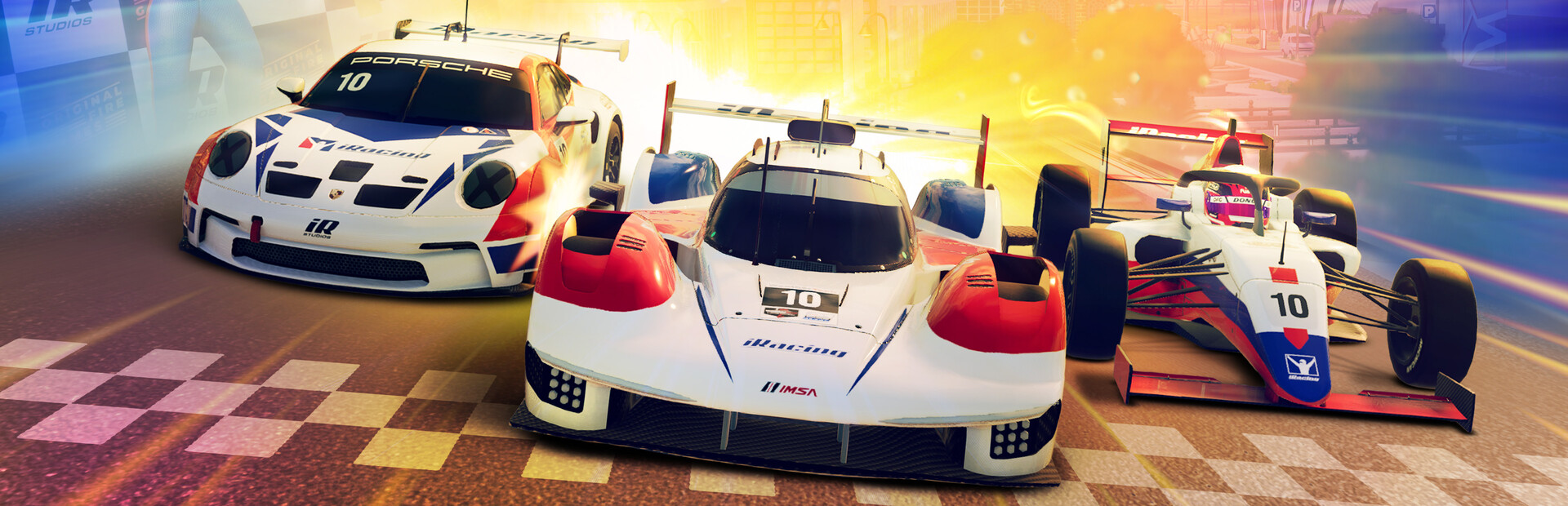
From the Porsche 911 GT3 Cup in Imola to the GTP at Mexico City’s legendary Hermanos Rodríguez Autodrome, iRacing Arcade lets you experience the vibrant world of motorsport with stylized recreations of licensed cars and tracks.
Host or Join Online Races
Compete in online multiplayer with up to 11 competitors worldwide.
Leave your mark in Global Time Trials
Hone your racing line as you chase top times on the Global Leaderboards—or set the pace and let others chase you. With weekly rotations, the competition always stays fresh.
From the store page, unedited. May contain spoilers.
This release
Reviews and playtime
Mostly Positive
73% of 1,322
The game
Genres and features
RacingArcadeSimulationManagementSports
How to install iRacing Arcade
Pre-installed, so there is no setup wizard. Follow these in order.
- 01
Create a games folder
Make a folder like C:\Games\ and keep every game in it. Avoid Program Files, Downloads and the Desktop.
- 02
Exclude it from Windows Defender
Defender often deletes cracked files by mistake while they extract. Add C:\Games\ as an excluded folder:
Windows Security -> Virus & threat protection -> Manage settings -> Exclusions -> Add an exclusion -> Folder
- 03
Download into C:\Games\
Save the archive straight into that folder. This release is one 3.0GB file.
- 04
Extract it there
Use 7-Zip or WinRAR. Keep about 6.6 GB free while it unpacks.
- One file
- Right-click it -> Extract here.
- Several parts
- Extract only part1 (or .001). The other parts are read automatically.
- 05
Open README.html
It is inside the extracted folder and explains how to start the game.
Still stuck? Read the install help
Download
Set up your games folder and the Defender exclusion before you extract. The Install tab has the steps.
FilesYard
The whole game in one file
VikingFile
The whole game in one file
We don't accept fix requests when only one host is down. Please use another mirror above. Links broken? Let us know.
We never password-protect files or hide installers. If a page asks for a password or payment, that is the host's ad, not us. See our safety guide.
System requirements
- Min
- Windows 10, 64 bit only
- Rec
- -
- Min
- 4 hardware CPU threads - Intel Core i5-7500 or higher
- Rec
- -
- Min
- 8 GB RAM
- Rec
- -
- Min
- Nvidia GTX 1070 Ti / AMD Radeon RX 5700
- Rec
- -
- Min
- Version 12
- Rec
- -
- Min
- 4 GB available space
- Rec
- -
- Min
- LCD Steam Deck equivalent or higher.
- Rec
- -
These are the developer's listed requirements and may not be 100% accurate. If your specs fall below the minimum, try the game anyway; many games run fine below the listed requirements. When in doubt, check YouTube for performance benchmarks.