
King Oddball
10tons Ltd2016Indie, Casual
282.0MBBuild 6182284Updated 4 days ago
About King Oddball
End the world only using your tongue and boulders! Hurl away diamonds! See tiny humans fly around against their will! Crush them all!
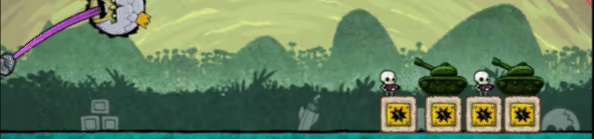
End the world with your tongue and boulders! The King swings a boulder back and forth with his tongue and YOU ARE responsible for releasing it! Time the release accurately and crush as many targets as possible with each boulder. Simple but mouth-watering addictive! Master the game by anticipating how boulders roll, bounce, and launch from explosions. Take advantage of collapsing structures too! Conquer the world in more than 120 awkwardly fun and crunchy levels!
- Ingeniously easy controls. How hard can it be to end the world?
- Stydy the rock, learn the rock's behavior, AND CRUSH ALL PUNY HUNAMS!
- Tongue through more than 120 mouth-watering levels!
- We really should not even mention the Hidden Secret Moustache World (spoiler alert: you get to wear a mustachio).
- Feast your eyes on the eccentric art style, see tiny hunams fly around!
- Use the Oddphone to call his royal majesty (unlocked in the third world)!
- Nurture your ears with original soundtrack by Jonathan Geer and the Austin Piazzolla Quintet!
From the store page, unedited. May contain spoilers.
This release
Reviews and playtime
Very Positive
92% of 64
The game
Genres and features
How to install King Oddball
Pre-installed, so there is no setup wizard. Follow these in order.
- 01
Create a games folder
Make a folder like C:\Games\ and keep every game in it. Avoid Program Files, Downloads and the Desktop.
- 02
Exclude it from Windows Defender
Defender often deletes cracked files by mistake while they extract. Add C:\Games\ as an excluded folder:
Windows Security -> Virus & threat protection -> Manage settings -> Exclusions -> Add an exclusion -> Folder
- 03
Download into C:\Games\
Save the archive straight into that folder. This release is one 282.0MB file.
- 04
Extract it there
Use 7-Zip or WinRAR. Keep about 620.4 MB free while it unpacks.
- One file
- Right-click it -> Extract here.
- Several parts
- Extract only part1 (or .001). The other parts are read automatically.
- 05
Open README.html
It is inside the extracted folder and explains how to start the game.
Still stuck? Read the install help
Download
Set up your games folder and the Defender exclusion before you extract. The Install tab has the steps.
FilesYard
The whole game in one file
FileDitch
The whole game in one file
VikingFile
The whole game in one file
We don't accept fix requests when only one host is down. Please use another mirror above. Links broken? Let us know.
We never password-protect files or hide installers. If a page asks for a password or payment, that is the host's ad, not us. See our safety guide.
System requirements
- Min
- Windows XP / Vista / 7 / 8 / 10
- Min
- 1 Ghz
- Min
- 1 GB RAM
- Min
- Direct3D
- Min
- Version 9.0c
- Min
- 100 MB available space
These are the developer's listed requirements and may not be 100% accurate. If your specs fall below the minimum, try the game anyway; many games run fine below the listed requirements. When in doubt, check YouTube for performance benchmarks.