
KinitoPET
troy_en2024Horror, Indie
845.0 MBBuild 13427439Updated 249 days ago
About KinitoPET
KinitoPET is a psychological horror experience that takes place through Kinito, an early 2000s virtual assistant. Kinito is able to walk, talk, browse, adapt, and play games as Kinito is like no other with its adaptive technology!
Enter the Everlasting Fun!
Would you like a friend? Yes? Well, I have something special for you.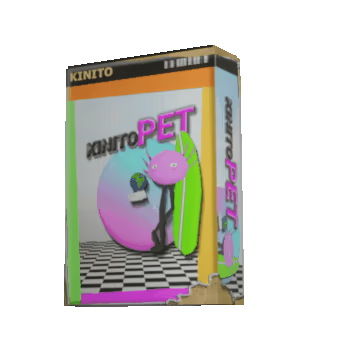
KinitoPET invites you to their wonderfull world of fun and excitement!
Where he will be your very own virtual friend and personal helper!

Kinito is able to walk, talk, browse, adapt, and play games as Kinito is like no other with its adaptive technology! Kinito is h̶i̶d̶i̶n̶g̶ ̶a̶ ̶d̶a̶r̶k̶ ̶s̶e̶c̶r̶e̶t a friend you'll never forget with its critically acclaimed react respond algorithm to make your experience in̶d̶e̶f̶i̶n̶i̶t̶e truly unique. Where d̶i̶d̶ he ̶g̶o else can you find a friend like Kinito with its multitude of great features and friendly love!

Kinito will be your friend and you can s̶t̶o̶p̶ ̶i̶t be there's!
So why wait as with your new virtual assistant and friend you can have f̶o̶r̶e̶v̶e̶r everlasting fun!
From the store page, unedited. May contain spoilers.
This release
Reviews and playtime
Very Positive
92% of 13,693
The game
Genres and features
How to install KinitoPET
Pre-installed, so there is no setup wizard. Follow these in order.
- 01
Create a games folder
Make a folder like C:\Games\ and keep every game in it. Avoid Program Files, Downloads and the Desktop.
- 02
Exclude it from Windows Defender
Defender often deletes cracked files by mistake while they extract. Add C:\Games\ as an excluded folder:
Windows Security -> Virus & threat protection -> Manage settings -> Exclusions -> Add an exclusion -> Folder
- 03
Download into C:\Games\
Save the archive straight into that folder. This release is one 845.0 MB file.
- 04
Extract it there
Use 7-Zip or WinRAR. Keep about 1.8 GB free while it unpacks.
- One file
- Right-click it -> Extract here.
- Several parts
- Extract only part1 (or .001). The other parts are read automatically.
- 05
Open README.html
It is inside the extracted folder and explains how to start the game.
Still stuck? Read the install help
Download
Set up your games folder and the Defender exclusion before you extract. The Install tab has the steps.
VikingFile
The whole game in one file
Pixeldrain
The whole game in one file
Pixeldrain slows free downloads to a few MB/s. The Copy fast link button gives you a bypass link with no speed limit. Paste it into your download manager, or into your browser's address bar.
1Fichier
The whole game in one file
Gofile (legacy)
The whole game in one file
Bowfile
The whole game in one file
Datavaults.co
The whole game in one file
Filespayouts
The whole game in one file
We don't accept fix requests when only one host is down. Please use another mirror above. Links broken? Let us know.
We never password-protect files or hide installers. If a page asks for a password or payment, that is the host's ad, not us. See our safety guide.