Last Outpost
Troyd Games2025Strategy, City Builder
832.6 MBBuild 19816768Updated 249 days ago
About Last Outpost
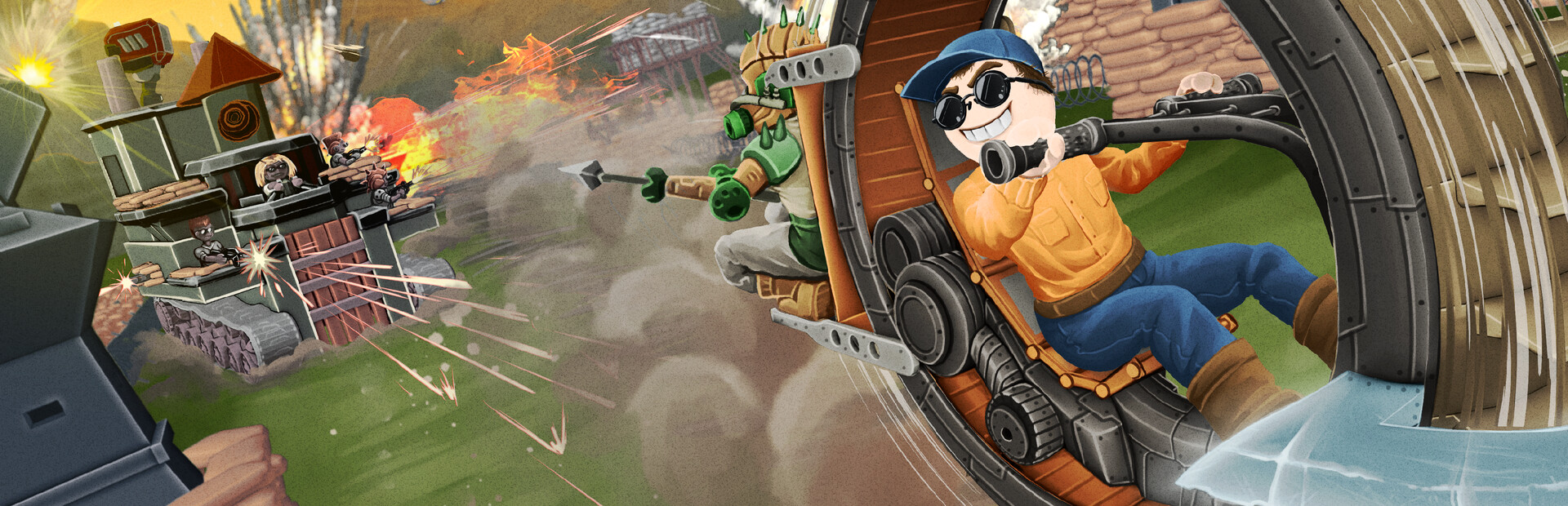
Last Outpost is a minimalist Base Building & Strategy game where you build and defend your outpost in zombie apocalypse. Choose your vehicle and loadout before embarking on your adventure. Use your abilities and control your units to eliminate all threats. Will you manage to defend your outpost?
Dynamic & Tactical Combat

Play as a variety of vehicles, each with unique abilities and shared general skills. Master your vehicle’s strengths, coordinate with your units and adapt your tactics to outsmart threats in every mission.
Face Relentless Bosses

Face a different boss in many levels, each with unique abilities and tactics. Plan your strategy and fortify your defenses before they arrive to challenge your outpost. Adapt to their changing attack patterns, exploit their weaknesses and lead your units to victory against overwhelming odds.
Build Your Outpost

Build your outpost with countless options, experimenting with new gameplay styles and defensive structures in every run. Choose from a wide range of melee units, ranged units, heroes, support and recon forces; each unlocking specialized subclasses as you upgrade their buildings. In the Vehicle Workshop, every vehicle offers four unique upgrade paths, giving you endless variations to try and master with each playthrough.
Heroes and Abilities

Select your hero and command the battlefield with their unique and various abilities.
Captain Carter: A tough veteran soldier with a sharp tactical mind.
Spider-Bot: A fast robot designed for quick hit-and-run tactics.
Tankette Kv2: The Kv2 is a tankette with tough armor that deals area damage.
From the store page, unedited. May contain spoilers.
This release
Reviews and playtime
Mostly Positive
72% of 67
The game
Genres and features
How to install Last Outpost
Pre-installed, so there is no setup wizard. Follow these in order.
- 01
Create a games folder
Make a folder like C:\Games\ and keep every game in it. Avoid Program Files, Downloads and the Desktop.
- 02
Exclude it from Windows Defender
Defender often deletes cracked files by mistake while they extract. Add C:\Games\ as an excluded folder:
Windows Security -> Virus & threat protection -> Manage settings -> Exclusions -> Add an exclusion -> Folder
- 03
Download into C:\Games\
Save the archive straight into that folder. This release is one 832.6 MB file.
- 04
Extract it there
Use 7-Zip or WinRAR. Keep about 1.8 GB free while it unpacks.
- One file
- Right-click it -> Extract here.
- Several parts
- Extract only part1 (or .001). The other parts are read automatically.
- 05
Open README.html
It is inside the extracted folder and explains how to start the game.
Still stuck? Read the install help
Download
Set up your games folder and the Defender exclusion before you extract. The Install tab has the steps.
VikingFile
The whole game in one file
FileQ
The whole game in one file
Pixeldrain
The whole game in one file
Pixeldrain slows free downloads to a few MB/s. The Copy fast link button gives you a bypass link with no speed limit. Paste it into your download manager, or into your browser's address bar.
Gofile (legacy)
The whole game in one file
We don't accept fix requests when only one host is down. Please use another mirror above. Links broken? Let us know.
We never password-protect files or hide installers. If a page asks for a password or payment, that is the host's ad, not us. See our safety guide.
System requirements
- Min
- Intel® Core™ i5-6400
- Rec
- Intel® Core™ i5-9600
- Min
- 4 GB RAM
- Rec
- 8 GB RAM
- Min
- GeForce GTX 960 / AMD Radeon R9 280
- Rec
- GeForce GTX 1060 / AMD Radeon RX 580
Windows 10, 11 64 bit
1 GB available space
These are the developer's listed requirements and may not be 100% accurate. If your specs fall below the minimum, try the game anyway; many games run fine below the listed requirements. When in doubt, check YouTube for performance benchmarks.