
Little氷華2026Adventure, Mystery
2.1 GBBuild 21529160Updated 106 days ago
About Log.in
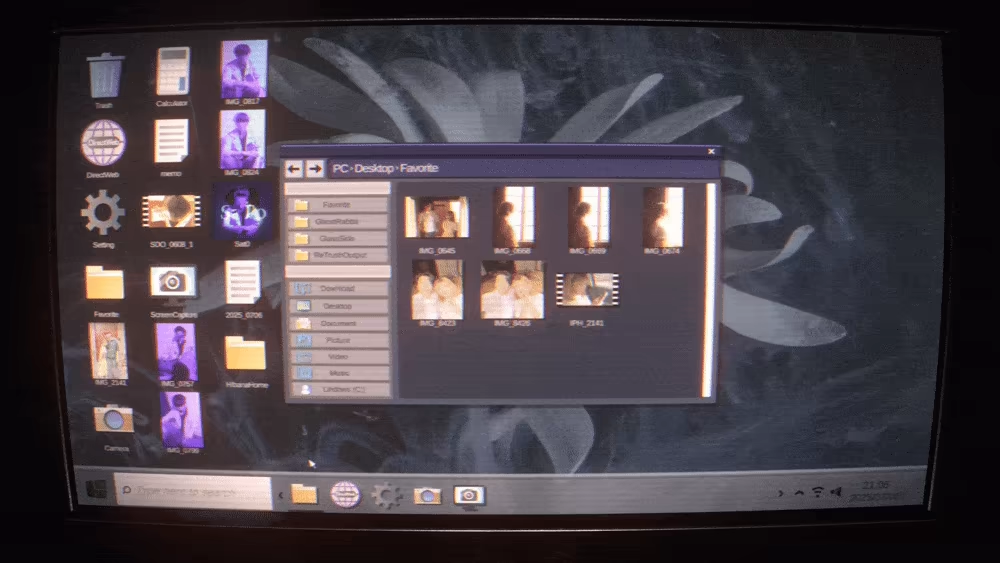
Log.in is a mystery-horror game where you explore a PC screen, digging through images, videos and files. Hidden somewhere in the system is the location of a girl being held captive. Your actions on the desktop will dramatically change the story and her fate.

Login
Login is a mystery × horror adventure game where you operate a PC screen to piece together files—images, videos, emails, memos, and various applications—uncovering the hidden story of the computer’s owner and drawing closer to the truth.
Enjoy the sensation of fear slowly building, little by little, through quiet PC interaction.
You Are the Perpetrator
In this game, you experience the story from the perspective of the “perpetrator” in a confinement case.
Deep within cold, sterile folders, unsettling footage and records lie quietly hidden—evidence that a woman is being held captive.
Who is she?
Why did you imprison her?
And why are you “trying to kill her”—?

All of the truth begins to move the moment you to this PC.
Open the files, follow the records, and when you finally reach the truth, what awaits is—an ending in which both your fate, and hers, are rewritten.
A mystery × horror adventure.
There are five endings, plus one secret ending.
From the store page, unedited. May contain spoilers.
This release
Reviews and playtime
Mostly Positive
75% of 95
The game
Genres and features
How to install Log.in
Pre-installed, so there is no setup wizard. Follow these in order.
- 01
Create a games folder
Make a folder like C:\Games\ and keep every game in it. Avoid Program Files, Downloads and the Desktop.
- 02
Exclude it from Windows Defender
Defender often deletes cracked files by mistake while they extract. Add C:\Games\ as an excluded folder:
Windows Security -> Virus & threat protection -> Manage settings -> Exclusions -> Add an exclusion -> Folder
- 03
Download into C:\Games\
Save the archive straight into that folder. This release is one 2.1 GB file.
- 04
Extract it there
Use 7-Zip or WinRAR. Keep about 4.6 GB free while it unpacks.
- One file
- Right-click it -> Extract here.
- Several parts
- Extract only part1 (or .001). The other parts are read automatically.
- 05
Open README.html
It is inside the extracted folder and explains how to start the game.
Still stuck? Read the install help
Download
Set up your games folder and the Defender exclusion before you extract. The Install tab has the steps.
FileDitch
The whole game in one file
0807
The whole game in one file
FileQ
The whole game in one file
We don't accept fix requests when only one host is down. Please use another mirror above. Links broken? Let us know.
We never password-protect files or hide installers. If a page asks for a password or payment, that is the host's ad, not us. See our safety guide.
System requirements
- Min
- Windows 7
- Rec
- -
- Min
- 2 Ghz
- Rec
- -
- Min
- 4 GB RAM
- Rec
- -
- Min
- 128MB, OpenGL 3+
- Rec
- -
- Min
- 4 GB available space
- Rec
- -
These are the developer's listed requirements and may not be 100% accurate. If your specs fall below the minimum, try the game anyway; many games run fine below the listed requirements. When in doubt, check YouTube for performance benchmarks.