
Lost Host
Gest.LT2026Racing, Action
8.6GBBuild 26566727Updated 14 days ago
About Lost Host
One night, a young boy mysteriously disappears, leaving his favorite toy car behind. Now, it's up to the little car to find him. Explore a world full of puzzles, dangers, and unexpected surprises as you set out on an adventure to uncover what happened to its missing owner.
Be part of the Lost Host community

About the Game

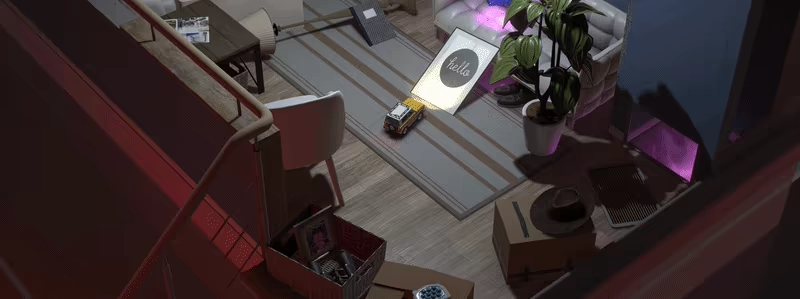
One night, a boy mysteriously disappears, leaving his favorite RC car behind. Left all alone, the little car sets out to find him. But getting out of the house is only the beginning...
A Big World for a Little Car
Explore the boy's house, drive through the city, and discover all kinds of places — from cozy corners to abandoned buildings and creepy locations. Solve puzzles, move objects, and find ways to overcome obstacles. When you're the size of a toy, the world looks completely different!

Watch Where You're Driving!
There are plenty of dangers waiting out there. Dogs, robotic vacuums, creepy toys, and other enemies might get in your way. Jump over obstacles, avoid enemies, and tackle all kinds of challenges along the way. And if you're up for it, there are even a few races to test your driving skills!

Upgrade Your Little Car
Collect stars and spend them on upgrades. Install a more powerful motor, unlock the ability to jump, and equip new gadgets to help you overcome obstacles and explore new places.
So, What Happened to the Boy?
Why did the boy disappear? And where could he have gone? The little car has a long way to go before finding the answers.
From the store page, unedited. May contain spoilers.
This release
Reviews and playtime
Very Positive
94% of 117
The game
Genres and features
How to install Lost Host
Pre-installed, so there is no setup wizard. Follow these in order.
- 01
Create a games folder
Make a folder like C:\Games\ and keep every game in it. Avoid Program Files, Downloads and the Desktop.
- 02
Exclude it from Windows Defender
Defender often deletes cracked files by mistake while they extract. Add C:\Games\ as an excluded folder:
Windows Security -> Virus & threat protection -> Manage settings -> Exclusions -> Add an exclusion -> Folder
- 03
Download into C:\Games\
Save the archive straight into that folder. This release is one 8.6GB file.
- 04
Extract it there
Use 7-Zip or WinRAR. Keep about 18.9 GB free while it unpacks.
- One file
- Right-click it -> Extract here.
- Several parts
- Extract only part1 (or .001). The other parts are read automatically.
- 05
Open README.html
It is inside the extracted folder and explains how to start the game.
Still stuck? Read the install help
Download
Set up your games folder and the Defender exclusion before you extract. The Install tab has the steps.
FilesYard
The whole game in one file
FileDitch
The whole game in one file
VikingFile
The whole game in one file
We don't accept fix requests when only one host is down. Please use another mirror above. Links broken? Let us know.
We never password-protect files or hide installers. If a page asks for a password or payment, that is the host's ad, not us. See our safety guide.
System requirements
- Min
- 8 GB RAM
- Rec
- 16 GB RAM
- Min
- Nvidia GeForce GTX1060
- Rec
- Nvidia GeForce RTX2060
Windows 10
Ryzen 5 3600
10 GB available space
These are the developer's listed requirements and may not be 100% accurate. If your specs fall below the minimum, try the game anyway; many games run fine below the listed requirements. When in doubt, check YouTube for performance benchmarks.