
Metro Gravity
mrkogamedev2025Platformer, Metroidvania
584.8MBBuild 24133204Updated 51 days ago
About Metro Gravity
Explore, fight, solve puzzles and bend gravity to escape the dream-like world of the Halls! Metro Gravity is a mind-boggling musical adventure with rhythmic combat and compelling lore.
Explore the twisting passages and alleys of the Halls, a liminal manifestation of the subconscious of many.
After clicking a shady looking hyperlink and filling out a survey, you find yourself in a non-sensical place where gravity implies no "up" or "down." The unfortunate residents encourage you to find your way out by facing your regrets and getting stronger.
Gain abilities, jam with foes and conquer the Halls!
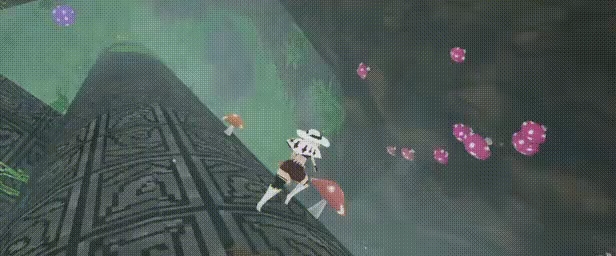

Walk on walls, use your gravity beam and other abilities you unlock to traverse the Halls how you please.
Solve puzzles! Test your wit with perplexing and disorienting challenges.
Explore a cute low-poly environment with retro-inspired pixel graphics.
Make friends with the cast of characters in the same situation as you! Help them out with tasks, and they might just reward you with items and lore.
Fight a plethora of enemies to the beat of unique soundtracks!


Time your parries, dodges and jumps to the beat of the song!
An expansive list of scores dictate tempo and feel of the combat!
Almost every sound effect, from abilities, to dialogue, to combat sounds are in tune with the melody!
From the store page, unedited. May contain spoilers.
This release
Reviews and playtime
Very Positive
93% of 878
The game
Genres and features
How to install Metro Gravity
Pre-installed, so there is no setup wizard. Follow these in order.
- 01
Create a games folder
Make a folder like C:\Games\ and keep every game in it. Avoid Program Files, Downloads and the Desktop.
- 02
Exclude it from Windows Defender
Defender often deletes cracked files by mistake while they extract. Add C:\Games\ as an excluded folder:
Windows Security -> Virus & threat protection -> Manage settings -> Exclusions -> Add an exclusion -> Folder
- 03
Download into C:\Games\
Save the archive straight into that folder. This release is one 584.8MB file.
- 04
Extract it there
Use 7-Zip or WinRAR. Keep about 1.3 GB free while it unpacks.
- One file
- Right-click it -> Extract here.
- Several parts
- Extract only part1 (or .001). The other parts are read automatically.
- 05
Open README.html
It is inside the extracted folder and explains how to start the game.
Still stuck? Read the install help
Download
Set up your games folder and the Defender exclusion before you extract. The Install tab has the steps.
FileDitch
The whole game in one file
VikingFile
The whole game in one file
Gofile (legacy)
The whole game in one file
We don't accept fix requests when only one host is down. Please use another mirror above. Links broken? Let us know.
We never password-protect files or hide installers. If a page asks for a password or payment, that is the host's ad, not us. See our safety guide.
System requirements
- Min
- Windows 10
- Min
- Quad Core Intel or AMD 2.5 GHz
- Min
- 8 GB RAM
- Min
- GTX 1660
- Min
- 1 GB available space
These are the developer's listed requirements and may not be 100% accurate. If your specs fall below the minimum, try the game anyway; many games run fine below the listed requirements. When in doubt, check YouTube for performance benchmarks.