
Metro Simulator 2
KishMish Games2023Simulation, Racing
3.9GBBuild 12717353Updated 76 days ago
About Metro Simulator 2
Metro Simulator 2 is a unique game featuring recreated Moscow Metro and realistic train controls.
Metro Simulator 2 is a unique game featuring recreated Moscow Metro and realistic train controls.

Various game modes
In Free Mode, you can become a Train driver. You can choose station or dead end where you start the game by yourself. You can drive on the line without passengers, but in any time you can set the desired route and set up the schedule. It's important to follow it and depart from stations in time!
In Scenarios, conditions are pre-determined. You'll face different unusual situations which may occur in Metro. Listen to dispatcher's orders and follow them.
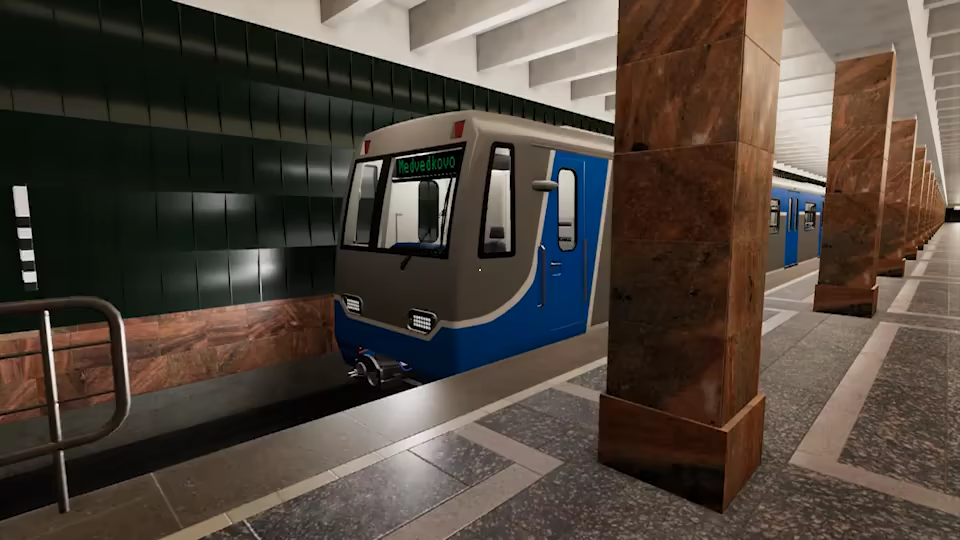
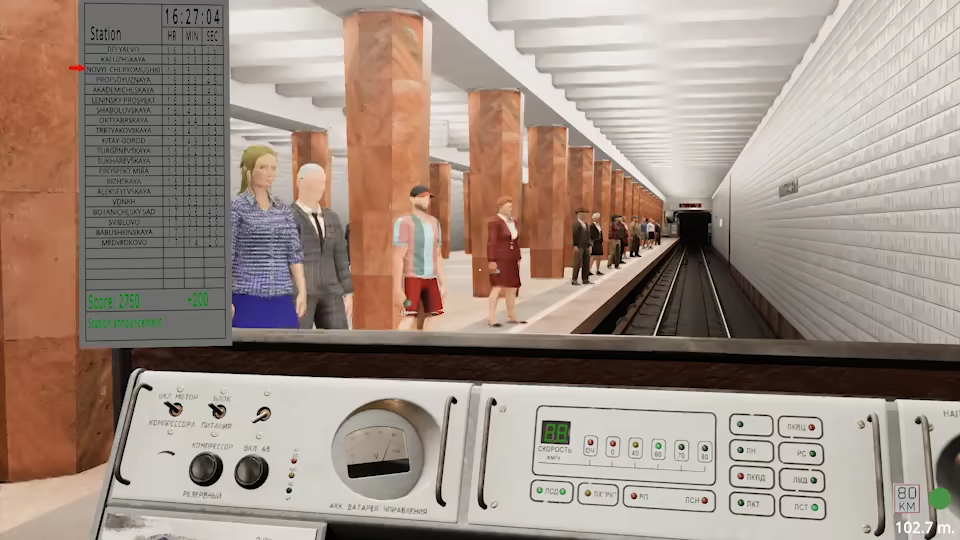
Moscow Metro Line 6: 24 stations, various tunnels and objects inside them
By using modern technologies, the game delivers all the experience of Russian capital's subway. Stations on this line were built in different time periods, so they reflect their era's developments.
Advanced speed control system
Speed control system will allow to prevent collisions and other unwanted events. Keep an eye on speedometer value and traffic lights ahead, and your drive should be alright.
Main characters of the game are trains
Two trains are featured in the game, and each one has its own controls. They are equipped with all basic functionality for safe passenger transportation.
From the store page, unedited. May contain spoilers.
This release
Reviews and playtime
Mixed
65% of 693
The game
Genres and features
How to install Metro Simulator 2
Pre-installed, so there is no setup wizard. Follow these in order.
- 01
Create a games folder
Make a folder like C:\Games\ and keep every game in it. Avoid Program Files, Downloads and the Desktop.
- 02
Exclude it from Windows Defender
Defender often deletes cracked files by mistake while they extract. Add C:\Games\ as an excluded folder:
Windows Security -> Virus & threat protection -> Manage settings -> Exclusions -> Add an exclusion -> Folder
- 03
Download into C:\Games\
Save the archive straight into that folder. This release is one 3.9GB file.
- 04
Extract it there
Use 7-Zip or WinRAR. Keep about 8.6 GB free while it unpacks.
- One file
- Right-click it -> Extract here.
- Several parts
- Extract only part1 (or .001). The other parts are read automatically.
- 05
Open README.html
It is inside the extracted folder and explains how to start the game.
Still stuck? Read the install help
Download
Set up your games folder and the Defender exclusion before you extract. The Install tab has the steps.
FileDitch
The whole game in one file
0807
The whole game in one file
FileQ
The whole game in one file
Pixeldrain
The whole game in one file
Pixeldrain slows free downloads to a few MB/s. The Copy fast link button gives you a bypass link with no speed limit. Paste it into your download manager, or into your browser's address bar.
Gofile (legacy)
The whole game in one file
We don't accept fix requests when only one host is down. Please use another mirror above. Links broken? Let us know.
We never password-protect files or hide installers. If a page asks for a password or payment, that is the host's ad, not us. See our safety guide.
System requirements
- Min
- Microsoft® Windows® 7 or later 64-bit OS required
- Rec
- Microsoft® Windows® 10 or later 64-bit OS required
- Min
- Intel Core i5-4460 or AMD equivalent
- Rec
- Intel Core i7-9700K or AMD equivalent
- Min
- 4 GB RAM
- Rec
- 8 GB RAM
- Min
- Geforce GTX 950 or Radeon R9 280 (no support for onboard cards)
- Rec
- Geforce GTX 1070 or AMD Radeon RX 590
Version 11
10 GB available space
DirectX® Compatible
These are the developer's listed requirements and may not be 100% accurate. If your specs fall below the minimum, try the game anyway; many games run fine below the listed requirements. When in doubt, check YouTube for performance benchmarks.