Mineral Mining Simulator
Bewolba Studios2026Casual, Simulation
1.5GBBuild 25794540Updated 46 days ago
About Mineral Mining Simulator
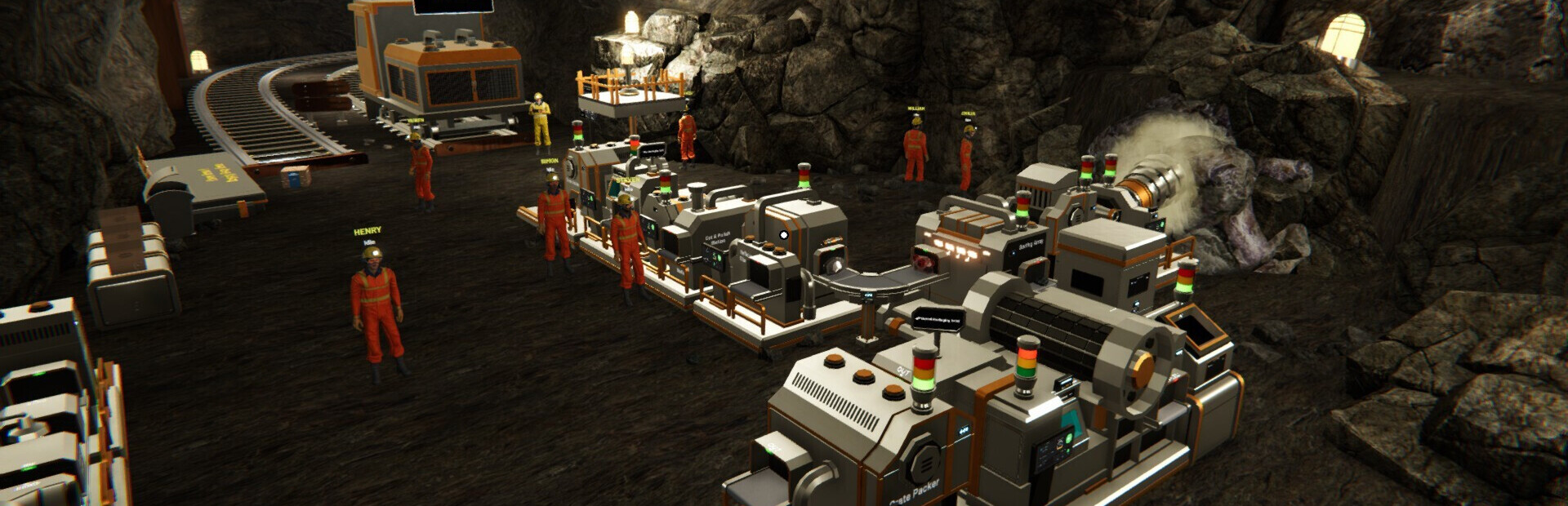
Build and automate a mining operation from the ground down. Survey deposits, extract and refine valuable gems and metals, synthesize high-value composites, hire workers, and ship your products to expanding markets. Optimize every stage of the pipeline to maximize efficiency, quality, and profit.
Build Beneath the Surface
Start with a compact cave facility and grow it into a powerful mining and production operation. Survey mineral deposits, build processing lines, manage workers, and turn raw ore into valuable gemstones, metals, and advanced composite products.
Every stage matters. A reliable supply, well-planned machine layout, and efficient logistics can transform a struggling mine into a thriving industrial network.

From Raw Ore to Valuable Products
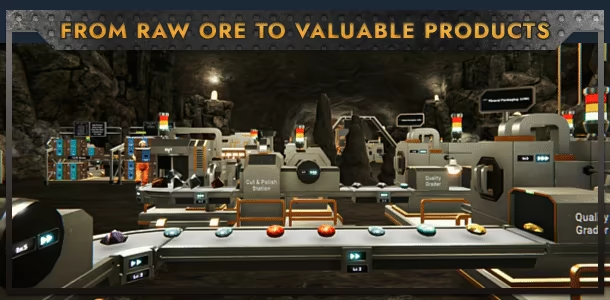
Build a complete production chain from extraction to shipment. Drill raw ore, break it apart, sort the results, refine mineral fragments, cut and polish them, grade the finished products, and pack them into crates for delivery.
Route gravel and other by-products into dedicated processing lines instead of letting useful material go to waste. As your operation grows, unlock more machines, improve throughput, and redesign inefficient sections of your factory.
Survey Richer Deposits
Every mining spot holds different possibilities. Survey deposits to expand the range of minerals that can be extracted and improve your chances of producing higher-grade results.
Increase each deposit’s survey level, uncover its potential, and decide which mining spots are worth developing further.

Synthesize Advanced Composites
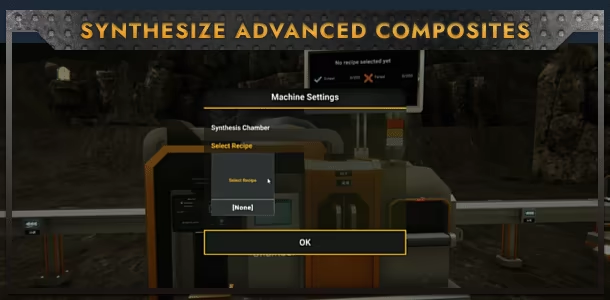
Take processed minerals beyond ordinary gems and metals. Purchase and unlock synthesis recipes, combine specific materials in the Synthesis Chamber, and create high-value industrial products such as steel, porcelain blends, silicon carbide, and battery compounds.
Grade each composite in the Synthesis Grader, upgrade its performance to improve your chances of better results, and open access to specialized industrial markets.
Design and Optimize Your Automation
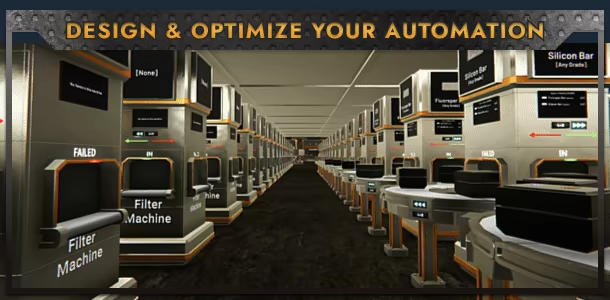
Build with drills, breakers, sorters, refiners, graders, packers, storage systems, and multiple types of conveyors. Use filters, splitters, mergers, vertical routers, and automated supply stations to control where every item goes.
Monitor your machines from a centralized management system. Adjust operating speed, upgrade performance, rename machines, sell outdated equipment, and keep an eye on wear before a breakdown disrupts production.
Hire Workers and Delegate the Routine
Recruit employees as your production grows and assign them to specialized roles. Workers can maintain machines, restock supplies, manage storage, load trains, and support daily operations while you focus on expansion and optimization.
Improve their skills to help them move, maintain equipment, and manage supplies more efficiently, then assign them where their strengths are needed most.

Ship to Growing Markets
Pack your products, organize storage, load delivery trains, and choose where to sell. Expand across many sales districts with different product demands, grade requirements, operating costs, deadlines, and rewards.
Build reputation with each market to unlock new destinations and greater train capacity. You can also take on client projects, meet their delivery requirements, and collect payment through the contract system.

Expand Your Mining Business
Unlock additional caves, factory areas, trains, mining spots, recipes, employees, and machine upgrades as you progress through the game.
Whether you prefer hands-on production or carefully planned automation, Mineral Mining Simulator lets you improve your operation one machine, one route, and one bottleneck at a time.
From the store page, unedited. May contain spoilers.
This release
Reviews and playtime
Mostly Positive
78% of 82
The game
Genres and features
How to install Mineral Mining Simulator
Pre-installed, so there is no setup wizard. Follow these in order.
- 01
Create a games folder
Make a folder like C:\Games\ and keep every game in it. Avoid Program Files, Downloads and the Desktop.
- 02
Exclude it from Windows Defender
Defender often deletes cracked files by mistake while they extract. Add C:\Games\ as an excluded folder:
Windows Security -> Virus & threat protection -> Manage settings -> Exclusions -> Add an exclusion -> Folder
- 03
Download into C:\Games\
Save the archive straight into that folder. This release is one 1.5GB file.
- 04
Extract it there
Use 7-Zip or WinRAR. Keep about 3.3 GB free while it unpacks.
- One file
- Right-click it -> Extract here.
- Several parts
- Extract only part1 (or .001). The other parts are read automatically.
- 05
Open README.html
It is inside the extracted folder and explains how to start the game.
Still stuck? Read the install help
Download
Set up your games folder and the Defender exclusion before you extract. The Install tab has the steps.
FileDitch
The whole game in one file
VikingFile
The whole game in one file
Gofile (legacy)
The whole game in one file
We don't accept fix requests when only one host is down. Please use another mirror above. Links broken? Let us know.
We never password-protect files or hide installers. If a page asks for a password or payment, that is the host's ad, not us. See our safety guide.
System requirements
- Min
- AMD Ryzen 5 1600 / Intel Core i5-8400
- Rec
- AMD Ryzen 5 3600 / Intel Core i7 7700K
- Min
- 8 GB RAM
- Rec
- 16 GB RAM
- Min
- GeForce GTX 970
- Rec
- GeForce GTX 1060 6GB
Windows 10 64bit
Version 11
10 GB available space
DirectX compatible
These are the developer's listed requirements and may not be 100% accurate. If your specs fall below the minimum, try the game anyway; many games run fine below the listed requirements. When in doubt, check YouTube for performance benchmarks.