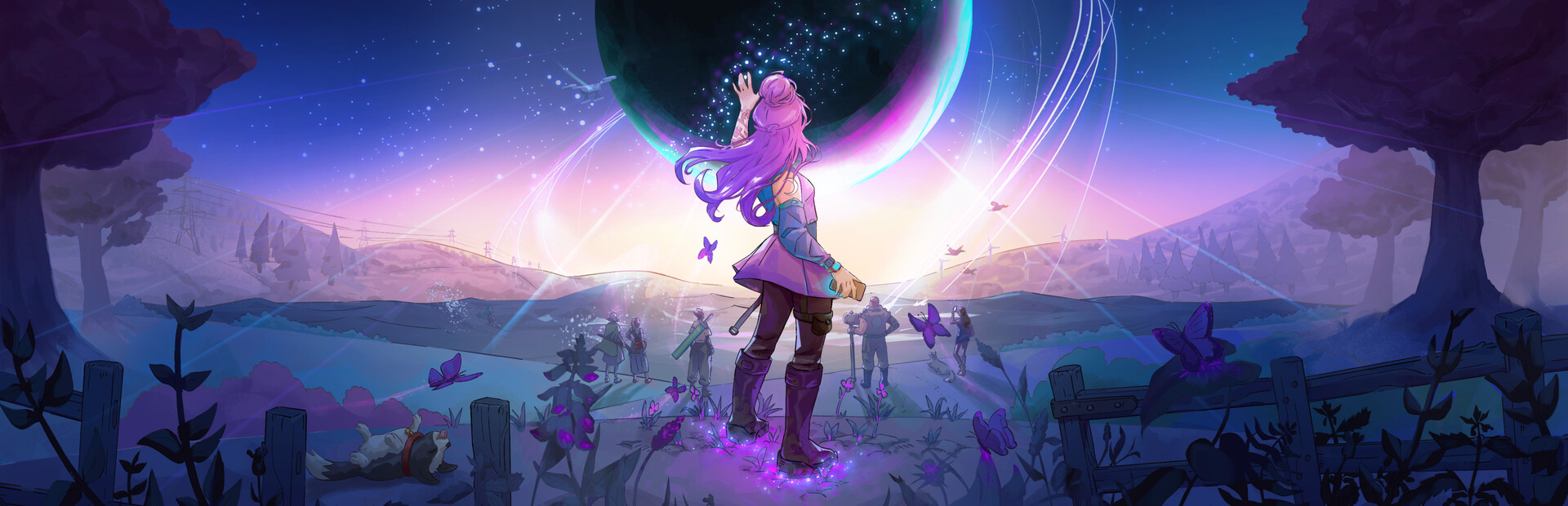
Moonfrost
Oxalis Games2026RPG, Life Sim
3.2GBBuild 26755548Updated 4 days ago
About Moonfrost
In a world ravaged by meteor storms, begin your cosy yet epic journey as a Frost Hunter! Rebuild a shattered village whilst enjoying a life of farming, crafting and befriending charming neighbours as you uncover the dark truths behind the mysterious Second Moon.
Roadmap

About the Game


One hundred years ago the world changed forever. A second moon appeared in our skies and with it came constant meteor storms that rained chaos upon our homes.
We called these icy meteorites MOONFROST.
In this ruined world, some of us learned to harness the power of this mysterious substance, transforming its shards into all sorts of structures, creating order from the chaos.
They call us Frost Hunters, and we have a mission:
✨To rebuild the world, one shard at a time. ✨
This is Moonfrost, and your adventure is about to begin!


Moonfrost tells the story of a broken world and the broken people who live within it. Form friendships and potential romances with a cast of deep, colourful characters. Help them face their fears and flaws as you unravel your own forgotten past and uncover the truth of Moonfrost and the ominous Second Moon that looms over us all.


Cottage, castle, or cozy villa! It’s all up to you! Use Build Mode to design, construct, and decorate your perfect home, wall by wall.
Bring life back to your village, cleaning the streets, restoring old buildings and designing unique homes for the other villagers!


Gather resources, grow crops, fish, cook, explore dangerous temples and decorate your homestead as you expand your Frost Hunting abilities.



Sit back, relax and lose yourself in a next-gen pixel art world featuring dynamic lighting, weather and wildlife systems as well as a haunting, original soundtrack.

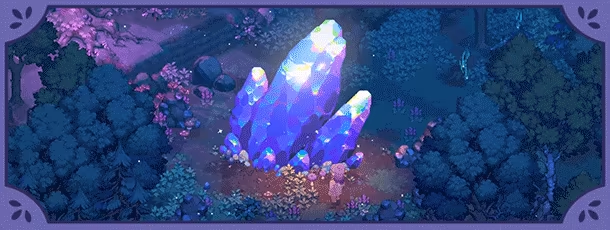


Unlock a growing collection of crafting recipes, from tools and decorations to outfits, hairstyles, and more. Mix and match gear to shape your own unique style, both in how you play and how you look.

Thank you 💜

From the store page, unedited. May contain spoilers.
This release
Reviews and playtime
Mixed
56% of 96
The game
Genres and features
How to install Moonfrost
Pre-installed, so there is no setup wizard. Follow these in order.
- 01
Create a games folder
Make a folder like C:\Games\ and keep every game in it. Avoid Program Files, Downloads and the Desktop.
- 02
Exclude it from Windows Defender
Defender often deletes cracked files by mistake while they extract. Add C:\Games\ as an excluded folder:
Windows Security -> Virus & threat protection -> Manage settings -> Exclusions -> Add an exclusion -> Folder
- 03
Download into C:\Games\
Save the archive straight into that folder. This release is one 3.2GB file.
- 04
Extract it there
Use 7-Zip or WinRAR. Keep about 7.0 GB free while it unpacks.
- One file
- Right-click it -> Extract here.
- Several parts
- Extract only part1 (or .001). The other parts are read automatically.
- 05
Open README.html
It is inside the extracted folder and explains how to start the game.
Still stuck? Read the install help
Download
Set up your games folder and the Defender exclusion before you extract. The Install tab has the steps.
FilesYard
The whole game in one file
FileDitch
The whole game in one file
VikingFile
The whole game in one file
We don't accept fix requests when only one host is down. Please use another mirror above. Links broken? Let us know.
We never password-protect files or hide installers. If a page asks for a password or payment, that is the host's ad, not us. See our safety guide.
System requirements
- Min
- Windows 11
- Min
- 2 GHZ
- Min
- 8 GB RAM
- Min
- 3GB Video Memory
- Min
- Version 10
- Min
- 2 GB available space
These are the developer's listed requirements and may not be 100% accurate. If your specs fall below the minimum, try the game anyway; many games run fine below the listed requirements. When in doubt, check YouTube for performance benchmarks.