Fair Games ApS2025Survival, Sandbox
381.5MBBuild 24926468Updated 81 days ago
About Necesse
Build, quest, and conquer across an infinite procedurally generated world. Play alone or with friends as you establish a settlement and explore deep dungeons, fight monsters and bosses, mine rare ores, craft magical equipment, recruit specialists for your colony, and more!

Build. Quest. Conquer. The infinite procedurally generated world of Necesse is full of mysteries to uncover as you grow your settlement and lead expeditions against pirate kings, dragons, and fallen wizards alike. Will you spend your days crawling through dungeons, searching for treasures and raw materials with which to craft your equipment? Or will you answer the call to adventure, traversing the seas and seeking out great foes to test your prowess? Recruit settlers with particular skills and work alongside them to mine a wide variety of ores, craft gear tailored to your preferred playstyle, and establish a flourishing village.
Play singleplayer or co-op - or establish a dedicated server with hundreds of other players. The world is infinite and adapts to whatever mode you choose.
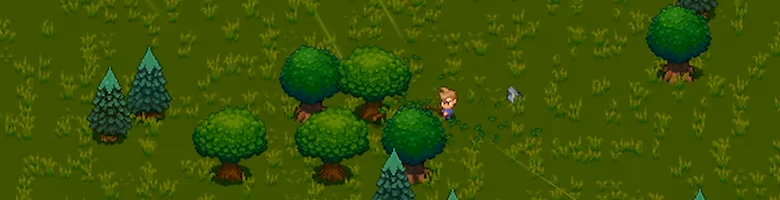

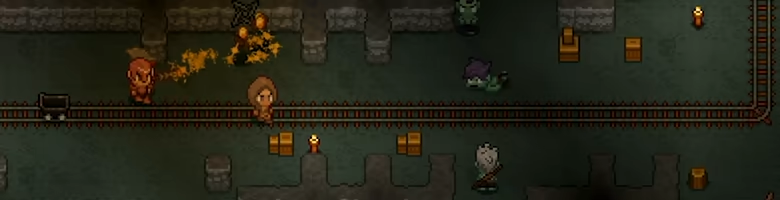



Play as you want, customising difficulty and multiple gameplay rules to fit your preferences. If you don’t like raiders showing up at your settlement, turn them off, and fine-tune gameplay rules like the length of the day/night cycle or the difficulty of boss battles however you like. From pet parrots and penguins to genie lamps, ostrich mounts, and unique outfits, Necesse has countless options to explore. Whether you're playing singleplayer or with friends, and whether you’re cranking up the difficulty or taking it easy, each session is an opportunity to weave an epic tale unlike any that came before it.
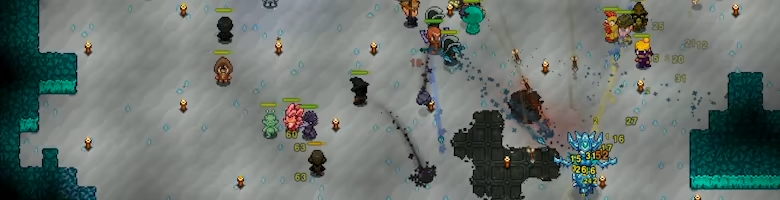
From the store page, unedited. May contain spoilers.
This release
Reviews and playtime
Very Positive
92% of 24,917
The game
Genres and features
How to install Necesse
Pre-installed, so there is no setup wizard. Follow these in order.
- 01
Create a games folder
Make a folder like C:\Games\ and keep every game in it. Avoid Program Files, Downloads and the Desktop.
- 02
Exclude it from Windows Defender
Defender often deletes cracked files by mistake while they extract. Add C:\Games\ as an excluded folder:
Windows Security -> Virus & threat protection -> Manage settings -> Exclusions -> Add an exclusion -> Folder
- 03
Download into C:\Games\
Save the archive straight into that folder. This release is one 381.5MB file.
- 04
Extract it there
Use 7-Zip or WinRAR. Keep about 839.3 MB free while it unpacks.
- One file
- Right-click it -> Extract here.
- Several parts
- Extract only part1 (or .001). The other parts are read automatically.
- 05
Open README.html
It is inside the extracted folder and explains how to start the game.
Still stuck? Read the install help
Download
Set up your games folder and the Defender exclusion before you extract. The Install tab has the steps.
FileDitch
The whole game in one file
FileQ
The whole game in one file
Pixeldrain
The whole game in one file
Pixeldrain slows free downloads to a few MB/s. The Copy fast link button gives you a bypass link with no speed limit. Paste it into your download manager, or into your browser's address bar.
Gofile (legacy)
The whole game in one file
We don't accept fix requests when only one host is down. Please use another mirror above. Links broken? Let us know.
We never password-protect files or hide installers. If a page asks for a password or payment, that is the host's ad, not us. See our safety guide.